Combined pipeline and calendar
In an agency workspace, Pipeline and Calendar show the work of every client you can open, in one place. Records and dates stay in each client's workspace, where you open them to make changes.
- 4 min
- Agency plan
Screens from October 2026
Pipeline across clients
Select Pipeline in the agency workspace's sidebar. Every client's funding records appear in one list, grouped by phase, and each names its client first.
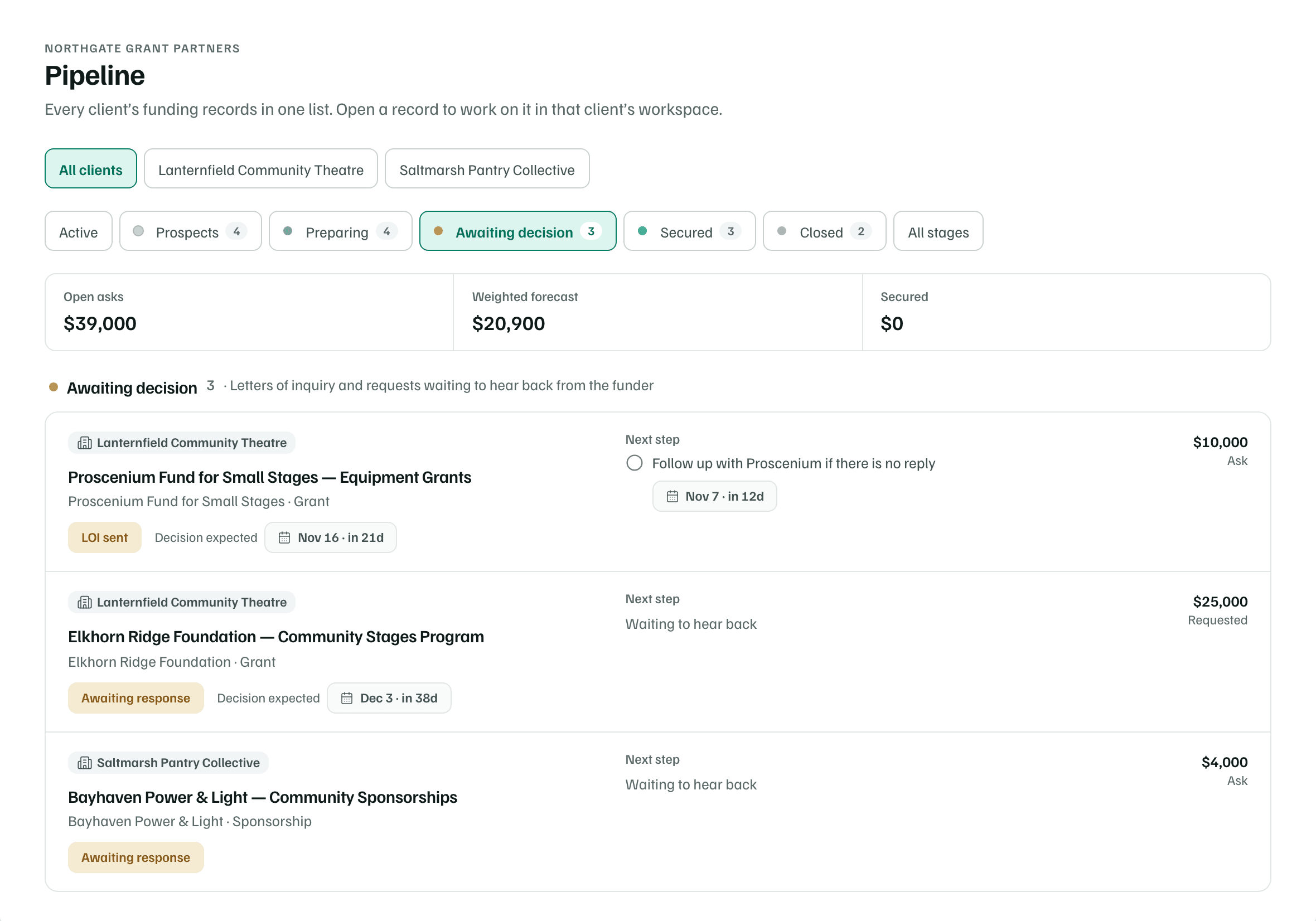
- Choose All clients or one client's name.
- Choose a phase: Prospects, Preparing, Awaiting decision, Secured or Closed. Active, where the list starts, leaves out closed records, and All stages shows everything.
- The totals, Open asks, Weighted forecast and Secured, add up the records shown.
The list is for reading. Select a record to open it in its client's workspace, where you change its stage, tasks and materials. Pipeline basics explains each phase and total.
Calendar across clients
Select Calendar in the agency workspace. Deadlines, reports, tasks and follow-ups from every client you can open appear in one agenda. Overdue items come first, then a section for each day.
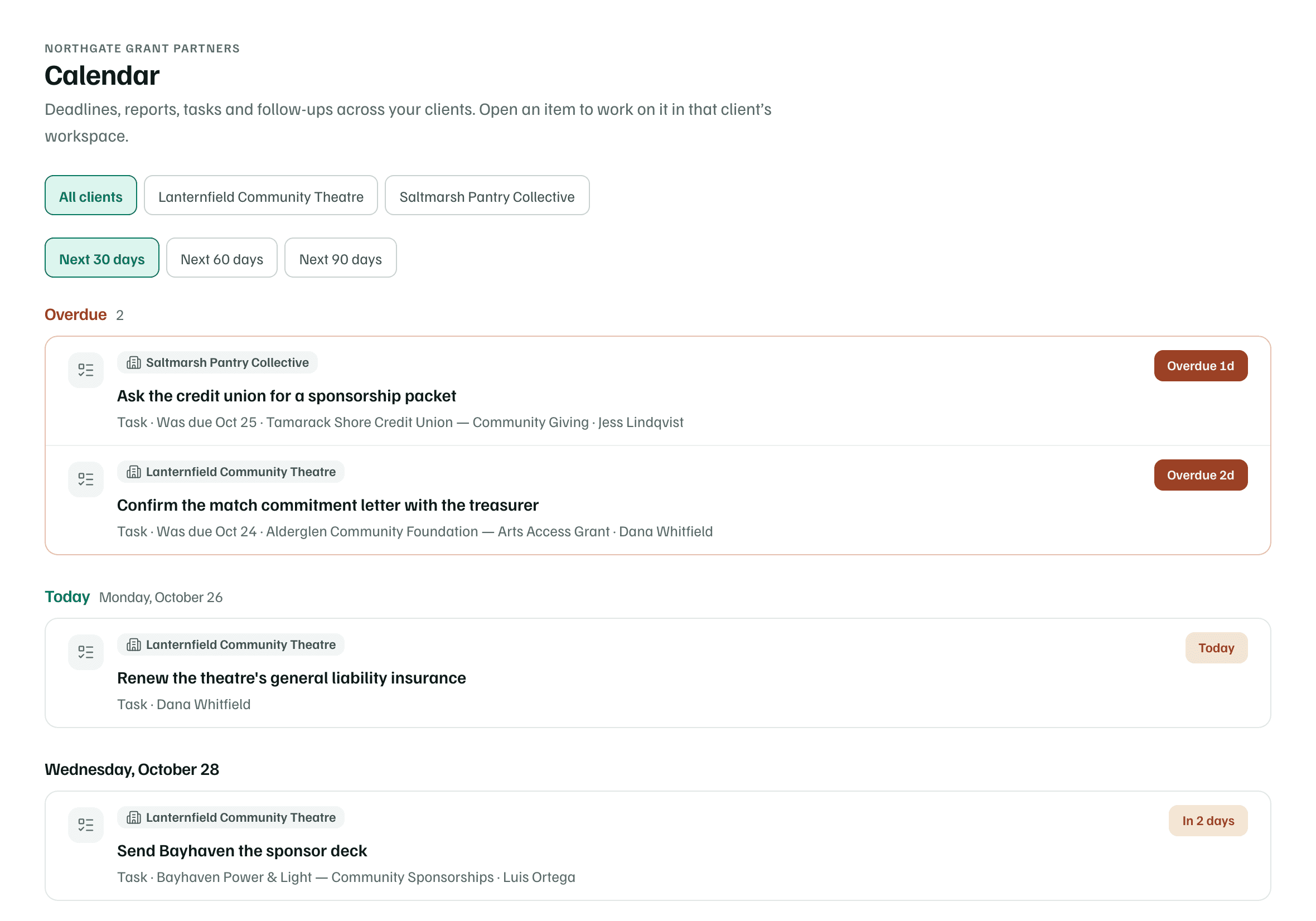
- Choose All clients or one client.
- Choose how far ahead to look: Next 30 days, Next 60 days or Next 90 days. It starts at Next 30 days.
- Up to ten overdue items show at once. If there are more, choose a client to see all of theirs.
- Each item names its client, the kind of date, its record and its owner, with chips for how sure the date is and how soon it's due. The calendar explains them.
Select an item to open it in its client's workspace. Calendar subscriptions belong to each workspace, so subscribe from the client's own workspace. See Subscribe from Google, Apple or Outlook.
Due in the next two weeks
When you belong to more than one workspace, All workspaces shows Due in the next two weeks above them. It lists funder dates due in the next 14 days, such as letters of inquiry, applications, reports and decisions, from every workspace you belong to. The soonest come first, and each names its workspace.
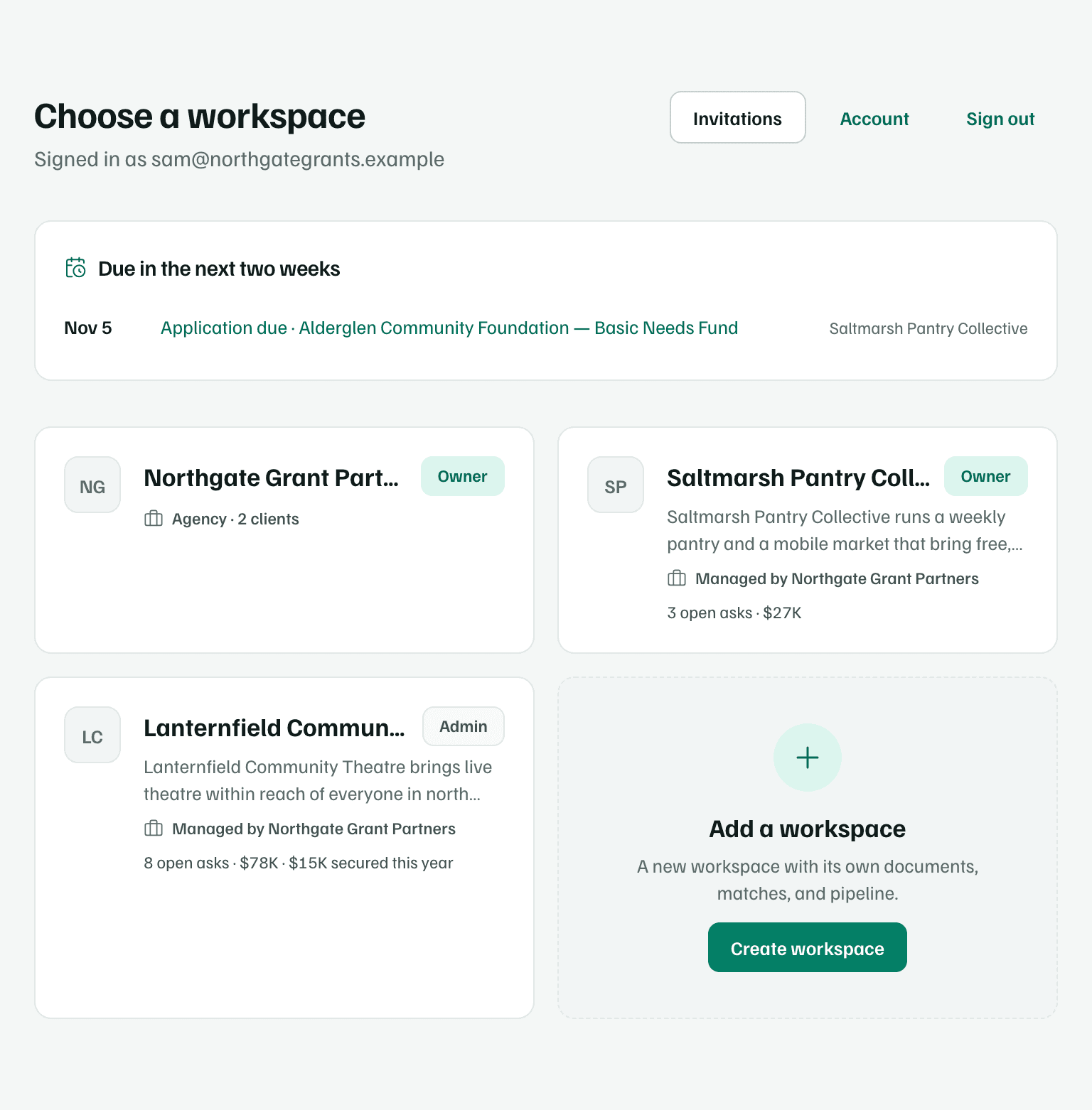
The agency's card counts its clients, such as Agency · 2 clients, and each client's card names the agency that manages it. Cards also show open asks and what's been secured this year.
Clients you can't open
Both views include only the clients you can open. When some are left out, a line says how many, and an agency owner or admin can give you access. See Staff access and seats. If a client's work can't be loaded, a notice names it. Refresh the page to try again.