What GrantFlex is
GrantFlex is one workspace for grant seeking, from finding funders to reporting on an award. AI reads sources and drafts text with you. You review the results, decide what to do and send everything yourself.
- 4 min
- Every plan
Screens from October 2026
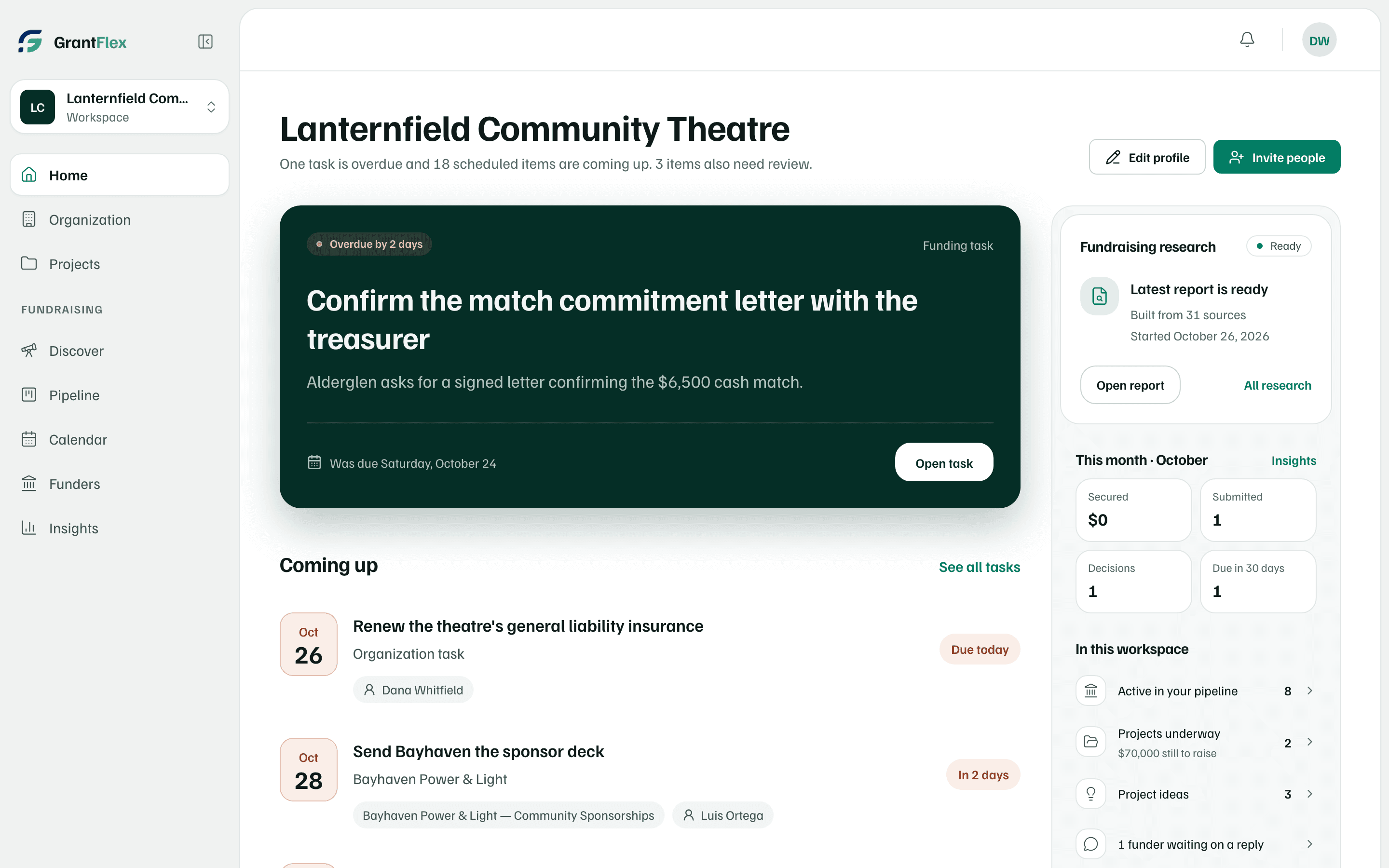
Find your way around
The sidebar lists the areas of your workspace:
- Home: your next task, what's coming up, and your latest research.
- About the Organization: your details, applicant file, people and programs, answer library and documents. In a workspace for yourself it's called Your work.
- Projects: the work you're raising money for, each with its budget, funders and tasks.
- Discover: research reports, quick searches for one need, published opportunities, and grant guidelines you want explained.
- Pipeline: every grant and funding request, with its stage, tasks, proposal and awards.
- Calendar: deadlines, report dates and follow-ups, with reminders.
- Funders: the foundations, companies and agencies you work with, and your history with each.
- Insights: what you've secured and what's in progress, and a board report.
The box at the top of the sidebar shows the workspace you're in. Select it to switch workspaces, open Workspace settings, invite people, or see All workspaces. At the top right, the bell opens your notifications and your initials open the account menu.
How the work flows
| Step | Where | What you do |
|---|---|---|
| Set up | Setup, in five steps | Say who the workspace is for, what you'd like funded and who has supported you. It takes about 10 minutes. |
| Find opportunities | Discover | Your free introductory research previews up to three opportunities. A full research report, on a paid plan, takes about 30 minutes. A quick search for one need takes about 2. |
| Decide | Your report | Open each opportunity, check its sources and choose a next step, such as Start application, Plan outreach or Set aside until…. |
| Track | Pipeline | Each grant or request moves through stages from Prospect to Secured, with its own tasks and materials. |
| Write | The proposal, opened from its Pipeline record | Draft sections from your documents, build the budget, get an AI review and download the package. |
| Keep dates | Calendar | See every deadline and follow-up, get reminders, and subscribe from Google, Apple or Outlook. |
| After the award | Awards & reports, in Pipeline | Record payments and report dates, and write progress reports. |
| Report | Insights | See what you've secured and download a Board report. |
What AI does, and what it doesn't
GrantFlex uses AI for the reading and the first drafts:
- Research: it searches public sources and suggests opportunities, with sources you can check.
- Drafting: it drafts and rewrites proposal sections from your documents, and drafts budget explanations, letters of support and messages to funders.
- Checking: it reviews a draft against a funder's criteria, and reads documents you choose, such as an award letter, to pull out the details.
You stay in charge of everything it produces:
- Text that AI writes for a proposal is marked as an AI draft until someone edits or approves it.
- Each AI request uses one of your plan's AI actions. An owner or admin can turn AI off for the whole workspace.
- Ask the funder drafts a message for you to send. Nothing is sent until you send it, and GrantFlex never contacts a funder or supporter for you.
- GrantFlex never submits for you. You submit the way the funder asks, then select Record submission. It keeps a copy of what you sent and locks the proposal.
Check first
Research can be out of date or wrong. Confirm deadlines, amounts and who can apply on the funder's own page before you act on an opportunity.
What AI can see, and what stays private, is on How GrantFlex uses AI and your information.