Organization, yourself, or clients you write for
Setup's first question, Who is this workspace for?, has three answers. Your answer sets the questions setup asks, the labels you see and the documents your applicant file tracks.
- 4 min
- Every plan
Screens from October 2026
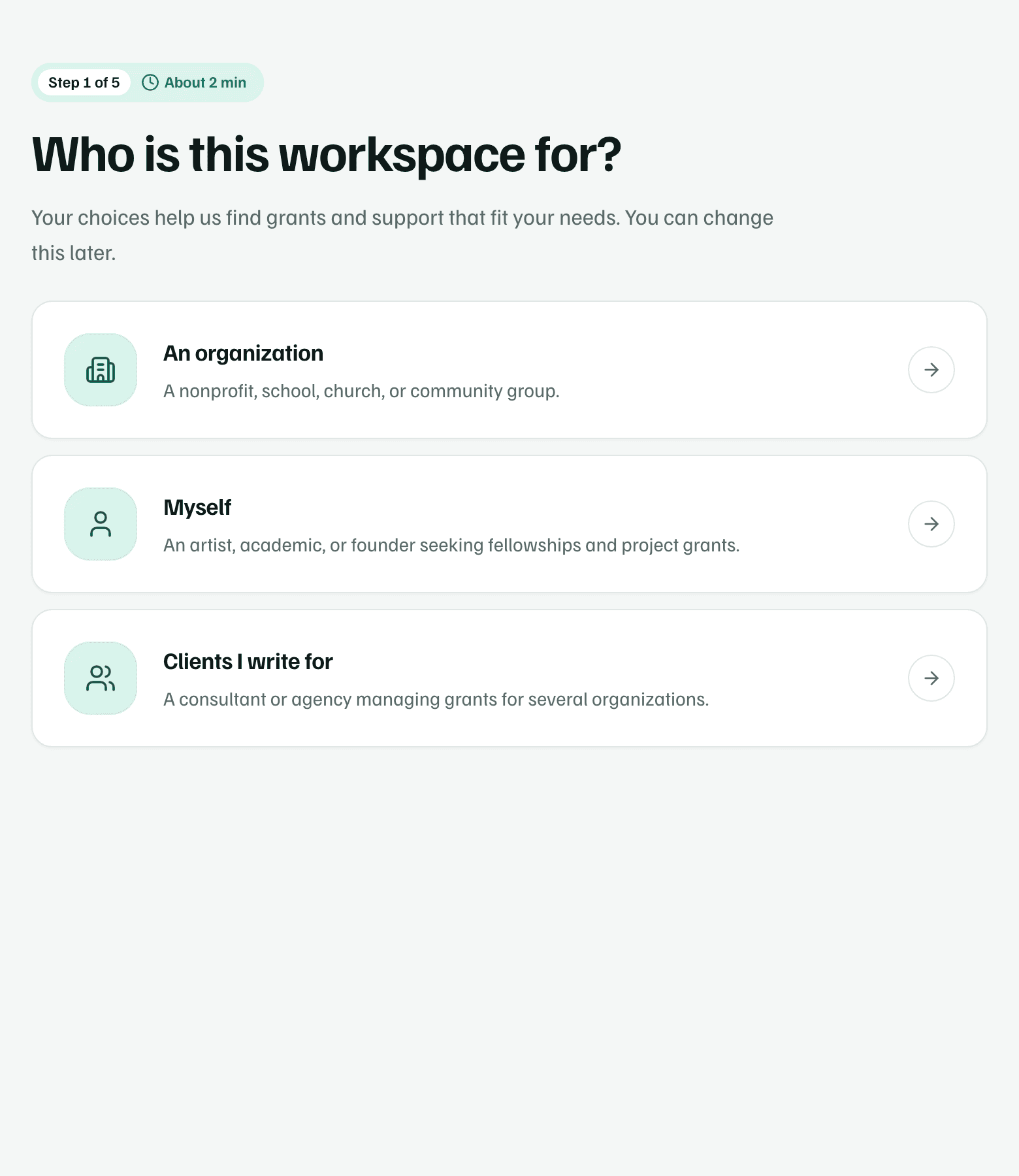
Each workspace is for one applicant, with its own members, plan, documents and research. Research uses your answer to look for funding that fits that kind of applicant.
| An organization | Myself | Clients I write for | |
|---|---|---|---|
| Who it's for | A nonprofit, school, church, or community group. | An artist, academic, or founder seeking fellowships and project grants. | A consultant or agency managing grants for several organizations. |
| Sidebar label | About the Organization | Your work | Client organization |
| Step 1 asks for | The organization's name, what it does, its areas of work, location and annual budget | Your name, what you do, your field, where you're based and a typical project size | The client's name, what it does, its areas of work, location and annual budget |
| Application basics | Organization type, fiscal sponsor, location, EIN and SAM.gov registration | Where you live, your career stage, who you work or study with, and your fields | The same as an organization, for your client |
| Applicant file | 15 standard items in 4 groups: Legal and registration, Finances, People, and Plans and reports | 6 standard items in 2 groups: Your work, and Projects and eligibility | The same as an organization, for your client |
| People tab | People & programs: board, staff and programs | People & work: collaborators and ongoing work | People & programs, for your client |
An organization
Choose An organization for a nonprofit, school, church or community group, including a group that applies through a fiscal sponsor. The sidebar calls your details About the Organization.
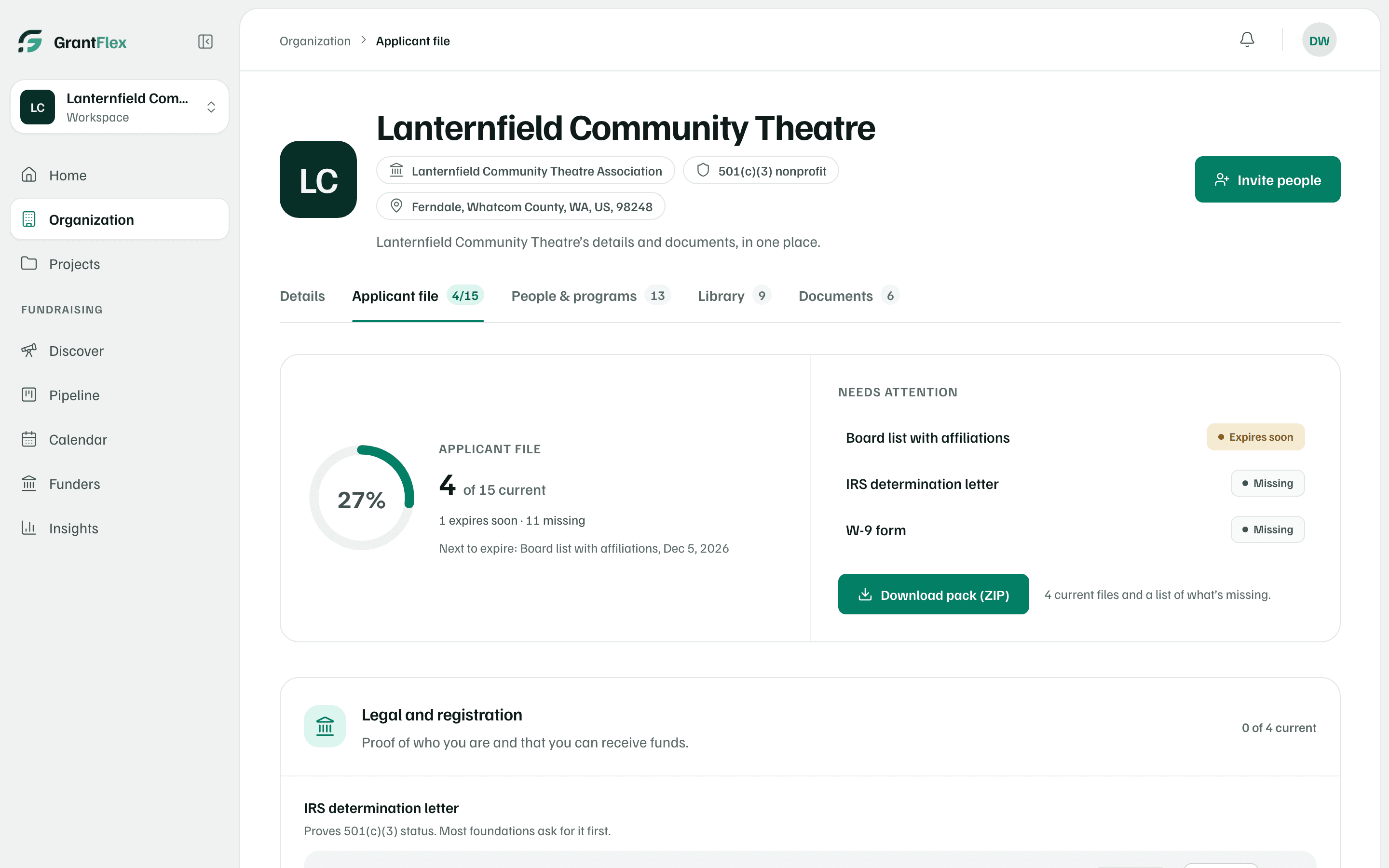
The applicant file shows which of its 15 standard documents are missing or expire soon, such as the IRS determination letter or the W-9 form.
Myself
Choose Myself if you apply as an individual, such as an artist, researcher or founder looking for fellowships and project grants. The questions are about you and your work, and the sidebar says Your work.
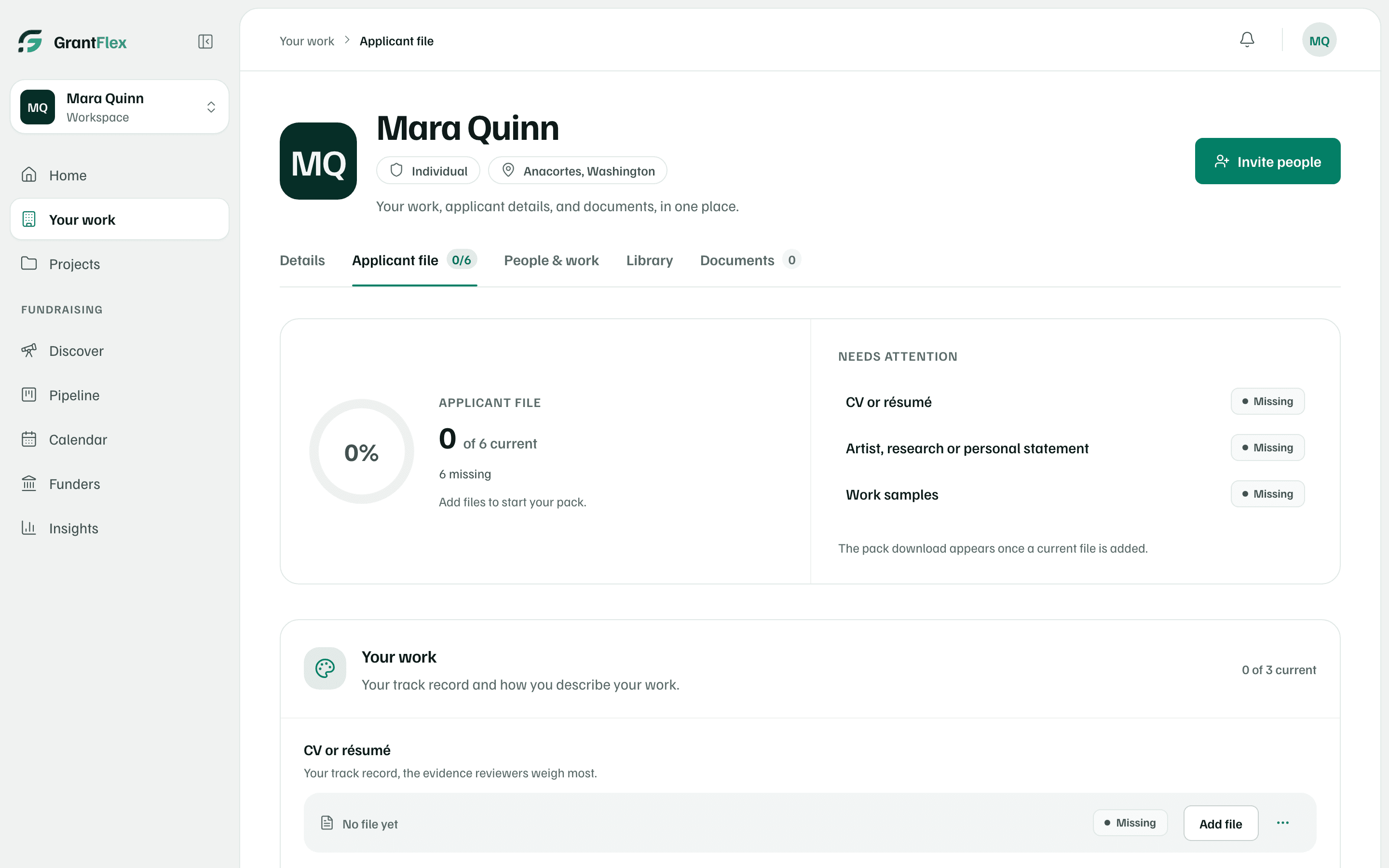
- The applicant file asks for a CV or résumé, a statement about your work, work samples, a project budget and references.
- Proof of identity or residency is a note you add with Add note, never a file you upload.
- People & work lists your collaborators instead of a board and staff.
- Application basics asks where you live, since some funding depends on it.
Clients I write for
Choose Clients I write for if you write grants for other organizations. Setup creates a workspace for one client, and every question is about that client.
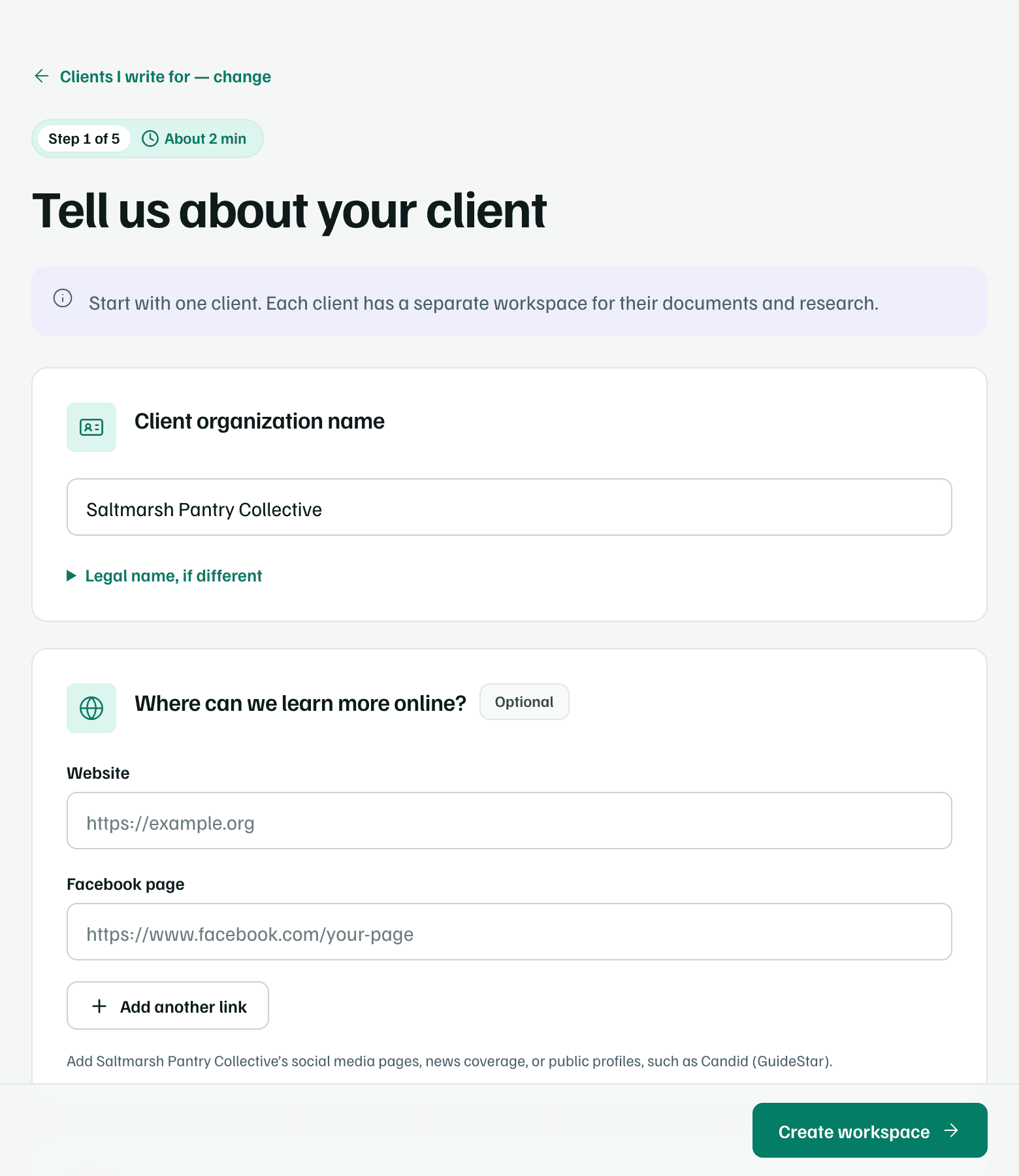
Each further client gets a workspace of its own, so their documents, research and pipeline stay separate. Add one from All workspaces with Add a workspace. If you've finished setup for another workspace before, setup is shorter: after the funding goals you can select Go to this workspace and add the rest later.
Agency workspaces
Changing your answer
Not sure which fits? Choose the closest one. While you're in setup, you can change it at the top of step 1 with your answer's change link, such as An organization — change. Answers that still apply carry over.