Decide on your first three opportunities
Work through the top of your report and make three decisions: start work on the best fit, shortlist one to come back to, and set aside one that isn't ready. Nothing is sent to any funder.
- 15 min
- Every plan
- No AI actions
Screens from October 2026
Before you start
- A finished research report: your free preview or a full report.
- You need to be an owner, admin or editor. Viewers can read every opportunity.
Make your first three decisions
Start at the top of the list
On your report's Opportunities tab, opportunities are Ranked by fit, strongest match first. Each card shows the kind of support and the funder's status as the report read it, such as Open now. Select the first opportunity's name.
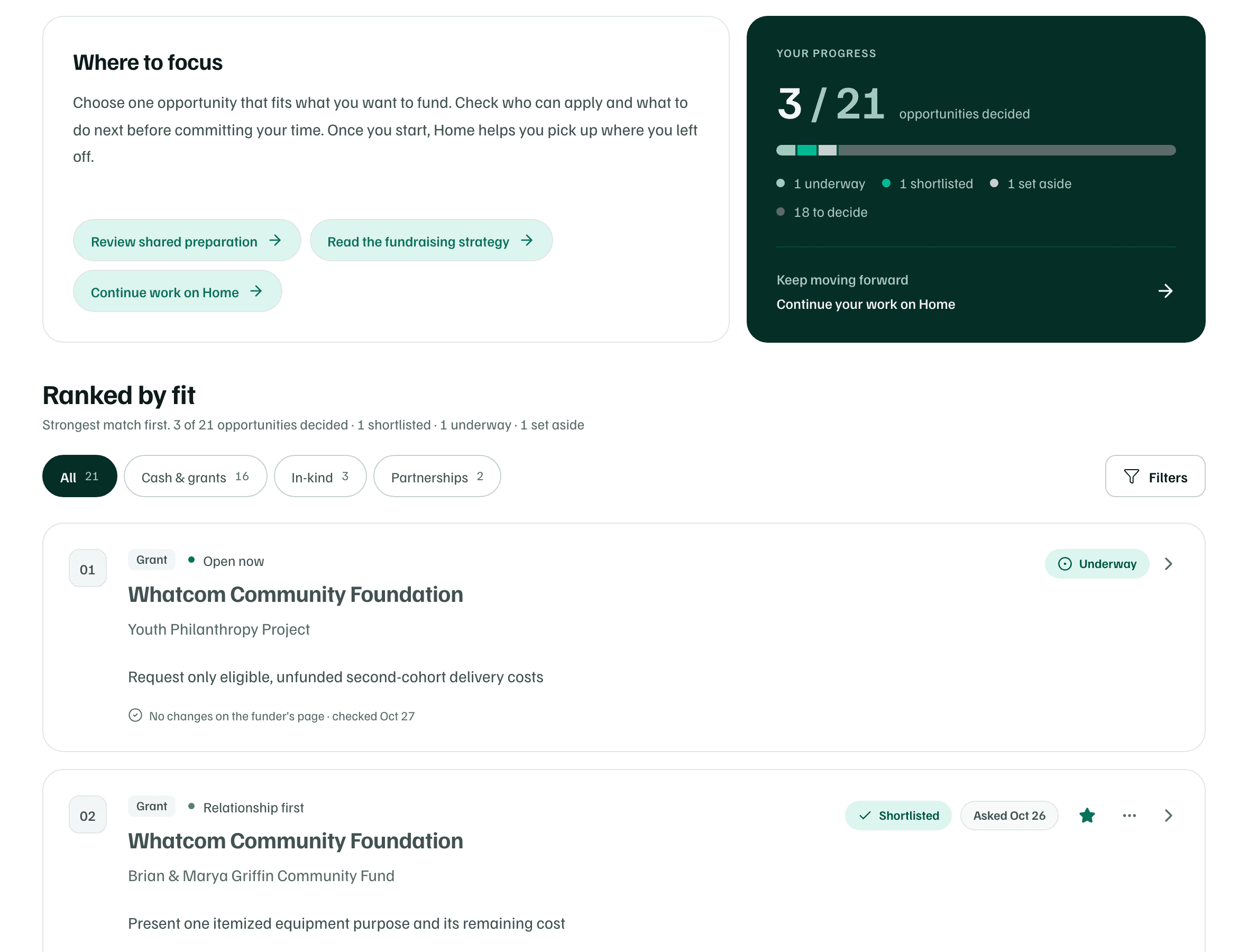
Fictional organization · real funders as researched in October 2026 Read why it could fit
Its details open beside the list. Key facts marks each fact Confirmed, Reported or Unknown. Under Overview, read Why this could fit and Why we’re not sure.
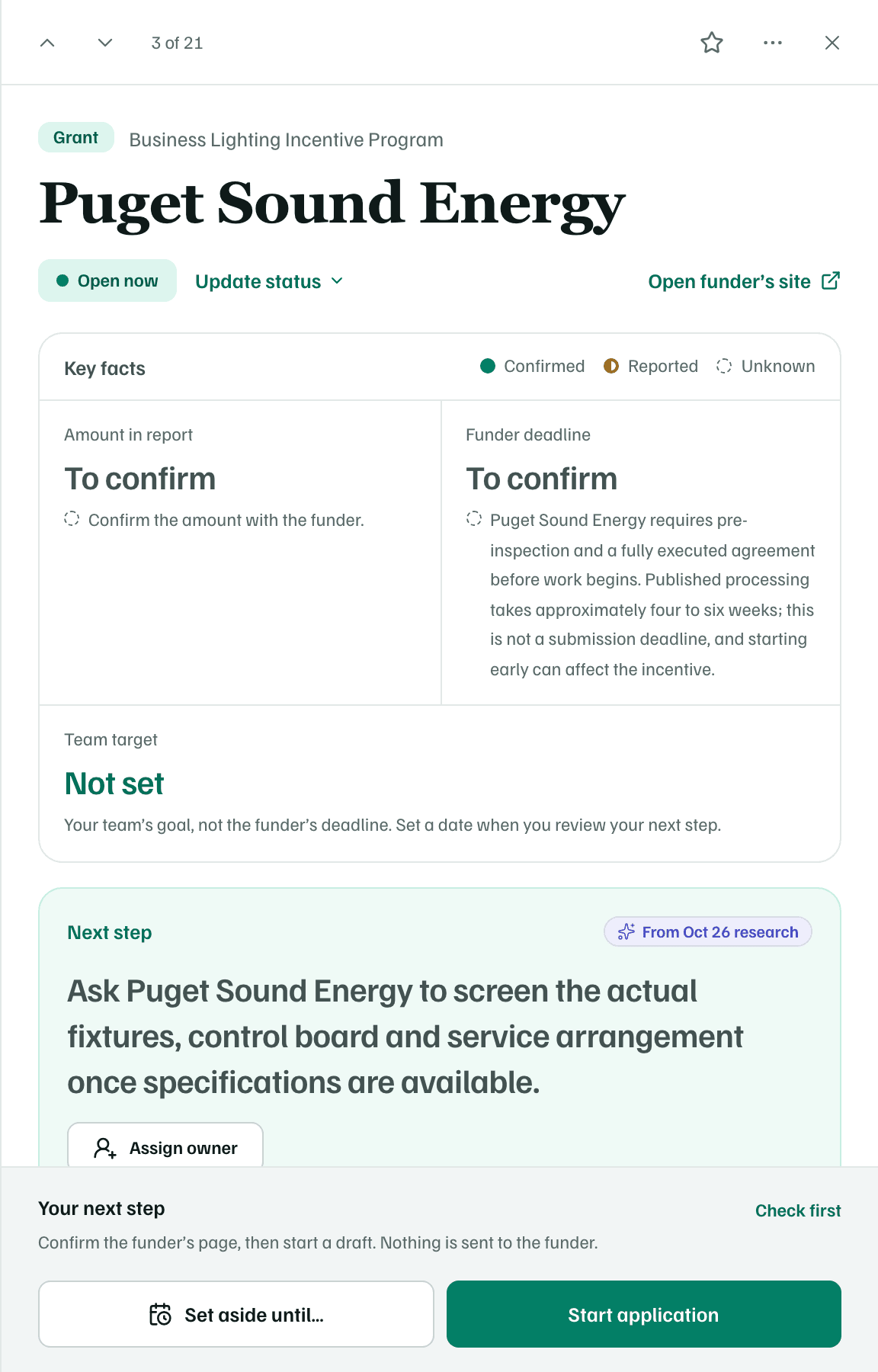
Fictional organization · real funders as researched in October 2026 Check it at the source
Select Eligibility to see what the funder requires and who on your team should check it. Then select Open funder’s site and confirm the deadline, the amount and who can apply. The research can be out of date or wrong.
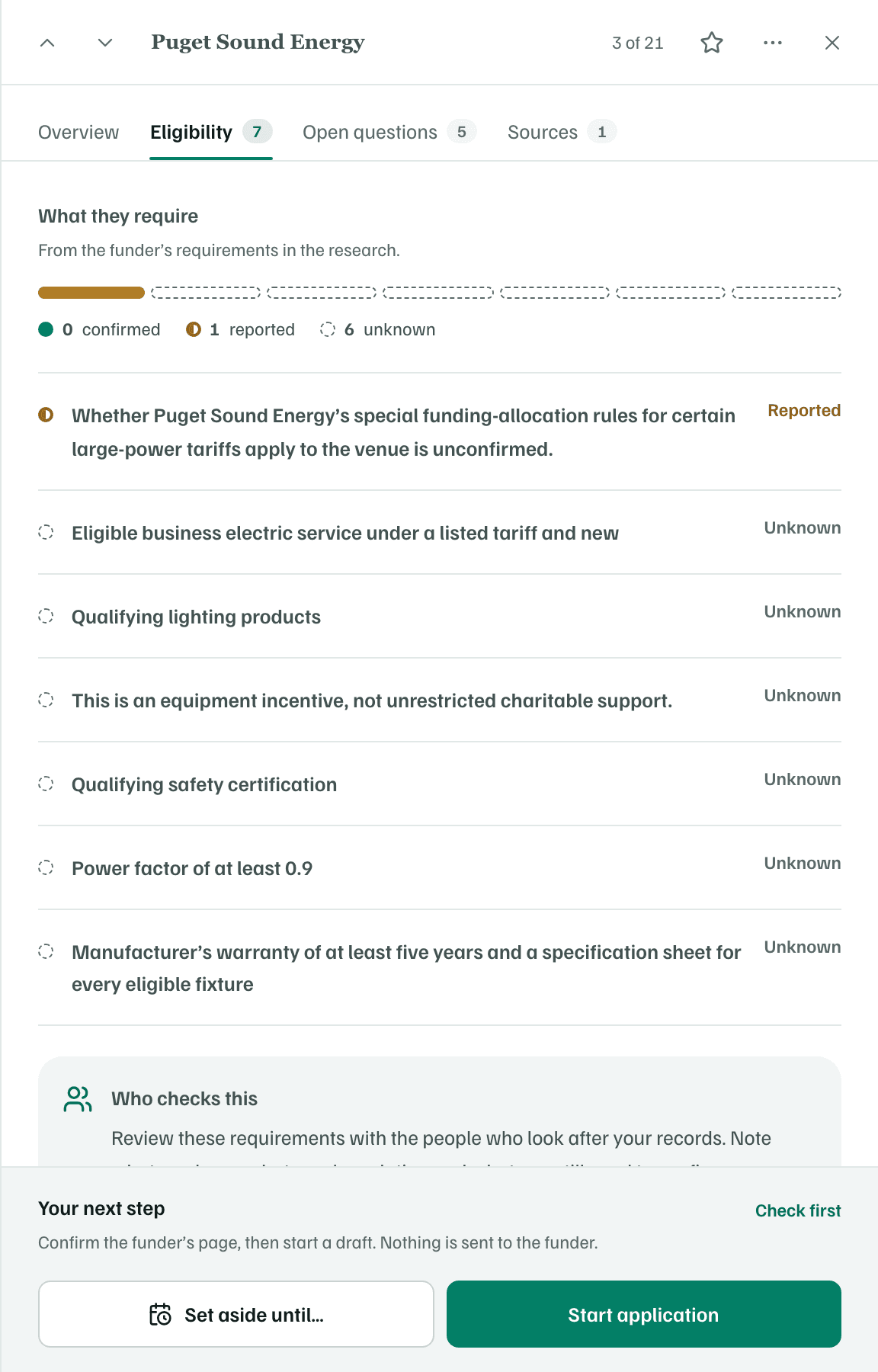
Fictional organization · real funders as researched in October 2026 Start work on the best fit
For an opportunity that's open and fits, select Start application at the bottom of its details. Some opportunities suggest another first step instead, such as Get ready to apply. A review opens, marked Filled in from your report. Change anything you like.
Confirm on the funder's page that applications are being accepted, then select Start application again. GrantFlex rechecks the funder's page, then opens your application draft and its first task. The opportunity shows Underway.
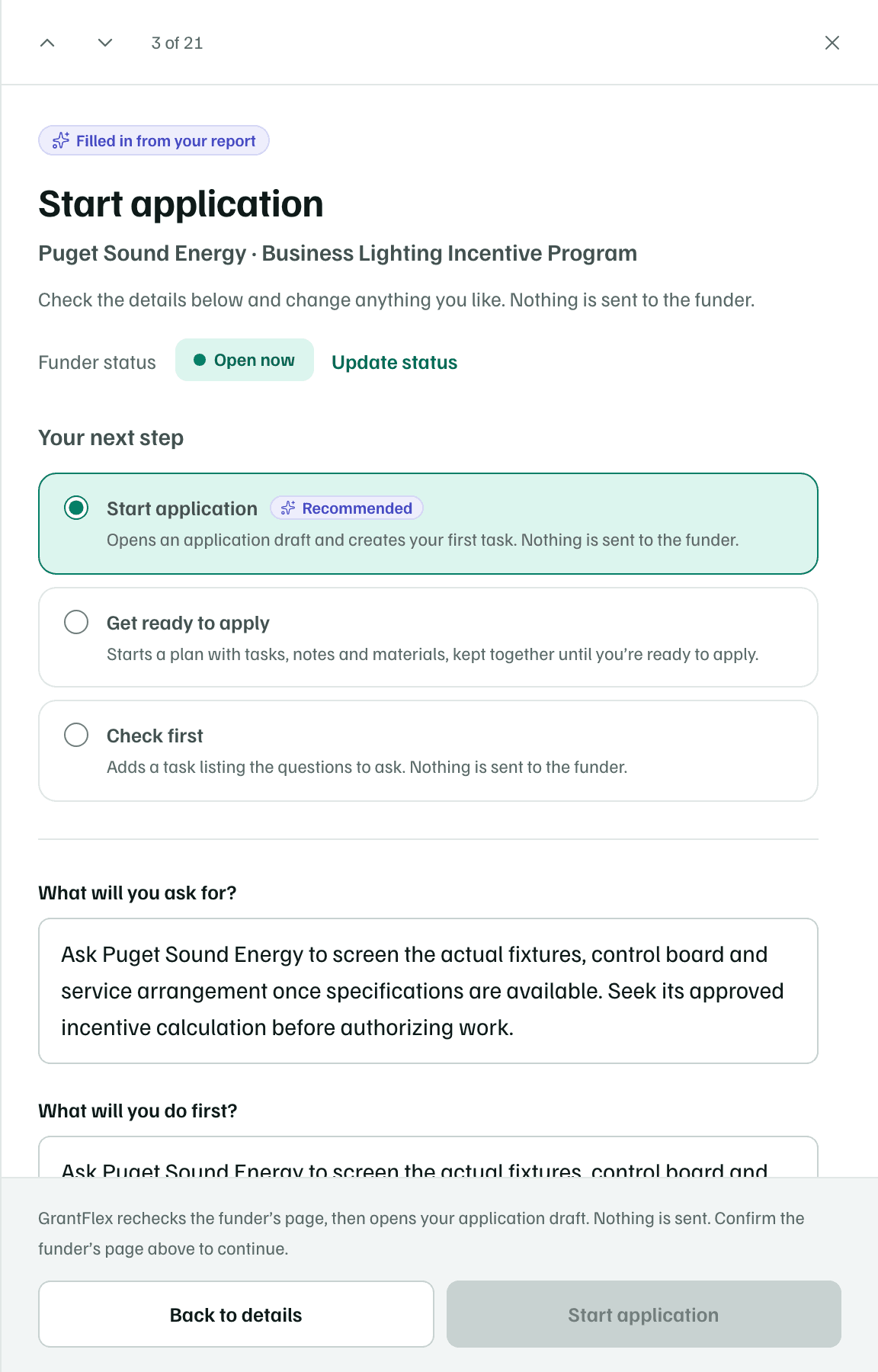
Fictional organization · real funders as researched in October 2026 Shortlist one to come back to
On another opportunity you want to keep in view, select the star. Its card shows Shortlisted to your whole team. A shortlist is only a marker, and it doesn't create anything.

Fictional organization · real funders as researched in October 2026 Set one aside until a date
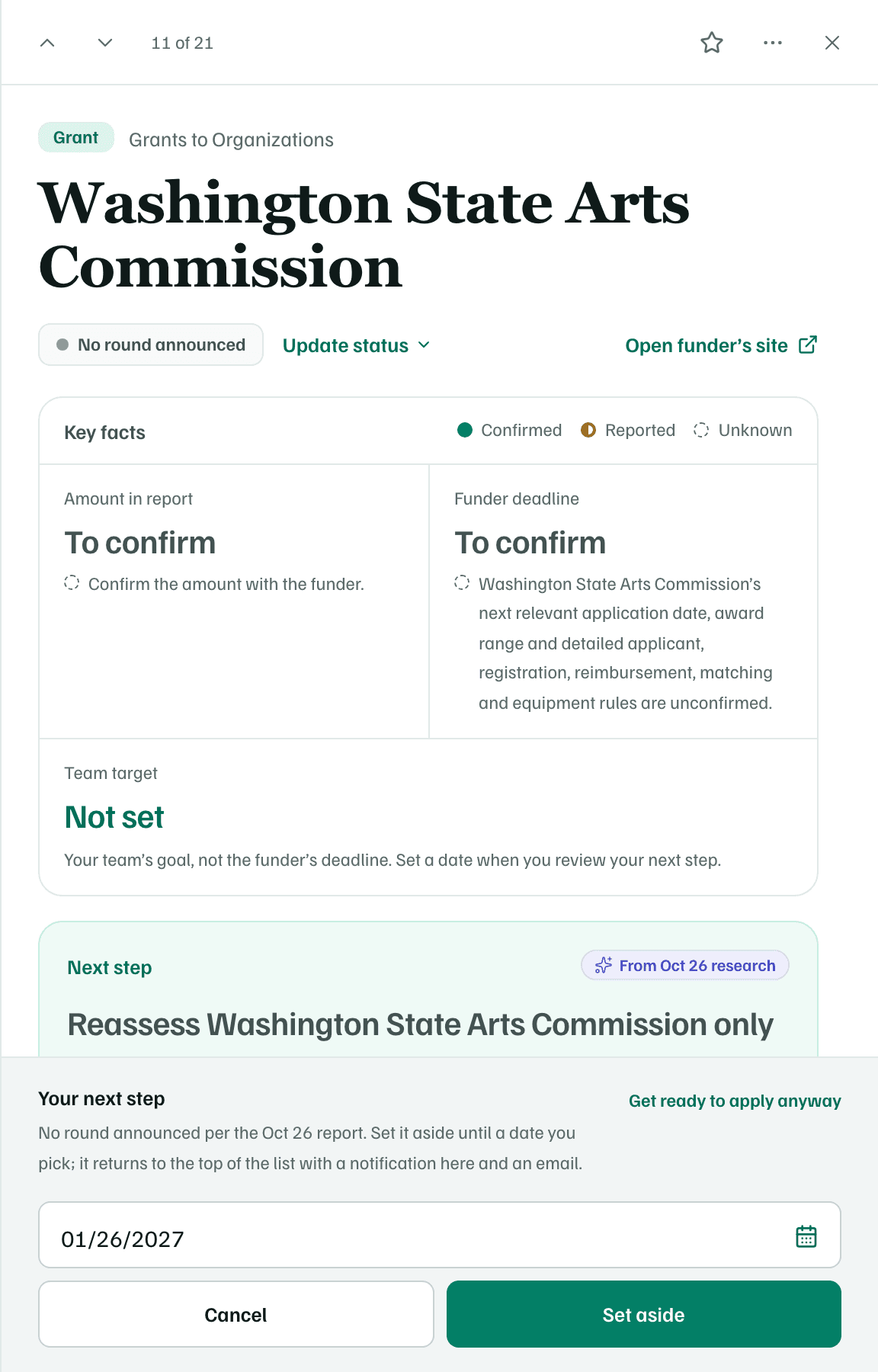
For one that isn't ready yet, select Set aside until… at the bottom of its details. When the funder has no round announced, the main button is Set aside until a date, and it suggests a date three months out.
Pick the day you want to look again and select Set aside. The opportunity moves to Set aside at the end of the list. On that date it returns to the top, and you get a notification.
Fictional organization · real funders as researched in October 2026 See your progress
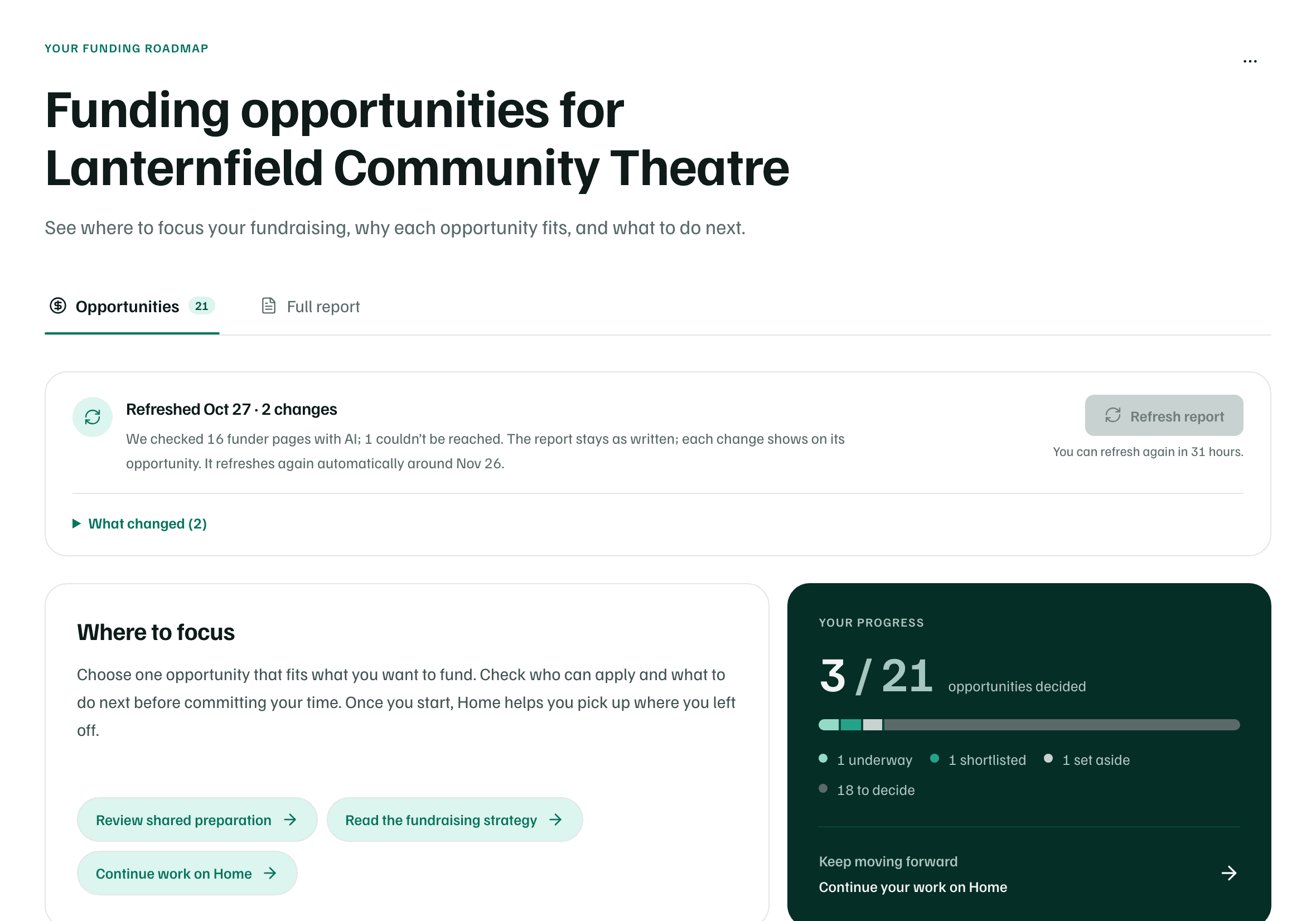
Your progress at the top of the report counts the opportunities you've decided, with a segment for each kind of decision. A shortlist and a set-aside date both have Undo if you change your mind.
Example workspace · fictional data
For every next step, including Check first and Not for us, see Decide what to do with an opportunity.
What you get
Three decisions your whole team can see: one opportunity Underway with an application draft and its first task, one Shortlisted, and one set aside until a date you chose. The rest wait in the list for you to decide.