Record an award
When a funder says yes, record the award on its funding record. GrantFlex moves the record to Secured, adds a task to thank the funder and starts an award page for payments, reports and the award letter.
- 4 min
- Every plan
Screens from October 2026
In the app:Pipeline, then Funding plan, then Stage, then Secured
Open the award dialog
On the funding record, select the stage chip and choose Secured. Dragging the card to Secured on the Board opens the same dialog. On a proposal, select Update stage, then Record award…, which opens it on the proposal's record.
Fill in the award
Check the Amount awarded, which starts as the record's amount, and the Award date. Add the grant period if you know it. Under Use of funds, choose Restricted to a purpose, Unrestricted (general support) or Not sure yet, and note any Restrictions or conditions.
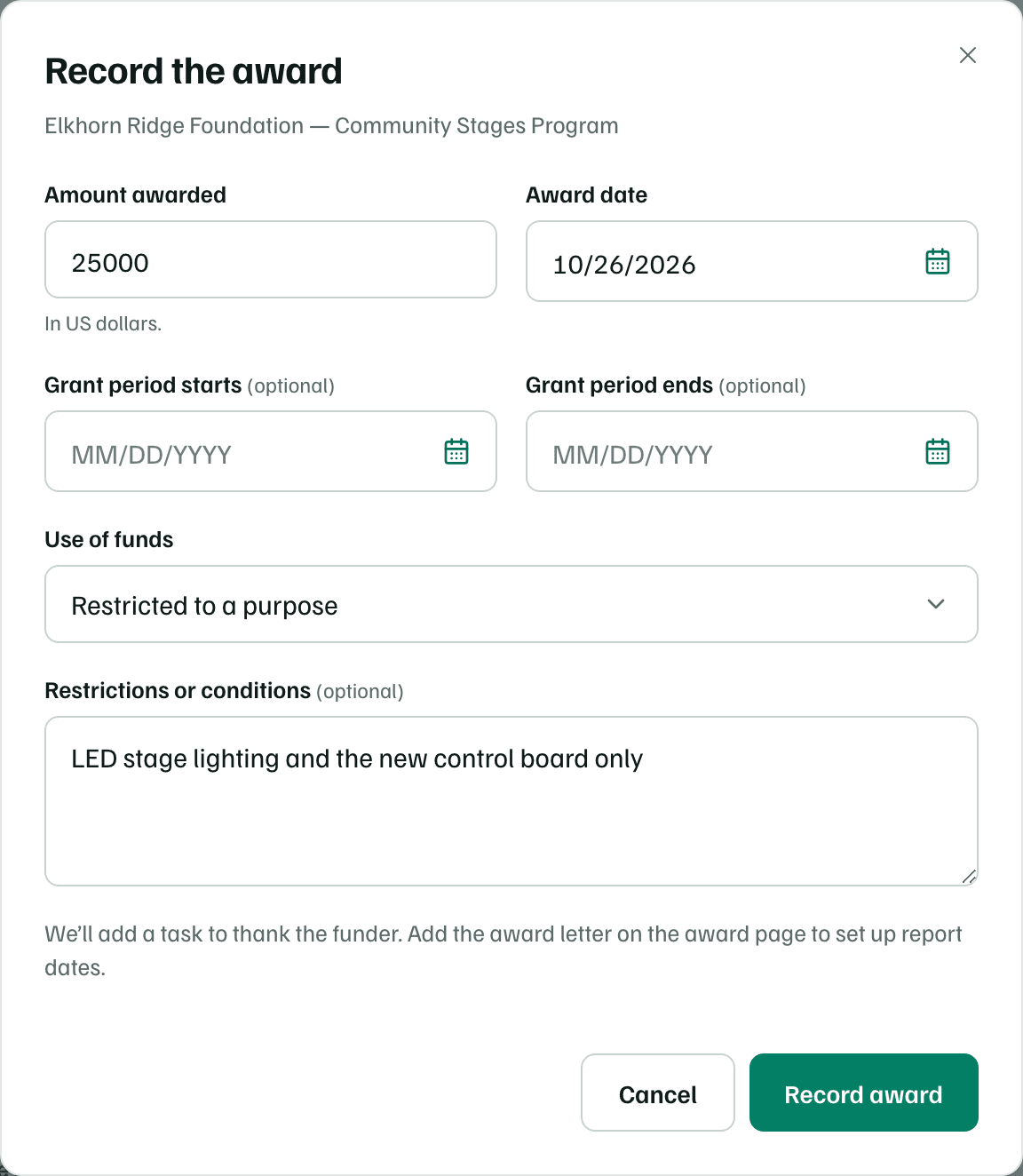
Example workspace · fictional data Save it
Select Record award. You can correct any of it later on the award's page.
What happens next
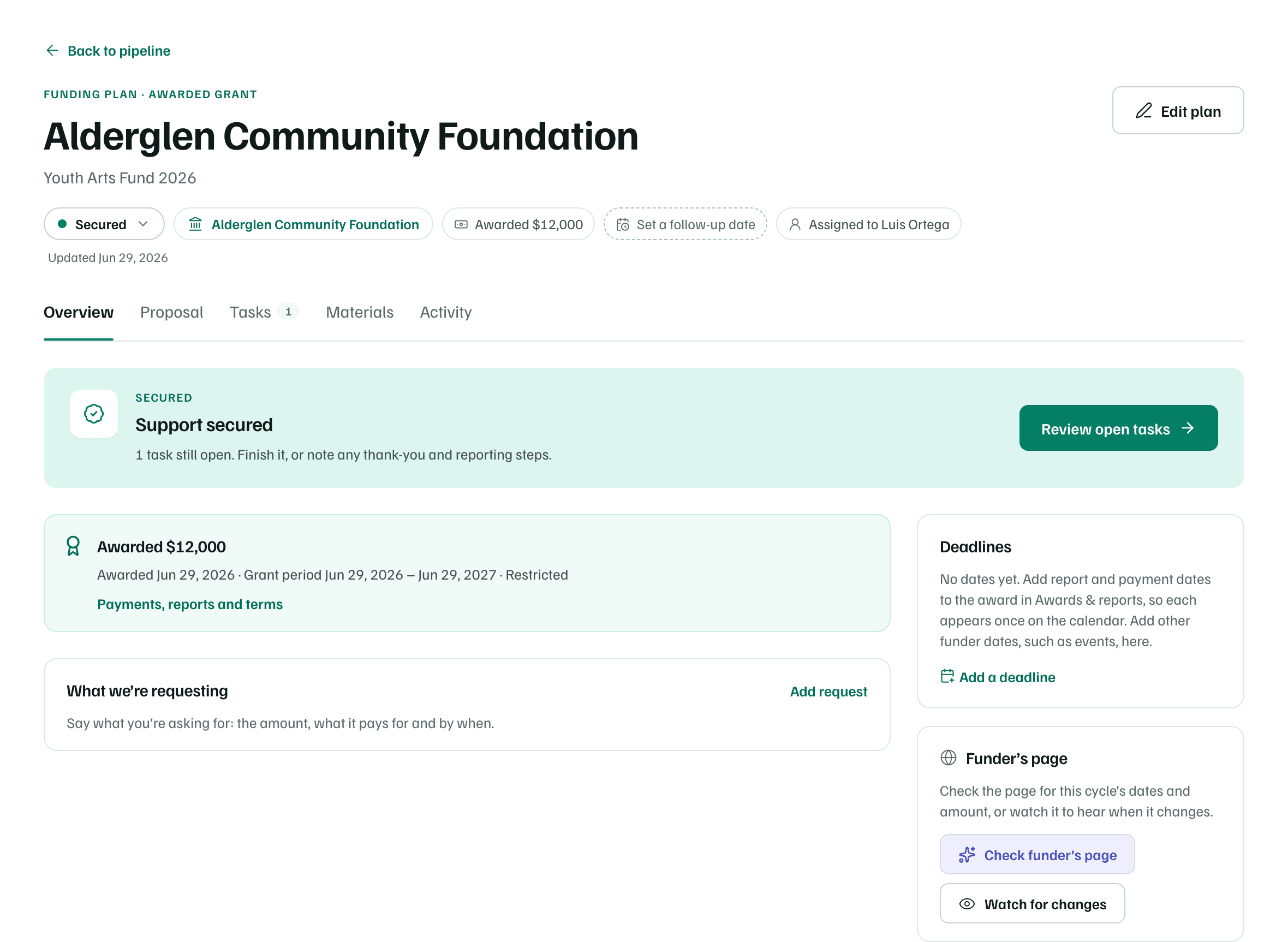
- The record moves to Secured, and a proposal on it shows Awarded.
- The funder's relationship becomes Funder in Funders.
- A task to thank the funder is added, due two days after the award date and assigned to the record's owner.
- The record's letter of inquiry, application and decision dates are marked done.
- The award appears in Awards & reports as Received.
The record's Overview then shows Support secured and the award, with a link to Payments, reports and terms.
Check first
Awards & reports
In Pipeline, select Awards & reports. Three figures cover your open awards:
- Awarded: the total of your open awards.
- Next report due: the soonest report you haven't sent yet.
- Awaiting acceptance: reports you've sent that the funder hasn't accepted yet.
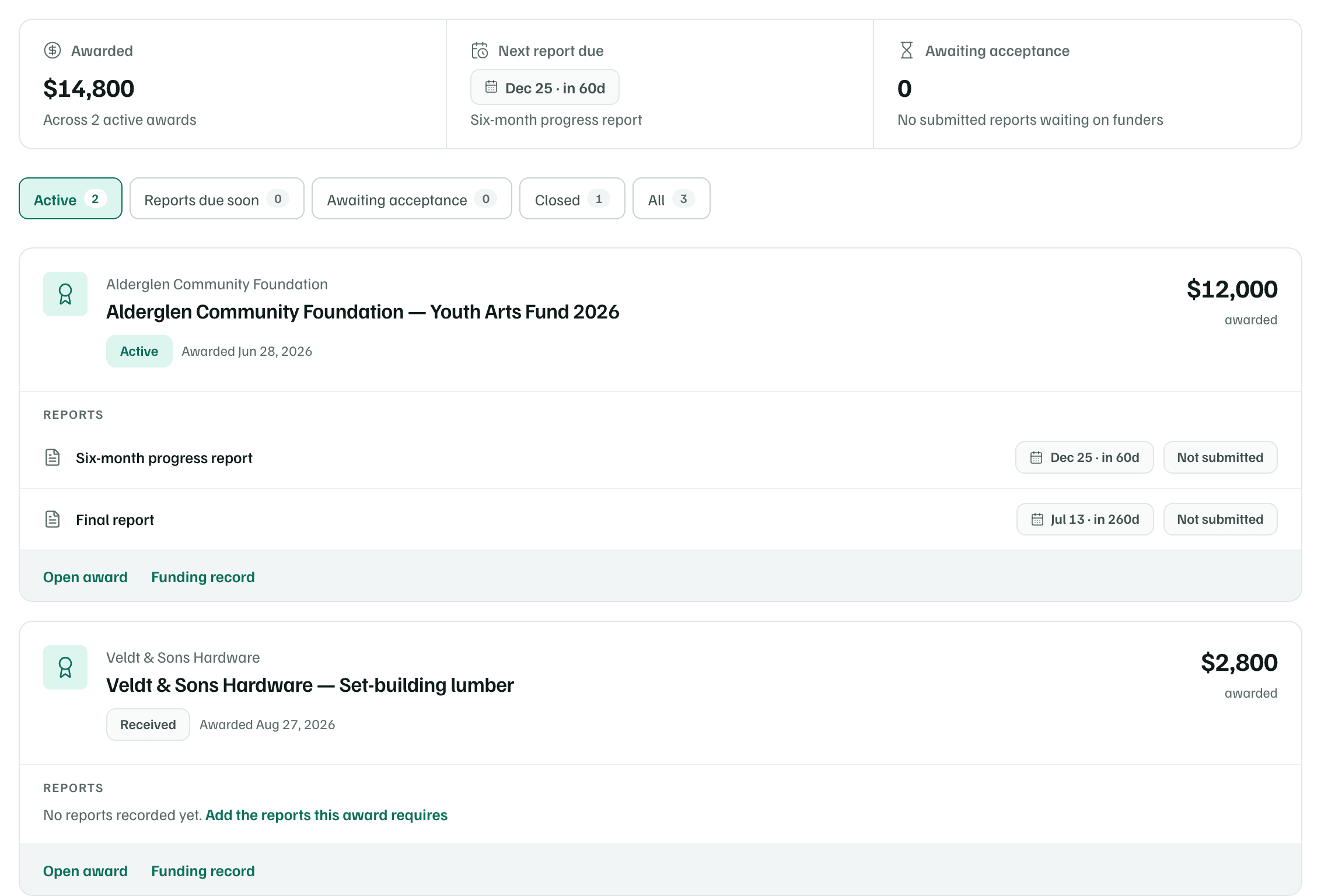
The chips are Active, Reports due soon, Awaiting acceptance, Closed and All. Reports due soon shows awards with a report due in the next 30 days or overdue. Each award's card lists the reports it owes, with accepted ones folded away, and links to Open award and its Funding record.
Award statuses
A new award starts as Received. Change its status from the menu at the top of the award's page as the grant goes on. GrantFlex doesn't change it for you.
| Status | Use it when |
|---|---|
| Received | You've recorded the award. Every new award starts here. |
| Active | The grant period is under way. |
| Reporting due | The funder is waiting on a report. |
| Closed | Every report is accepted and nothing more is owed. |
Close an award once every report is accepted. A closed award leaves the Active view and the figures, and its reports, payments and grant period leave the calendar and stop reminding.