Hand a client over or leave
A client link ends in one of three ways: your agency hands the workspace over to the client, your agency stops managing it, or the client's owner leaves the agency. Each way, the client keeps all of its data.
- 5 min
- Agency plan
Screens from October 2026
| Who can | The staff your agency added | |
|---|---|---|
| Hand over to client | The workspace's owner, when they're on your agency's staff | Stay or leave, as the owner chooses |
| Stop managing | Your agency's owners and admins | Leave the workspace |
| Leave agency | The client's owner | Stay or leave, as the owner chooses |
Whichever way it ends, your agency stops paying for the client. The client leaves your Clients page and combined views, and its exports stop carrying your branding. Its own plan applies from then on, which is Free unless it has a subscription of its own.
Hand over to client
Hand a workspace over when your agency set it up for a client and the client is ready to run it. Only the person who owns the workspace for your agency can hand it over. The new owner must already be one of the client's own members, since your agency's staff can't take it over.

Invite someone from the client
If the client has no members of its own, select Invite a member on the Agency card, and wait until they've joined. See Members, roles and invitations.
Open the handover
In the client's Settings, select Hand over to client on the Agency card.
Choose the new owner
Choose them under New owner. Only the client's own members are listed.
Decide what happens to staff
Choose Keep their access or Remove their access. The choice covers you and your agency's staff. Anyone who stays keeps editor access, or viewer access if that's what they had, and counts toward the workspace's member seats.
Hand it over
Select Hand over. The link with your agency ends.
The new owner gets a notification and an email saying they now own the workspace. From then on, they manage its members, billing and settings.
Stop managing a client
Your agency's owners and admins can end a link from your side. Select Stop managing on the client's row in Clients, or on the Agency card in the client's Settings.
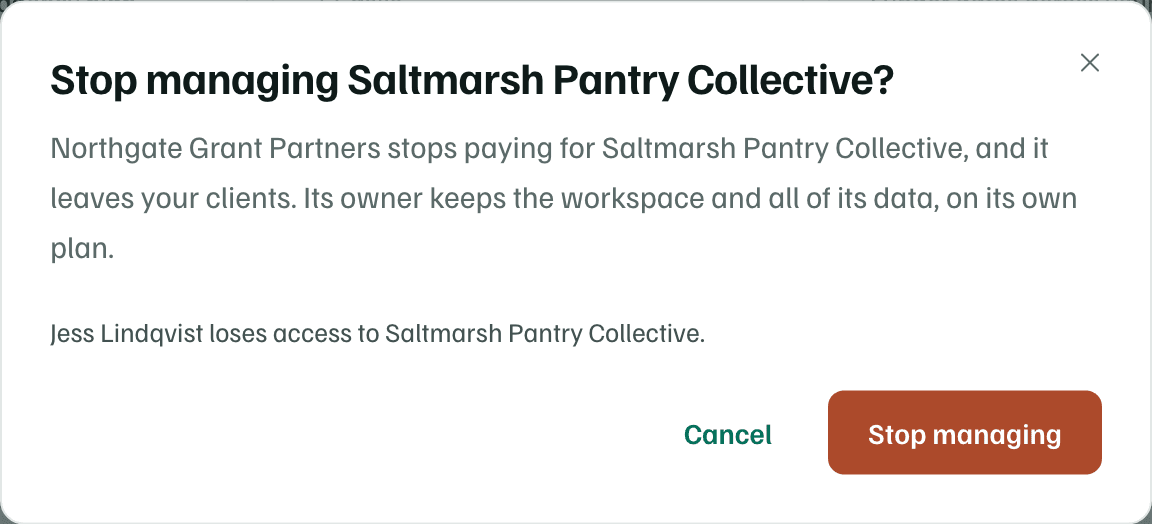
Select Stop managing in the dialog to confirm. Whoever owns the workspace keeps it, with all of its data. The staff your agency added always leave, since the client never chose them. The client's own owner and admins get a notification.
Check first
Leave an agency
A client's owner can end the link from the client's side. In Settings, select Leave agency on the Agency card. An owner who's also an owner or admin of the agency uses Stop managing instead.
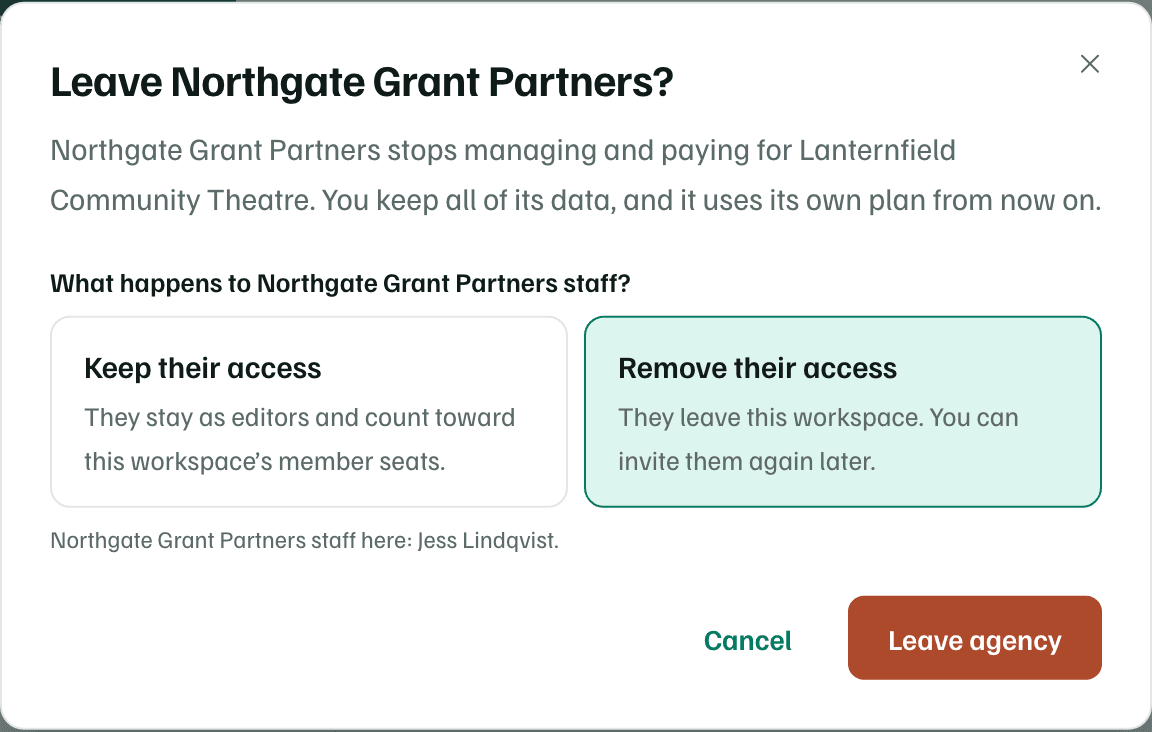
Choose Keep their access or Remove their access for the staff the agency added. When you're not on the agency's staff, removing them is chosen to start. Then select Leave agency. The agency's owners and admins get a notification.
Note
If an agency workspace is deleted
Deleting an agency workspace stops managing every client, as Stop managing would, so the staff it added leave them. Restoring the agency doesn't link its clients again.