Create a project
Start a project from a blank brief, from an idea you described in setup or a report suggested, or from a funding ask. AI can draft the details from a few sentences. Nothing is saved until you select Create project.
- 5 min
- Every plan
- Uses 1 AI action
Screens from October 2026
In the app:Projects, then New project
Ways to start
- New project at the top of Projects opens a blank brief, with the ideas you've already described offered above it.
- Create project on an idea in Ideas from research opens Turn this idea into a project, with the idea filled in.
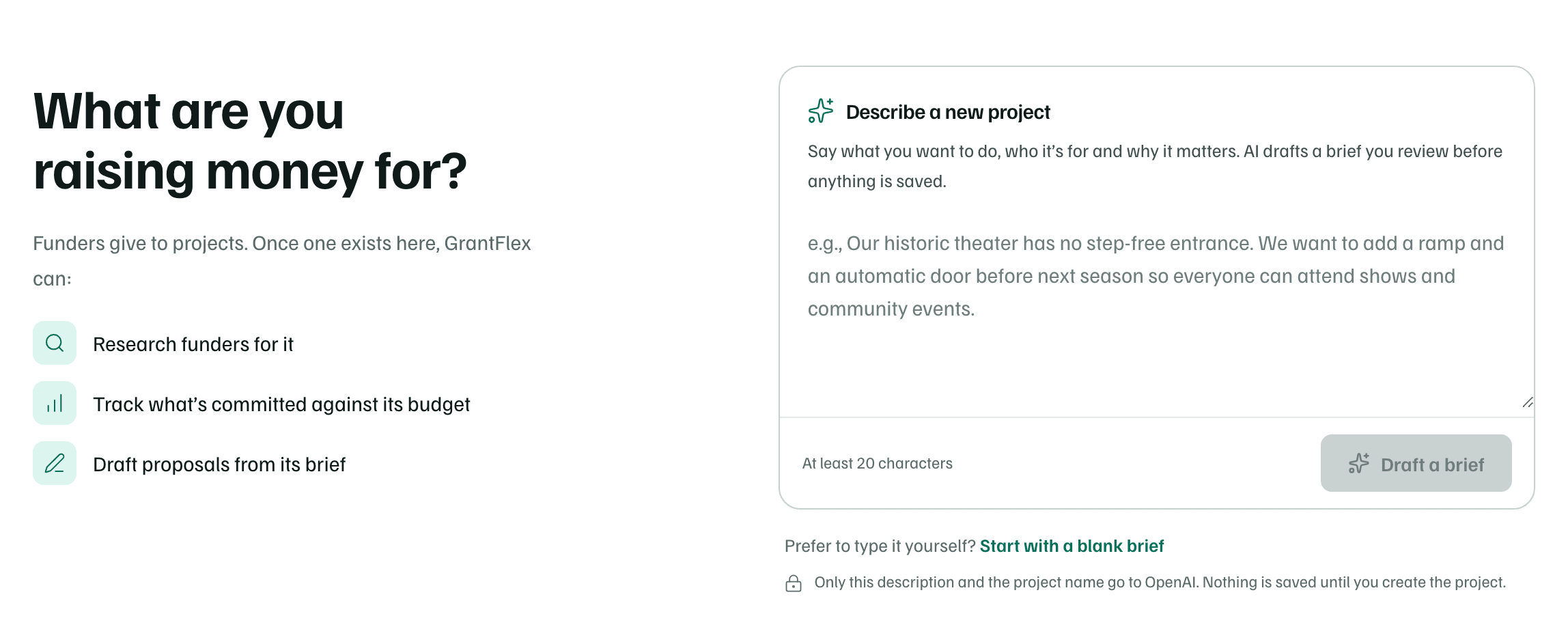
- Before your first project, Projects opens on a starting page headed What are you raising money for? It offers what your workspace holds: a box to describe the work for AI to draft, ideas from setup and your latest report, and asks in Pipeline without a project.
Owners, admins and editors can create projects.
Fill in the brief
Name it and say why
Under What and why, enter a Project name and Describe the project: what will change, who it's for and why it matters. A name and a few sentences are enough to research funders.
Add the budget and timing
Add a Working budget, your best current estimate, and a Target completion date. Both are optional. In a workspace with more than one member, choose a Project lead too.
Add details for proposals
Open Details for proposals to add Who benefits, What’s included, What’s not included, What success looks like and Budget assumptions. GrantFlex uses them to draft proposals. They're optional too.
Create it
Select Create project. The project opens, ready for you to find funders for it or link ones you already know. Cancel leaves without saving.
As you type, What this project unlocks beside the form shows what the brief is ready for. Each row that isn't ready links to the field it needs.
| Ready for | What it needs |
|---|---|
| Funder research for this project | Add a name and a description |
| Funding tracked against a budget | Add a working budget |
| Proposal drafts from the brief | Add who benefits, what’s included and what success looks like |
| A target date for the plan | Add a target completion date |
Let AI draft the details
Once the description has at least 20 characters, select Draft the rest with AI under it. AI fills the empty fields from your project name and description. It never changes what you've typed, and it leaves the budget and dates to you.
- Each field AI wrote is marked AI draft until you edit it.
- A note like [Confirm: …] marks a fact AI couldn't know. Replace each one with a checked fact before you share the brief.
- Questions to answer may follow, under Worth finding out next.
- Only the description and the project name go to OpenAI, and nothing is saved until you create the project.
Before your first project, Describe a new project on the Projects page does the same from its own box: describe the work and select Draft a brief. The new project form opens with the draft in it, ready to check. Start with a blank brief skips AI.
AI actions
Start from an idea
On the New project page, open Start from something you’ve already described. It lists the project ideas you added during setup and the ideas from your latest report that aren't projects yet. Choose one to open it as a draft brief.
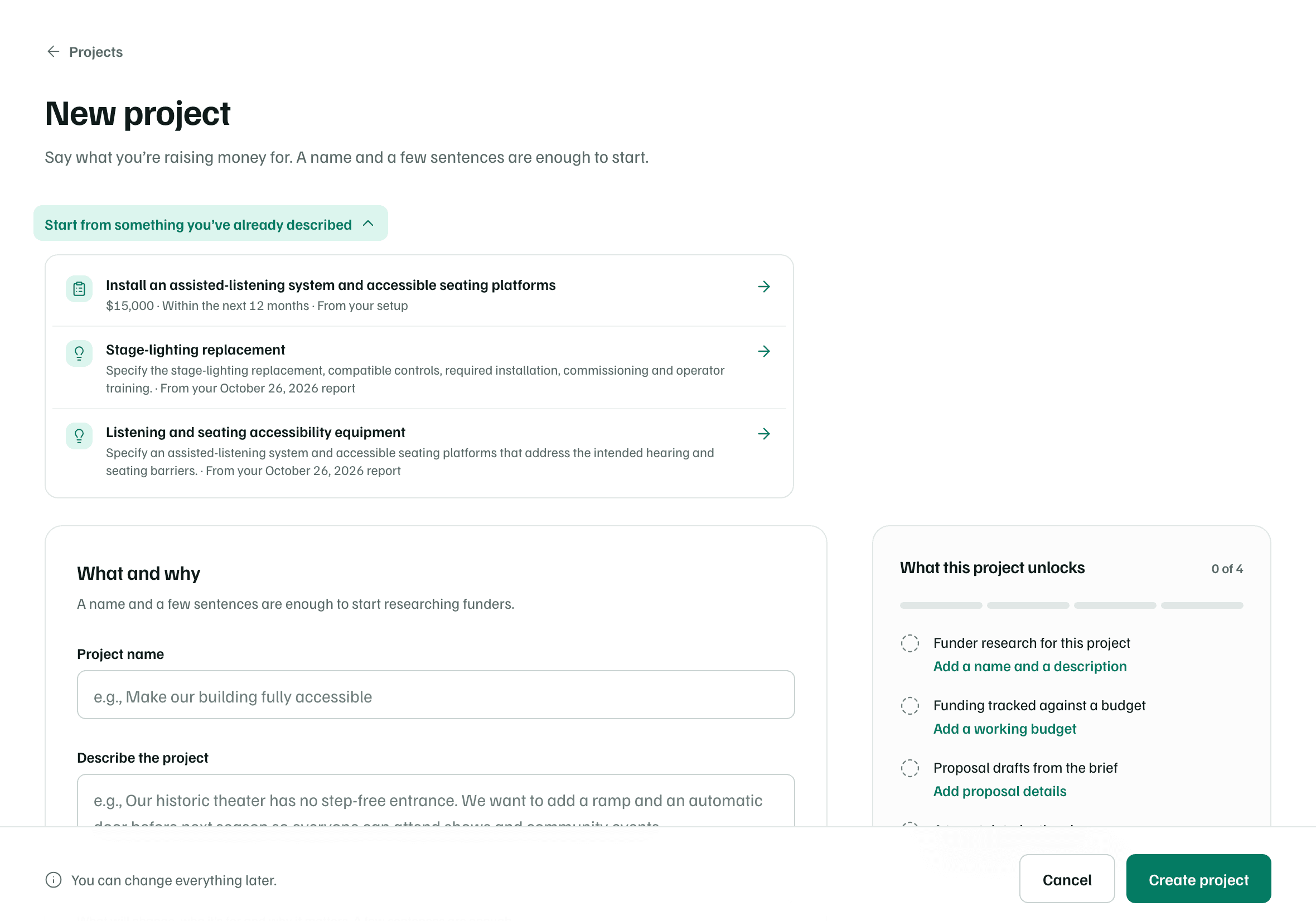
- An idea from setup opens with its name and description, and its amount and timing as the working budget and target date where GrantFlex can read them. What it can't read is copied into Budget assumptions.
- An idea from a report opens Turn this idea into a project.
What happens in this clip
Open Start from something you've already described and choose the assisted-listening idea from setup. The New project page opens again with the idea's name and description filled in, and $15,000 as the working budget. The pointer stops on Create project without selecting it.
From a report idea
The report fills in what it can, such as the name, description, scope, outcomes and budget assumptions. When it names an amount or a date, a button under Budget and timing offers it for the working budget or the target date. Read the draft first: budget and outcomes are starting points, not decisions.
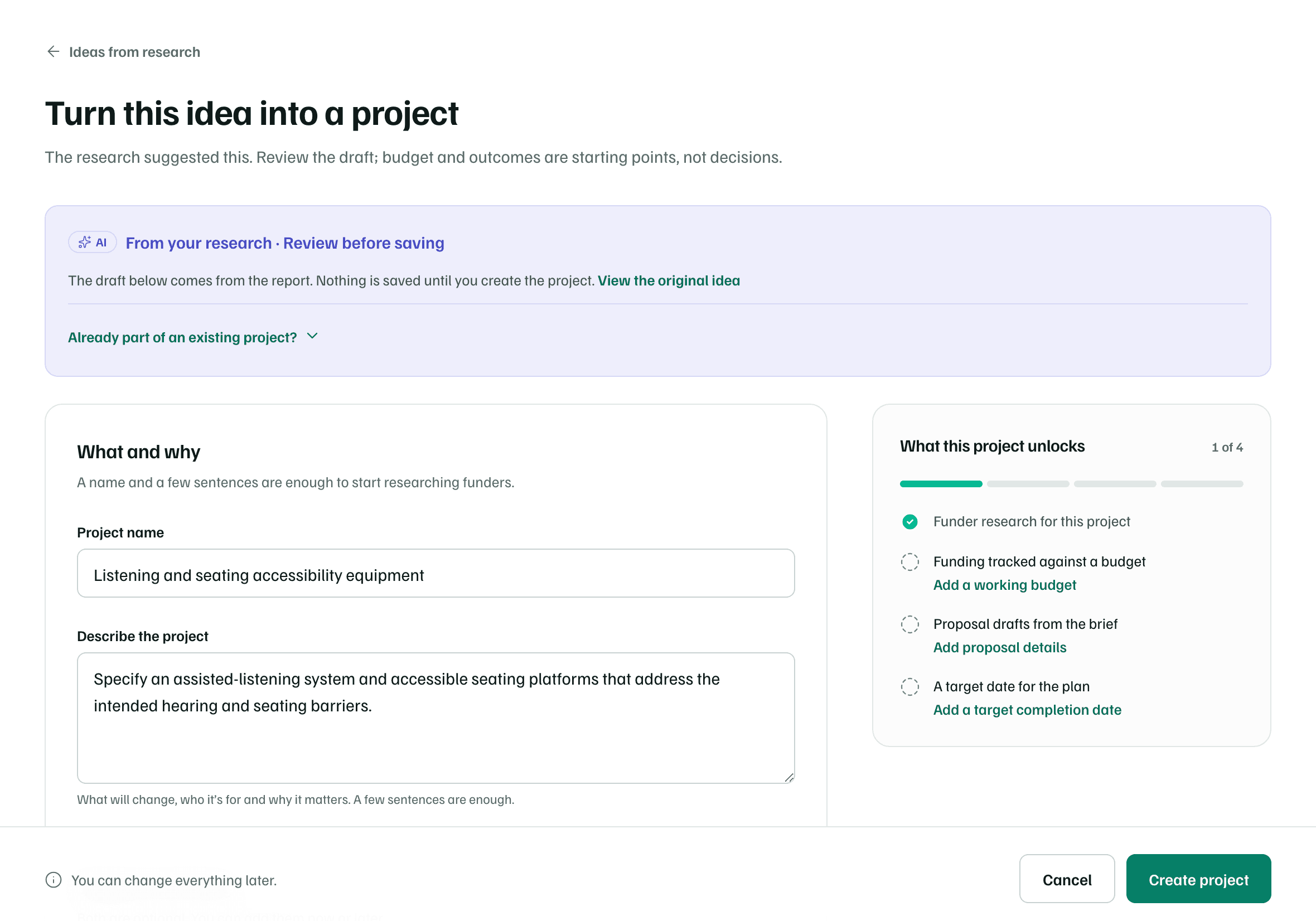
If the work is already part of a project, open Already part of an existing project?, choose the project and select Link idea to project. The research is linked to that project as background, and its brief doesn't change.
Free plan
From a funding ask
Before your first project, Not tied to a project yet lists asks in Pipeline that no project claims. Create project opens a new project for the work the ask would pay for. The ask is linked to it as a funding source when you create the project.
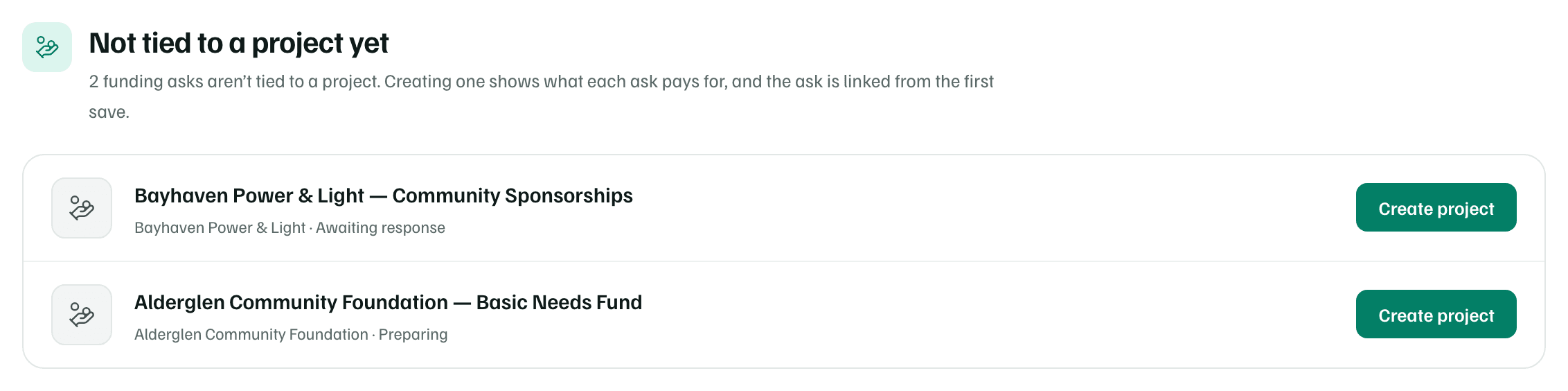
To link an ask to a project that already exists, use the project's Funding tab. See The project workspace.
Check first