A funder's profile
A funder's page brings together what they fund, your history with them, the people you talk to, every touch, and what public records and your research say about them.
- 7 min
- Every plan
Screens from October 2026
In the app:Funders, then Funder
Select a funder in the list to open its page. Under the name are the relationship stage, the type, Website and How to apply links, and the relationship owner. The links below them jump to each section.
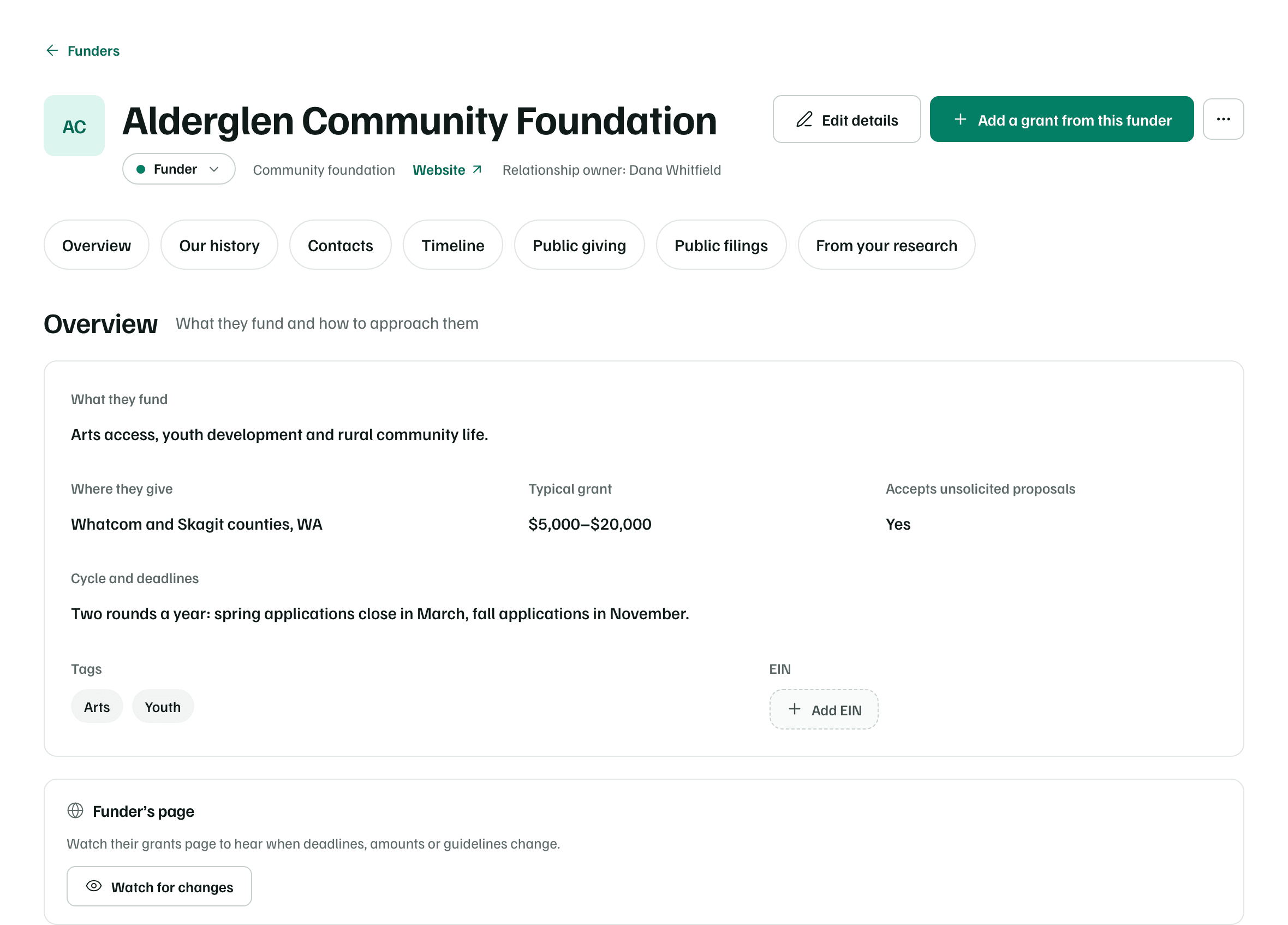
- Edit details changes the name, type, EIN, links, what they fund, where they give, the typical grant range, whether they accept unsolicited proposals, the relationship owner, cycle notes and tags.
- Add a grant from this funder opens Add a grant or funder in Pipeline with this funder filled in.
- More funder actions (the … button) holds Merge with… and Delete funder.
Overview
What they fund, Where they give, Typical grant, Cycle and deadlines, Tags and the EIN are your team's notes on the funder. A dashed button such as Add EIN opens Edit details on that field. Accepts unsolicited proposals is one of Yes, No, By invitation only or Not sure.
- Funder’s page: Watch for changes checks their grants page once a week and tells you when deadlines, amounts or guidelines change. Work a funding record explains how a watch works and the AI actions it uses.
- Internal notes: what matters to them, who knows whom and what to remember next time. Only people in this workspace see them.
Our history
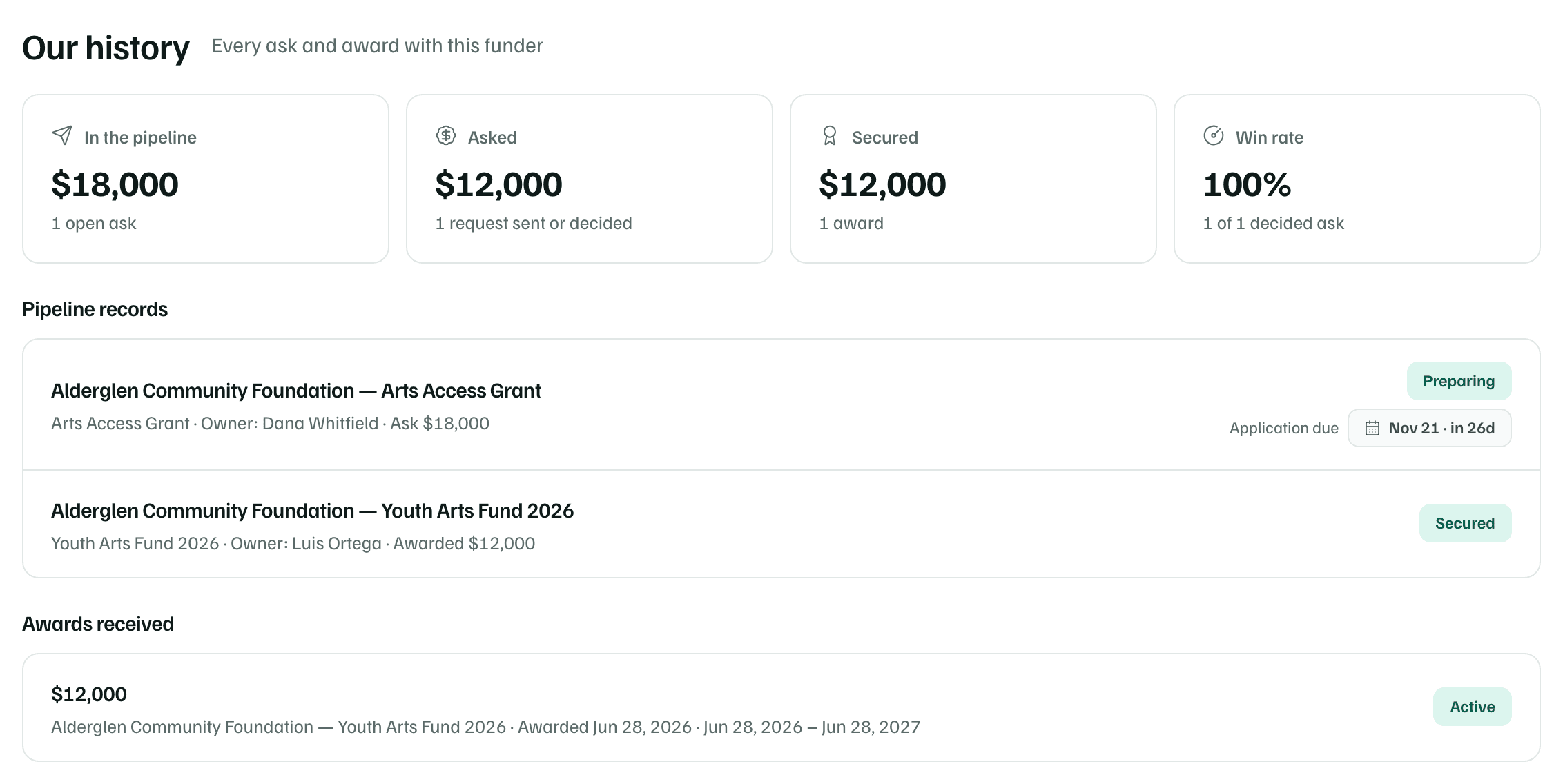
Four figures sum up your work with the funder: In the pipeline, Asked, Secured and Win rate, the share of decided asks they funded. Below them, Pipeline records lists every ask with its stage and next date, and Awards received lists each award with its status.
Contacts
Select Add contact for the program officer or anyone you talk to there. Only the Name is required. Add a Title or role, Email and Phone, and say Where you found these details and when you Last checked them, so the next person can check again. Tick Primary contact for this funder for the main one.
Timeline
The timeline lists every touch with the funder, newest first: calls and meetings your team logs, changes to its pipeline records, submissions, and messages sent with Ask the funder, each with whether they've replied. Older entries fold under a link at the end.
To add one, select Log an interaction. Choose What happened (Email, Call, Meeting, Site visit, Event, Letter of inquiry, Proposal, Report, Thank-you, Note or Other), the Date, Who reached out, who it was With and which ask it's About, then write a Summary and select Log it.
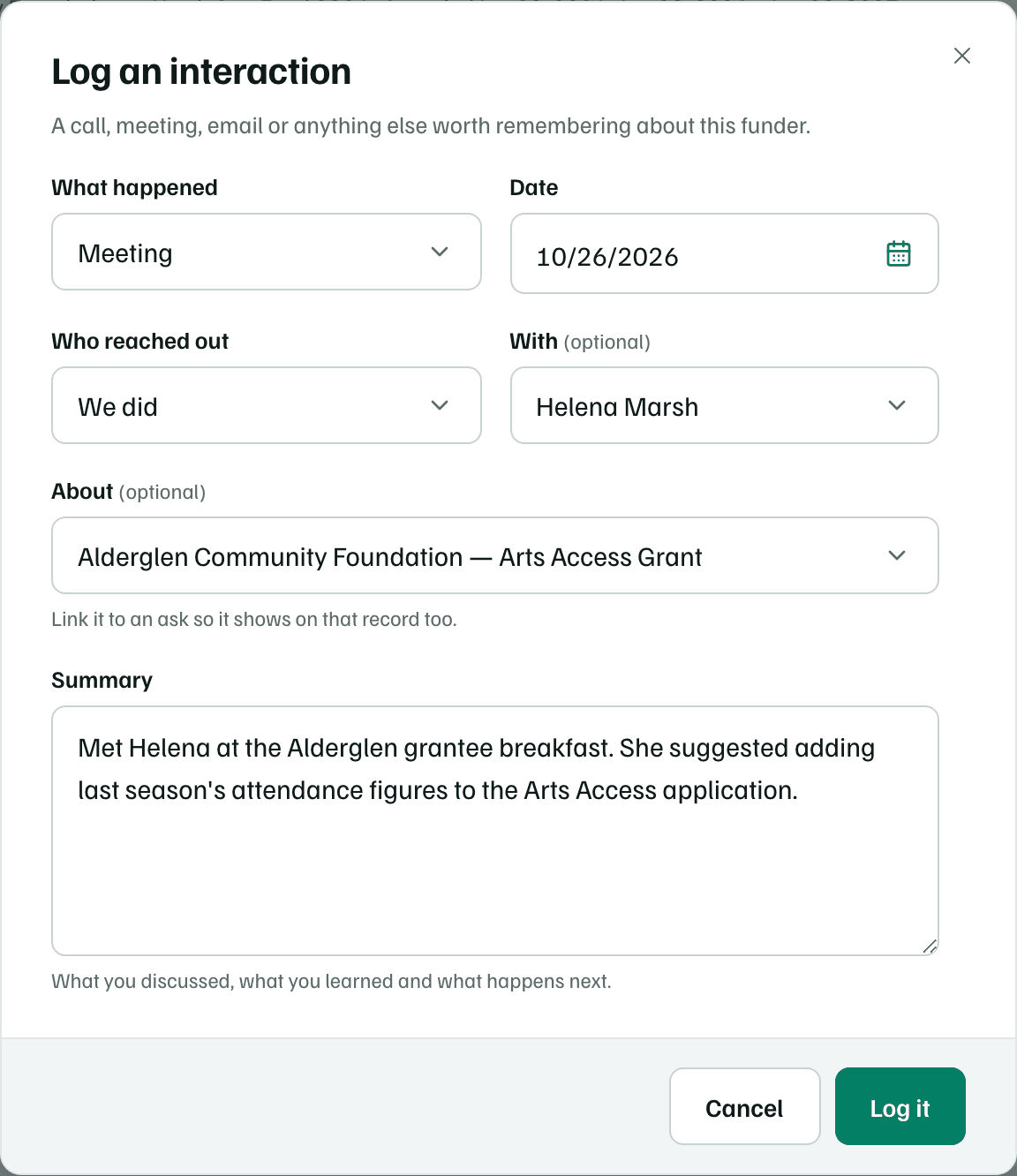
Linking an entry to an ask shows it on that record too. A logged touch can move the relationship forward, as Your funders explains. To change or remove a logged entry, use the buttons beside it. Removing one leaves the stage where it is.
Public giving and filings
Public giving shows the funder's grants in the public award records GrantFlex reads, when exactly one record matches. A match by name alone is marked Matched by name, so check it's the same funder. No match isn't evidence they don't give.
Public filings shows the funder's recent IRS tax returns from ProPublica Nonprofit Explorer: revenue, expenses, total assets and, for private foundations, grants paid. It needs the funder's EIN. Add EIN opens Edit details. Adding the EIN can also help Public giving find a match.
From your research
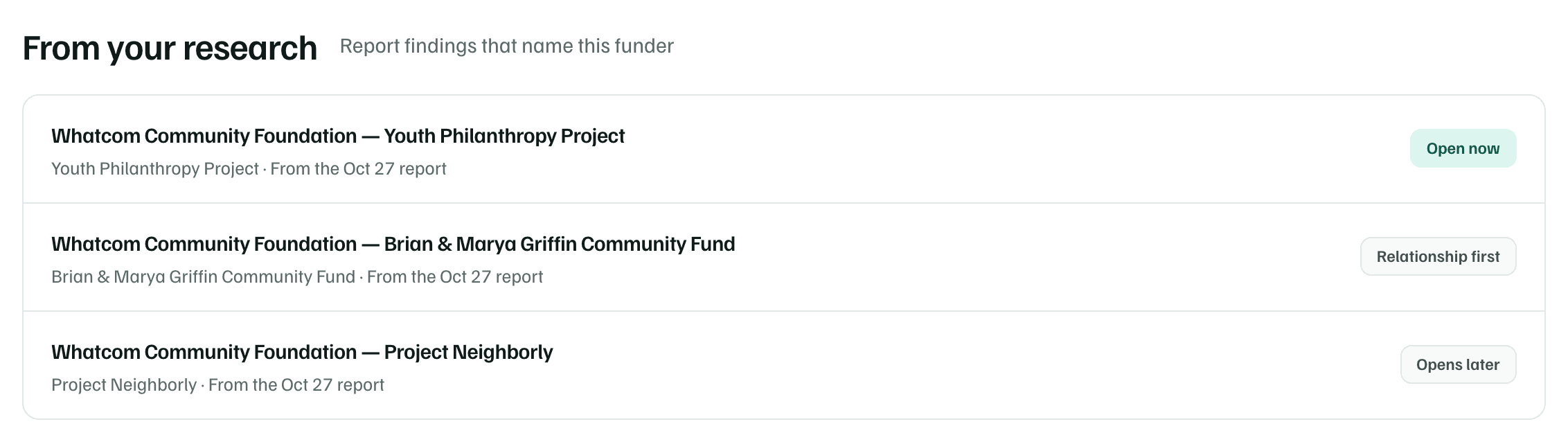
This section lists the findings in your research reports that name the funder, newest report first, each with its status. Select one to open it in its report.
Merge or delete a funder
When the same funder is listed twice, open the one to keep. Select More funder actions, then Merge with…, and choose the duplicate. Its pipeline records, contacts, timeline and notes move to the funder you kept, details missing there are copied over, and the duplicate is removed. The relationship keeps whichever stage is further along.
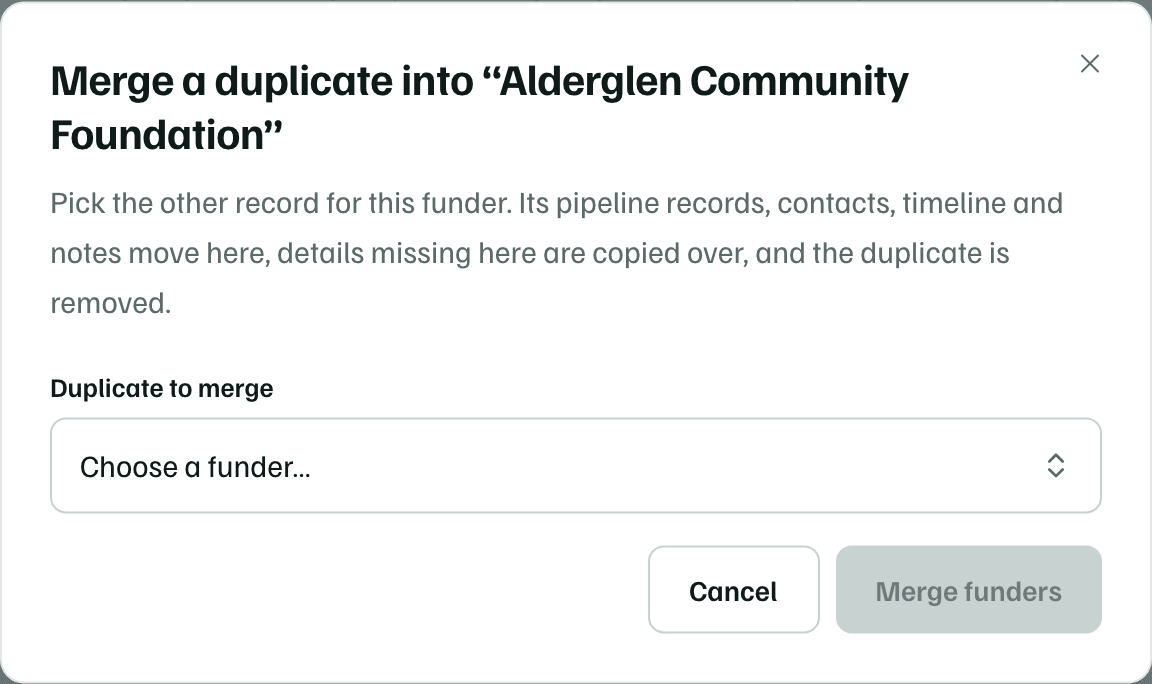
Delete funder works only when no pipeline record uses the funder. Otherwise GrantFlex says This funder is in use and offers to merge instead. Deleting removes the funder's contacts, logged touches and notes.
Check first