Review a grant document
Add a funder's guidelines, and GrantFlex summarizes the funding, the dates, who can apply and what to prepare, with the passage each point comes from. Then ask questions about the document or start an application.
- 6 min
- Every plan
- Uses 1 AI action
Screens pending
Uses 1 AI action
Open it from Review a grant you found under More ways to find funding in a report, or Review a grant document in a report's More report actions menu. The page is called Understand a grant before you apply.
Add the guidelines
Under Start with the grant guidelines, turn on Prepare these files for a grant summary with AI, then choose the file or drop it in. Use the funder's guidelines, not your own proposal.
PDF, Word, Excel, CSV, text files and scanned images work, up to 50 MB each and 20 files at a time. Remove sensitive personal information first.
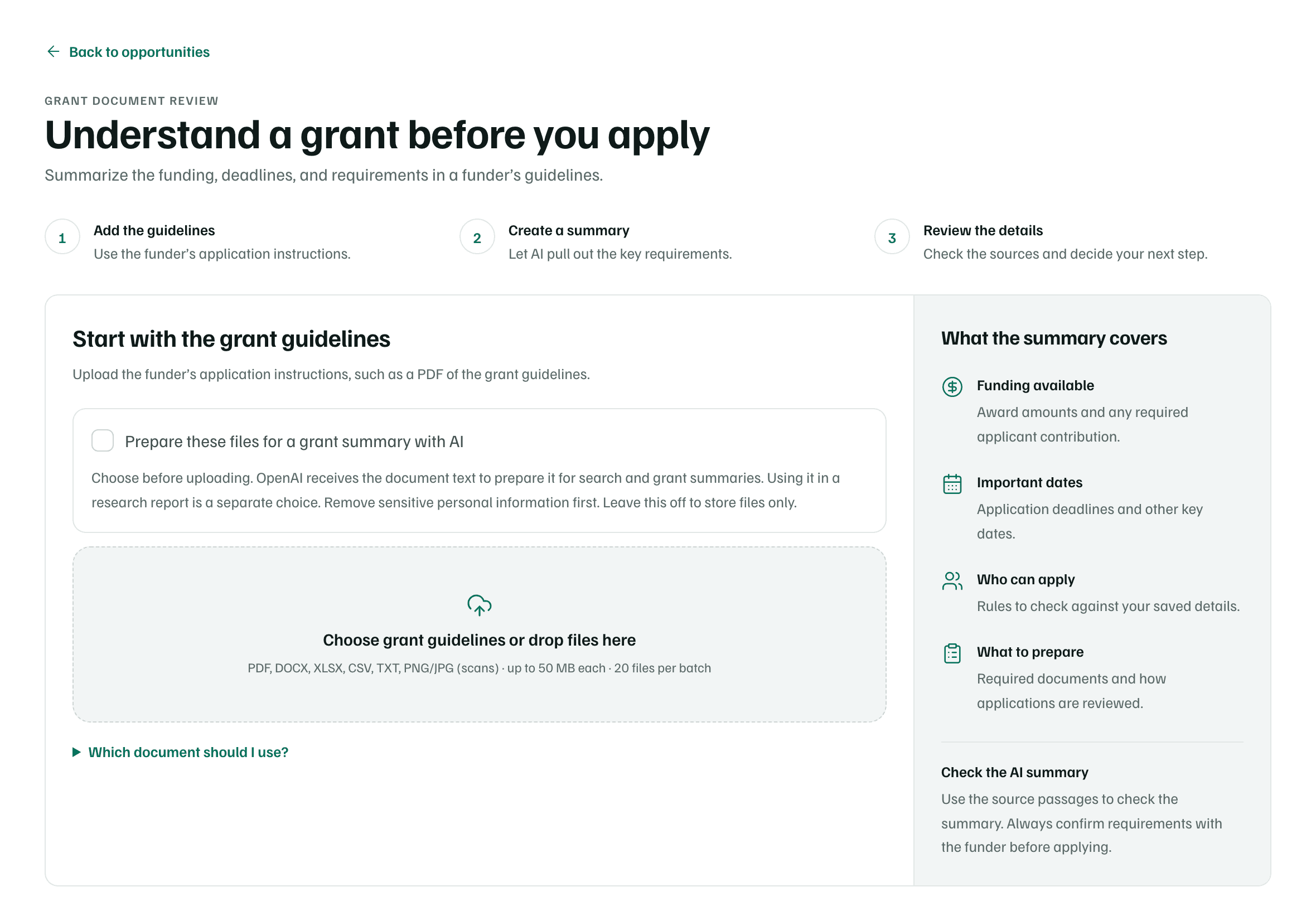
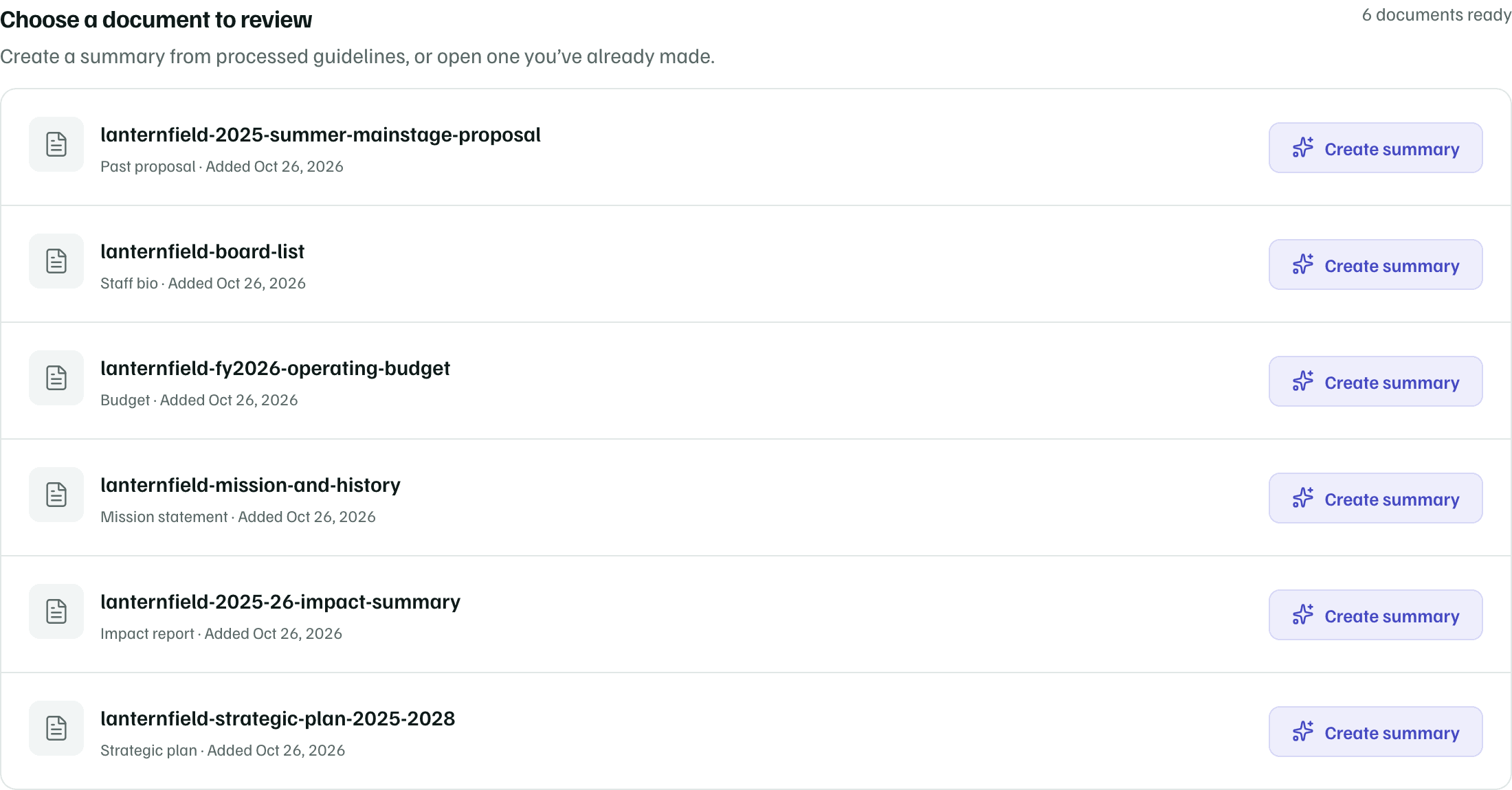
Example workspace · fictional data Create a summary
When the file has been processed, it appears under Choose a document to review, with guidelines listed first. Select Create summary. It can take a minute or longer.
Example workspace · fictional data Review the summary
The summary is labeled AI summary — check against the original guidelines. It opens with an assessment, such as Likely eligible or Review needed, compared with your saved details.
Award range, Your share of the costs, Deadlines, Who can apply, Required attachments and How applications are scored follow. Each point shows the passage of the document it came from.
Check first
Ask questions
On the summary, select Ask questions to ask about deadlines, eligibility or attachments in your own words. Answers come only from the guidelines and include their source passages. If the document doesn't answer your question, the answer says so.
Start an application
When the summary looks right, select Start application. GrantFlex checks whether the grant is still open and what's known about eligibility, then opens the application.
- If some details aren't verified, you confirm that you'll check the funder's requirements before applying.
- If the assessment says you're likely ineligible, the button reads Start application anyway and asks why you're going ahead.
- If an application already exists, the button reads Open application.
To redo a summary after the guidelines change, select Update summary beside the document.