Staff access and seats
Agency owners and admins can give your staff access to a client's workspace in one step, with no invitation. While your agency plan covers that client, staff access doesn't use its member seats.
- 5 min
- Agency plan
Screens from October 2026
Your agency's staff
Your staff are the members of the agency workspace. Invite them from Members & access in its Settings, as in any workspace. The Agency plan includes 10 staff seats. On Free, the agency workspace has 1 member, its owner, so inviting staff needs the Agency plan.
A role in the agency workspace sets what each person can do there:
- Owner and Admin: add and link clients, give staff access, stop managing a client and change the branding. Only the owner chooses the plan.
- Editor: adds to and changes the agency library.
- Viewer: reads the agency library.
An agency role doesn't open any client by itself. Each person needs access to each client, as an editor or a viewer there.
Give staff access to a client
Open Staff access
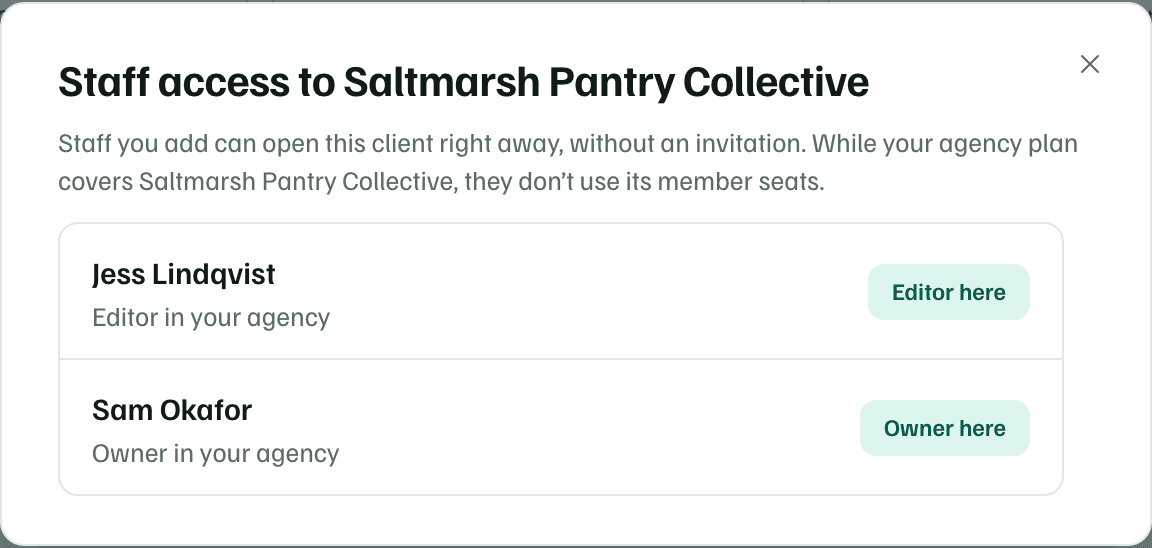
On Clients, select Staff access on the client's row. The count beside it, such as 2 of 2, says how many of your staff can open that client.
Choose a role
The list shows each person's role in your agency. Someone who can already open the client shows their role there, such as Editor here. For anyone else, choose Editor or Viewer.
Example workspace · fictional data Give access
Select Give access. They can open the client right away, without an invitation. They get a notification, and so do the client's own owner and admins.
Give yourself access
If you're an owner or admin of the agency and can't open a linked client yet, its row shows Give me access. It adds you to that client as an editor.
When staff access uses a seat
Each client workspace has its own member seats. Whether your staff use them depends on who pays for the client's plan.
| The client's badge on Clients | Staff your agency added |
|---|---|
| Covered by your agency plan | Don't use the client's seats. Its Usage card says Agency staff don’t use these seats. |
| Client’s own plan | Use the client's seats, like any other member. |
| Not covered | Use the client's seats. Free includes 1 member. |
Only access your agency gave counts as staff access. Someone the client invited itself is an ordinary member and uses a seat, even if they work for your agency. When a client has no free seat, the dialog says so, and the client's owner can check its plan in Billing and usage.
What each side sees
- In your agency, Clients shows numbers only for the clients you can open. The combined pipeline and calendar leave the others out and say how many.
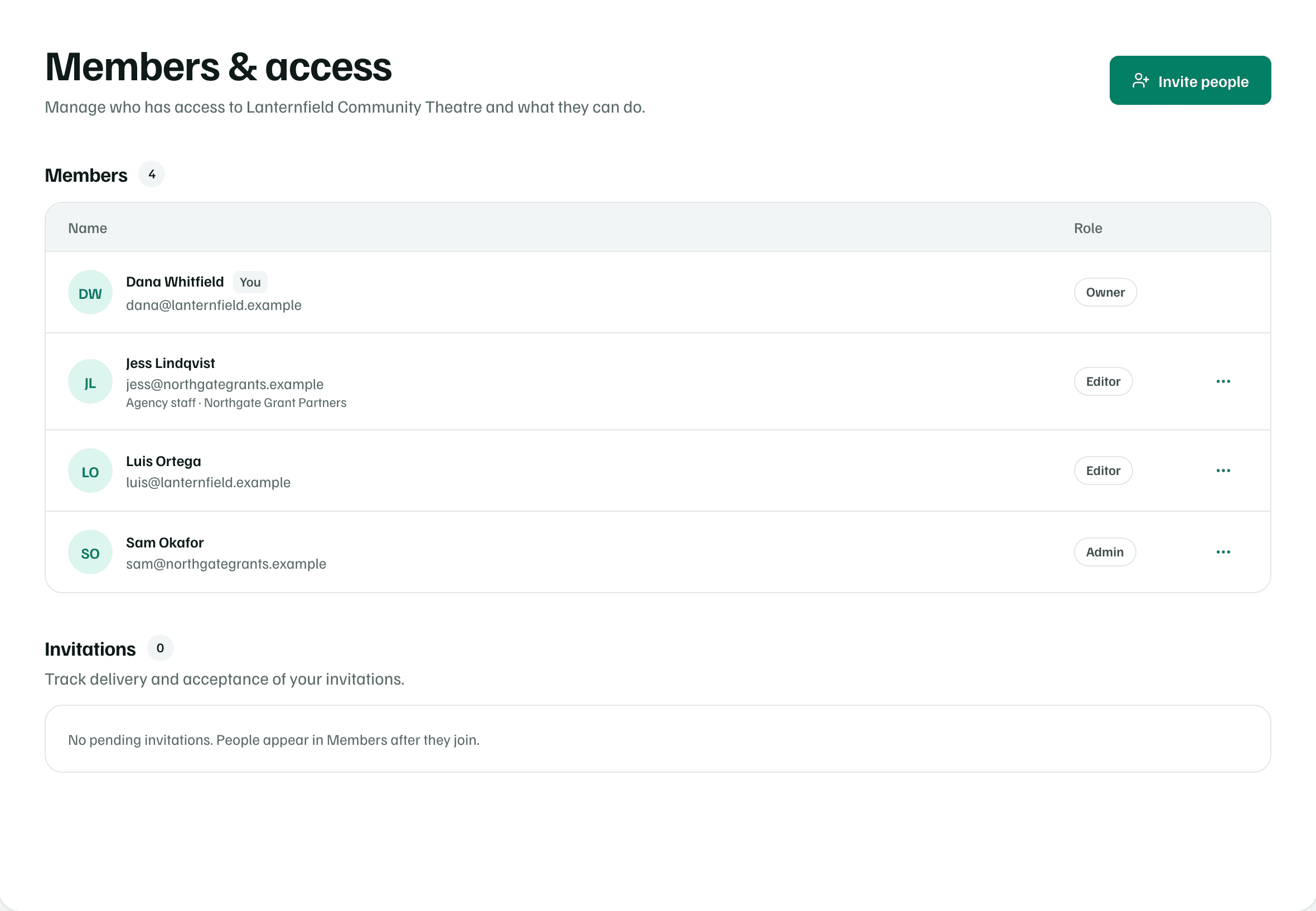
- In the client's workspace, your staff are listed in Members & access like any member. Its owner or admins can change their role or remove them there.
- The client's Settings has an Agency card that names your agency and the date it started managing the workspace.
- Everything your staff do for a client, such as drafts, tasks and uploaded documents, stays in that client's workspace.
When staff access ends
- Removing someone from the agency workspace's Members & access also removes the client access your agency gave them. A workspace they own stays theirs.
- When a client link ends, the staff your agency added leave or stay, depending on how it ends. See Hand a client over or leave.