Start a proposal
Each grant in your pipeline can have one proposal: the written responses, budget, documents and letters you send the funder. Start it from the grant's record, then work on it in the proposal workspace.
- 5 min
- Every plan
Screens from October 2026
In the app:Pipeline, then Funding plan, then Proposal
A proposal belongs to a funding record, so its progress shows on the record and in Pipeline. Owners, admins and editors can start and edit one. Viewers can read it.
Start the proposal
Open the record's Proposal tab
In Pipeline, open the grant and select the Proposal tab. Until a proposal exists, the tab shows Write the proposal.
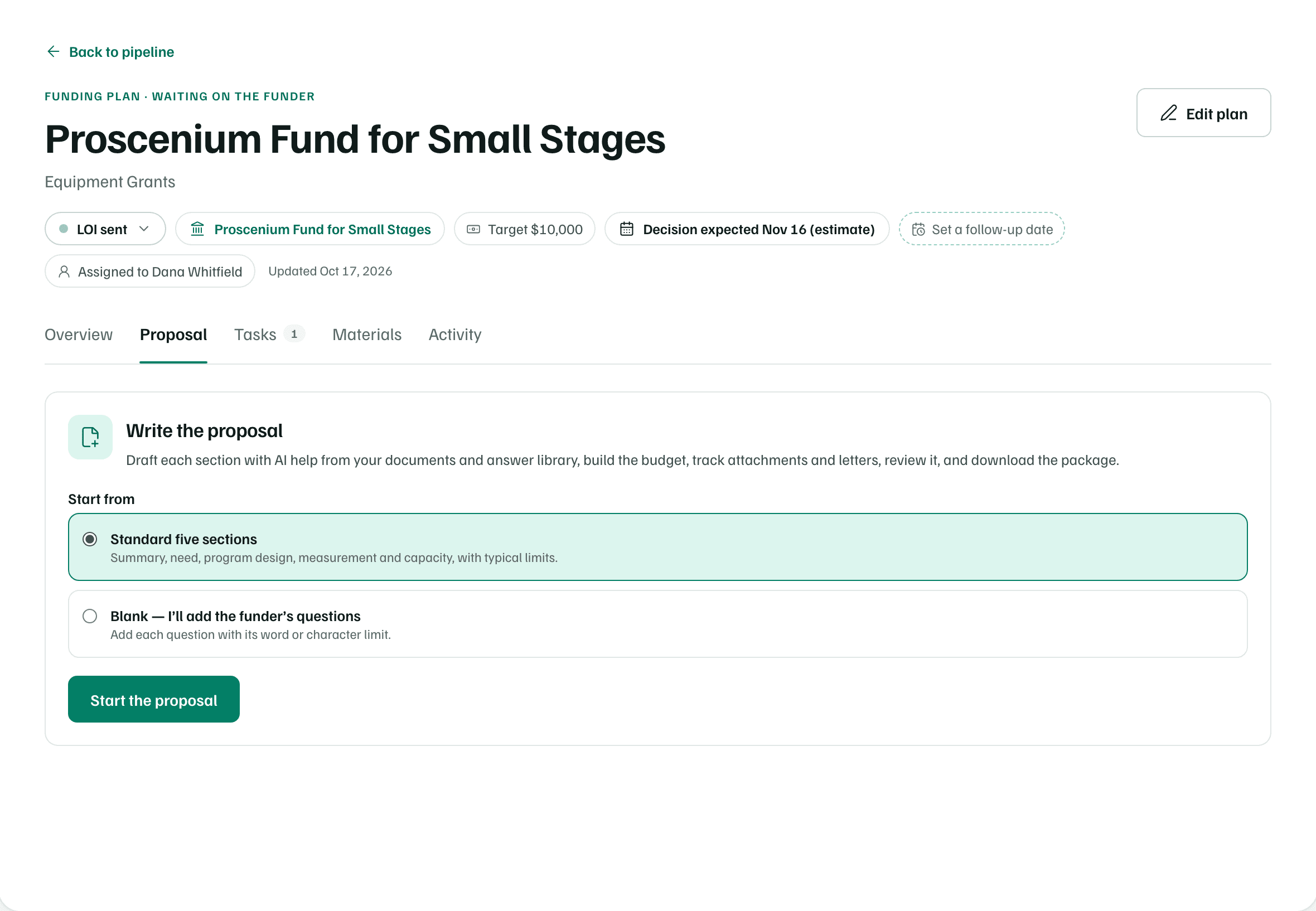
Example workspace · fictional data Choose what to start from
Under Start from, choose one:
Use this plan’s materials, with a count, appears when the record's Materials tab has written pieces. Each one becomes a section, with any draft you wrote, and each file to attach becomes a requirement.
Standard five sections gives you the five most funders ask for, with typical limits.
Blank — I’ll add the funder’s questions starts empty, so you add each question with its limit.
Start it
Select Start the proposal. The proposal opens on its Draft tab. If the record was at Prospect, Checking fit, Outreach or LOI sent, it moves to Preparing.
| Section | Funder's question | Limit |
|---|---|---|
| Executive Summary | Summarize the project, the need, and the request. | 2,500 characters |
| Statement of Need | Describe the problem and the population served, with evidence. | 5,000 characters |
| Program Design | Describe activities, timeline, and staffing. | 8,000 characters |
| Impact Measurement | Describe outcomes, metrics, and evaluation methods. | 3,000 characters |
| Organizational Capacity | Describe your track record and ability to deliver. | 3,000 characters |
Tip
You can also start from an opportunity in Discover with Start application. If GrantFlex has summarized the funder's guidelines, the sections follow the funder's own section names. Otherwise you get the standard five. See Decide what to do with an opportunity.
Once a proposal exists, the record's Proposal tab shows how far along it is, with Open the proposal and Download.
The proposal header
Every page of the proposal shares one header. It names the funder, the due date with the days left, and the amount requested. The avatars show who is working on it.
- The stage steps read Preparing, In review, Submitted and Decision. The current step uses the exact stage, such as Checking fit or Ready to submit.
- Update stage moves the proposal along or records the funder's decision.
- More actions (⋯) has Open funding record, Download proposal (Word) and Print or save as PDF.
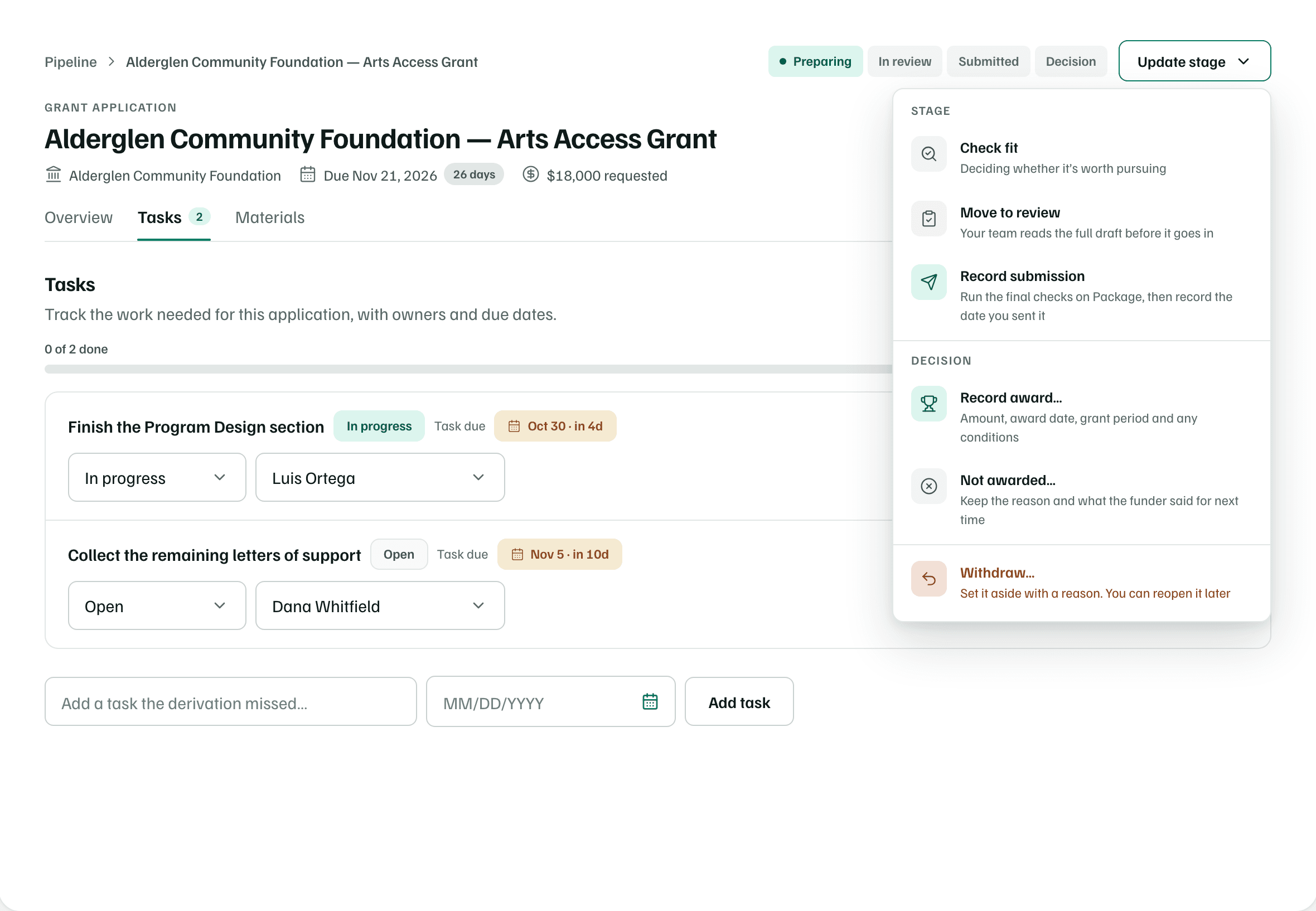
Moving the stage only changes your tracking, and nothing is sent. Record submission takes you to the Package tab, where you record how and when you submitted. Record award…, Not awarded… and Withdraw… open the funding record, so the amount, reason and dates are kept with it.
Overview, Tasks and Materials
- Overview lists what still stands between the proposal and submitting, the next tasks, and each material at a glance. Continue application opens the next section that isn't approved.
- Tasks holds the work for this proposal, with owners, due dates and statuses.
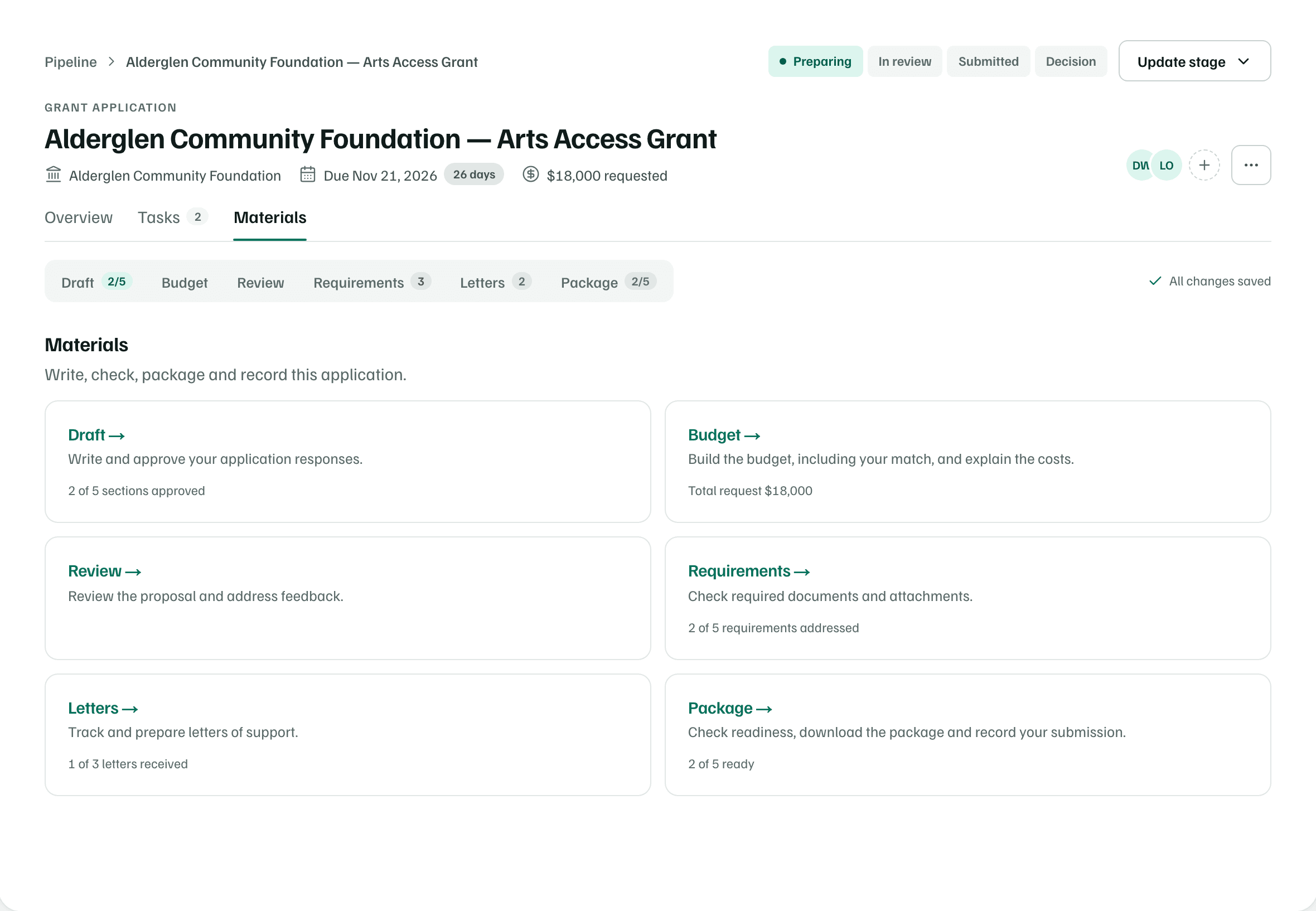
- Materials opens the Draft tab, with a bar for switching between the six tools.
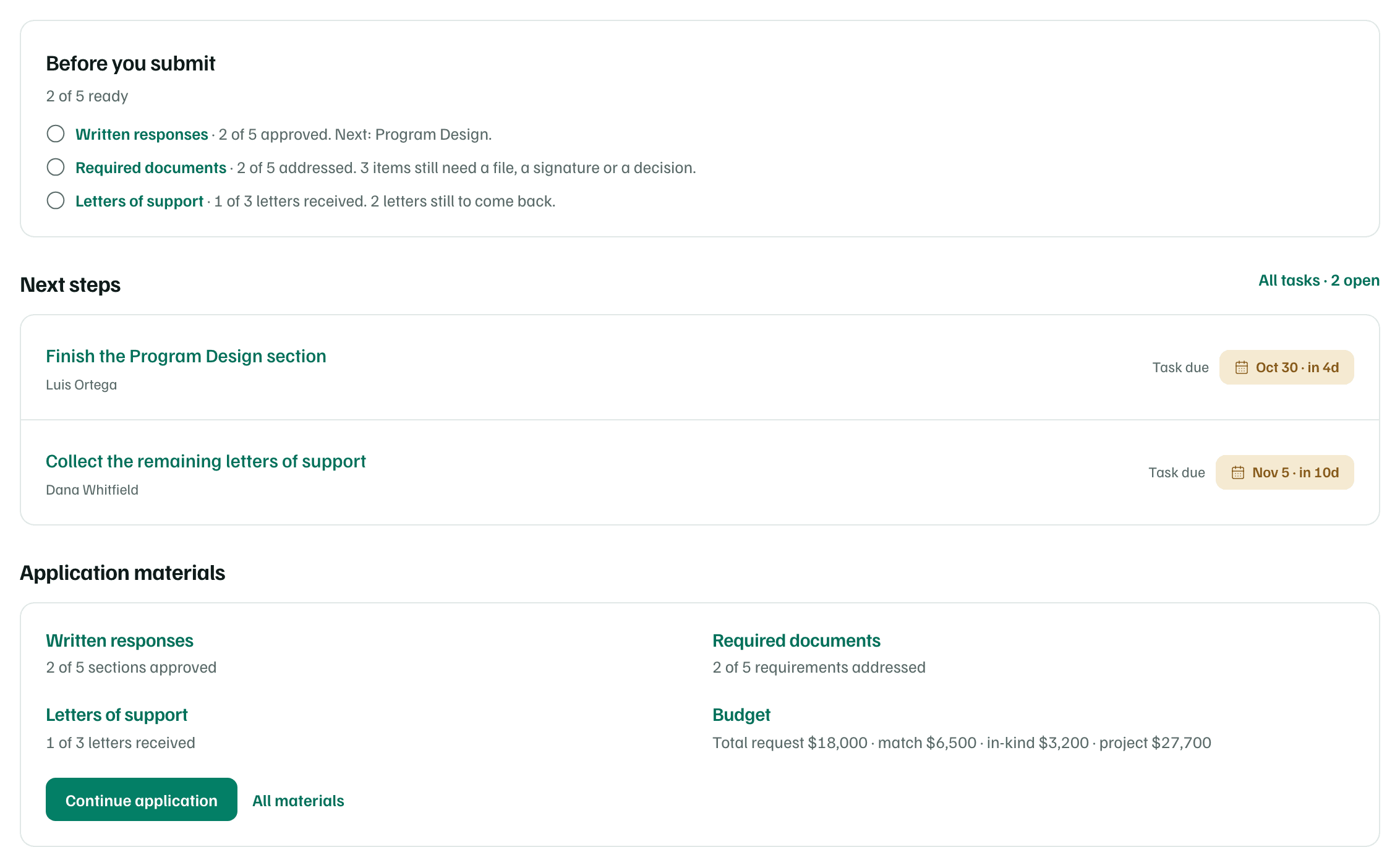
The tool bar's counts show what's left. For example, 2/5 beside Draft means two of five sections are approved, and a number beside Requirements is how many still need work. All materials, on the Overview, shows every tool with a line saying where it stands.
| Tool | What it's for | Guide |
|---|---|---|
| Draft | Write and approve your application responses. | Draft sections |
| Budget | Build the budget, including your match, and explain the costs. | Build the budget |
| Review | Review the proposal and address feedback. | Get an AI review |
| Requirements | Check required documents and attachments. | Track requirements |
| Letters | Track and prepare letters of support. | Ask for letters of support |
| Package | Check readiness, download the package and record your submission. | Package and record your submission |
Changes save as you go. Beside the tool bar, All changes saved confirms it. After you record the submission, the line reads Locked as submitted. Viewers see View only.
Note