Build the budget
List what the project costs and who pays for each part. GrantFlex adds up what you ask this funder for and what the whole project costs, and AI can draft the explanation.
- 6 min
- Every plan
- Uses 1 AI action
Screens from October 2026
In the app:Pipeline, then Proposal, then Budget
The Budget tab opens with the totals. Below them are the budget lines, grouped by category, and then the budget explanation.
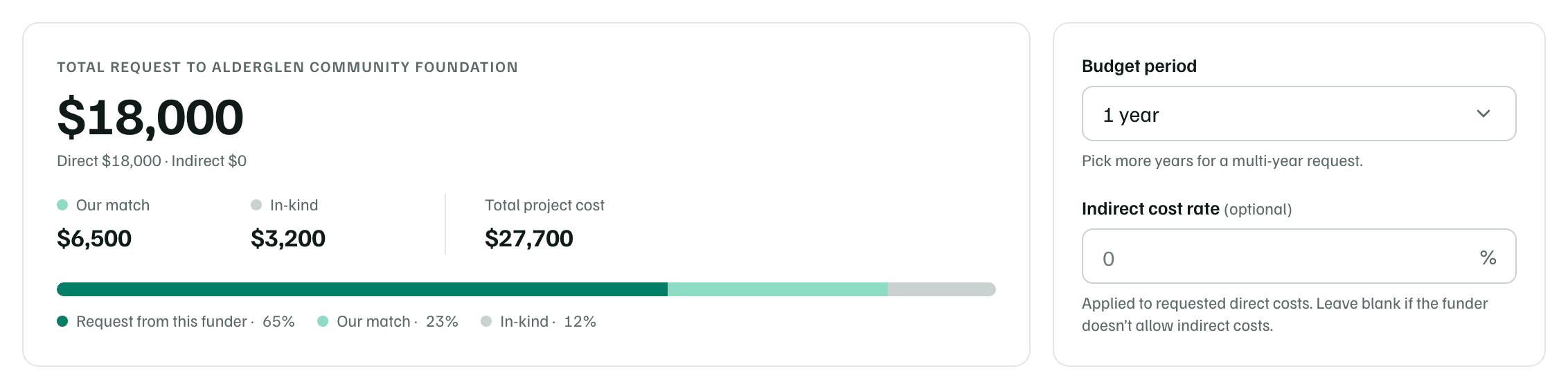
- The total request is what you're asking this funder for: the direct costs it would pay, plus any indirect costs.
- Our match and In-kind are what your organization and others bring.
- Total project cost adds all three. The bar under the totals shows each one's share.
Add budget lines
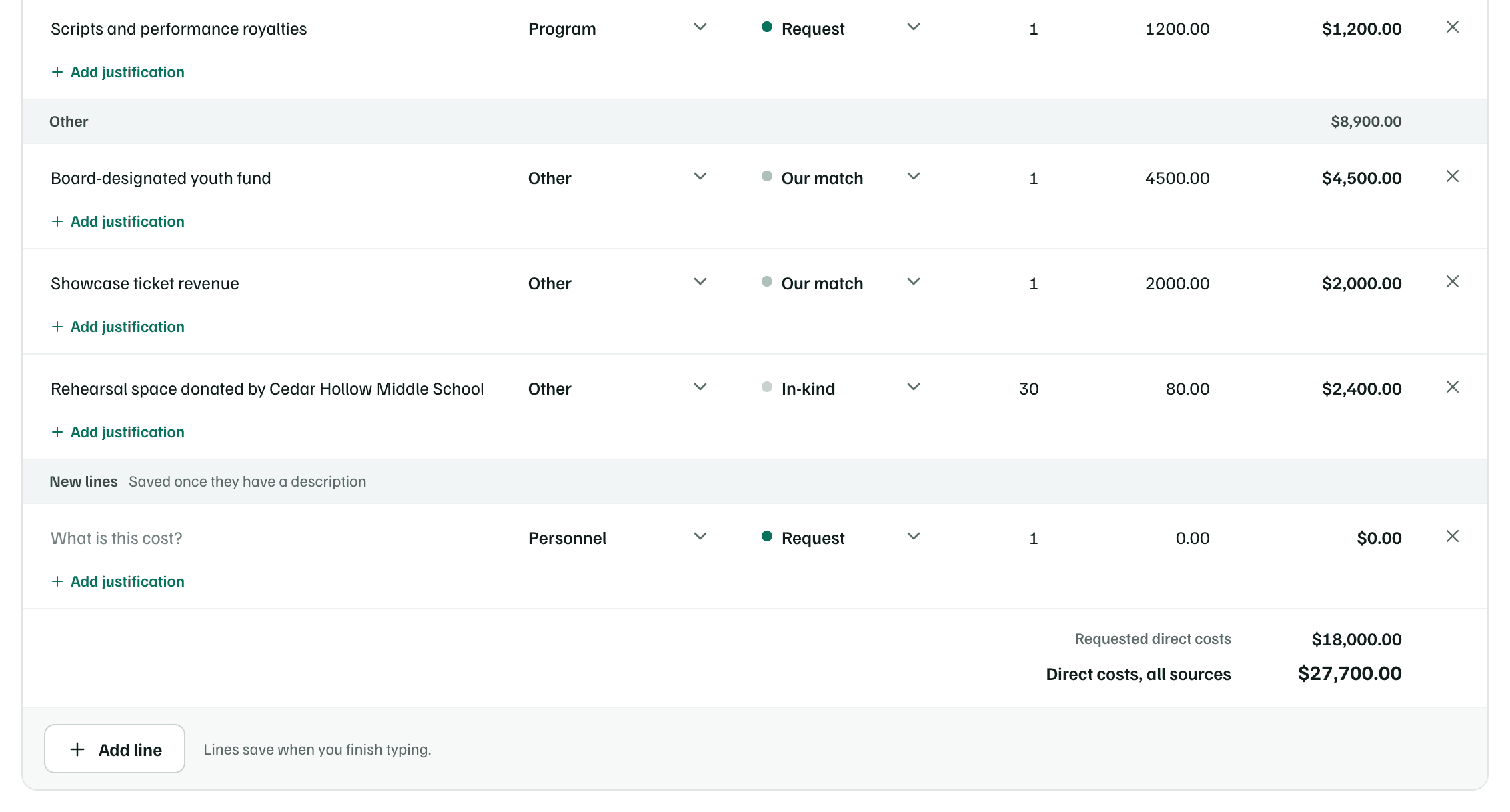
A new budget starts with one empty line ready to type into. To add more, select Add line.
Describe the cost
Enter what the cost is under Description, and choose its Category. Start with your biggest cost.
Example workspace · fictional data Choose who pays
Under Who pays, choose Request for what this funder would pay, Our match for cash your organization or other funders give, or In-kind for the value of donated goods, space or time.
Enter the amounts
Enter the Qty and the Unit cost in dollars. GrantFlex works out the Line total and updates the totals.
Say why it's needed
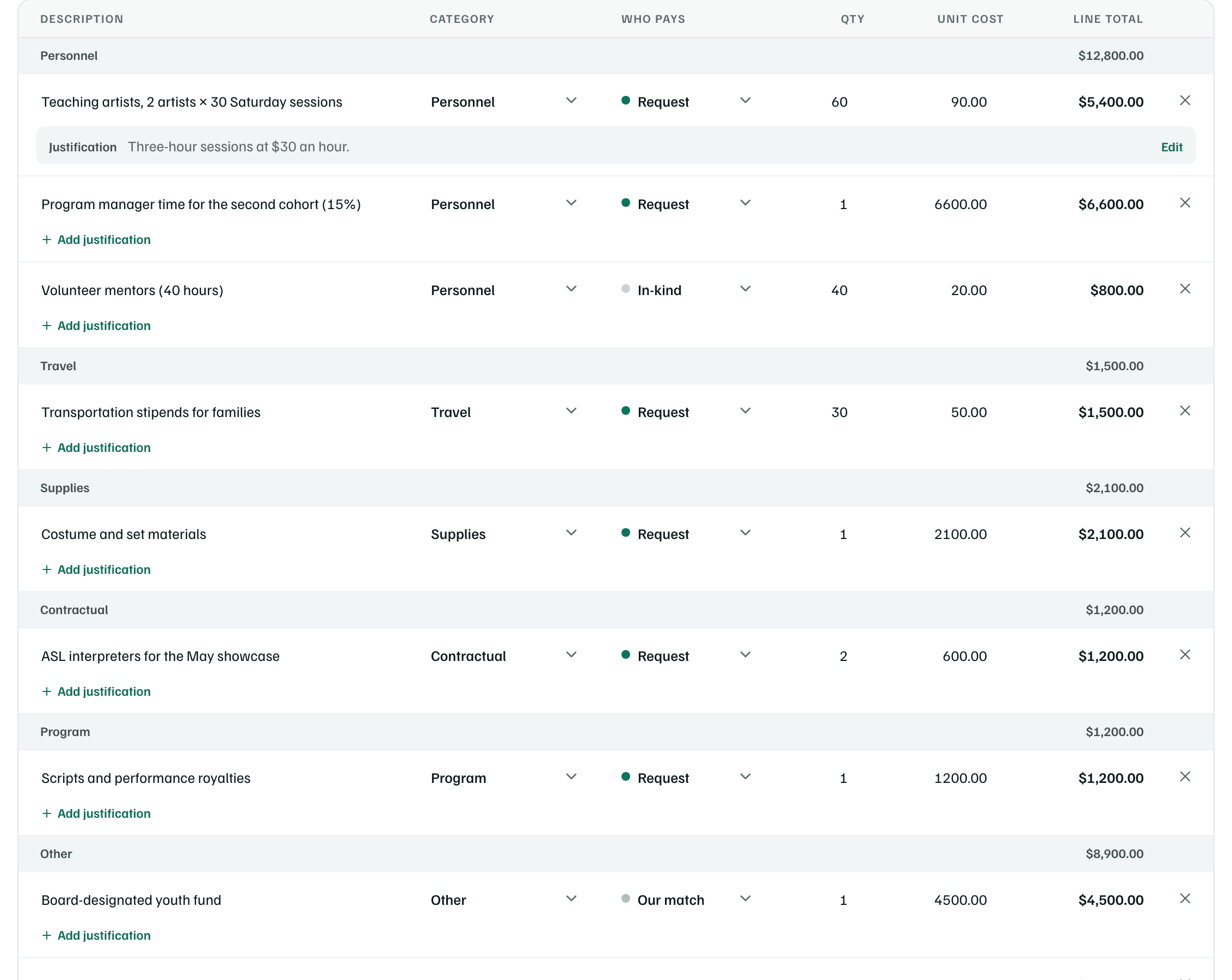
Select Add justification under a line to explain the cost, such as how you worked it out.
Example workspace · fictional data
Lines save when you finish typing, and a new line saves once it has a description. To remove a line, select × at the end of its row.
| Choice | What it means |
|---|---|
| Request from this funder (Request on a line) | What you're asking this funder to pay. |
| Our match | Cash your organization or other funders put toward the project. See match. |
| In-kind | The value of donated goods, space or volunteer time. See in-kind support. |
| Category | What goes in it |
|---|---|
| Personnel | Staff time on this project: hours, days or a share of a salary. |
| Fringe benefits | Payroll taxes, health insurance and retirement for that staff time. |
| Travel | Mileage, transport and lodging the work requires. |
| Equipment | Lasting items, usually over $5,000 each, such as a vehicle or lighting rig. |
| Supplies | Materials used up by the project: books, art supplies, printing. |
| Contractual | Consultants, artists, evaluators or other outside services. |
| Program | Other direct project costs: venue, participant support, events. |
| Admin | The cost of supporting the work: bookkeeping, insurance, software. |
| Other | Anything that fits nowhere else. Say what it is in the description. |
Tip
Indirect costs and multi-year budgets
If the funder allows indirect costs, enter its rate under Indirect cost rate, such as 10 or 12.5. GrantFlex applies the indirect cost rate to the direct costs you request and adds the result to the total request. Leave it blank if the funder doesn't allow indirect costs.
For a request that spans more than a year, choose up to 5 years under Budget period. A Year column appears, so you can choose the year for each line. When the lines span more than one year, the totals add a row for each year.
Draft the budget explanation
Many funders ask for a short narrative of the budget. Select Draft budget explanation. AI writes a paragraph for each category, saying which costs this funder would pay and which you cover as match or in-kind, then gives the total request and the project cost. It works only from your budget lines, and it uses one AI action.
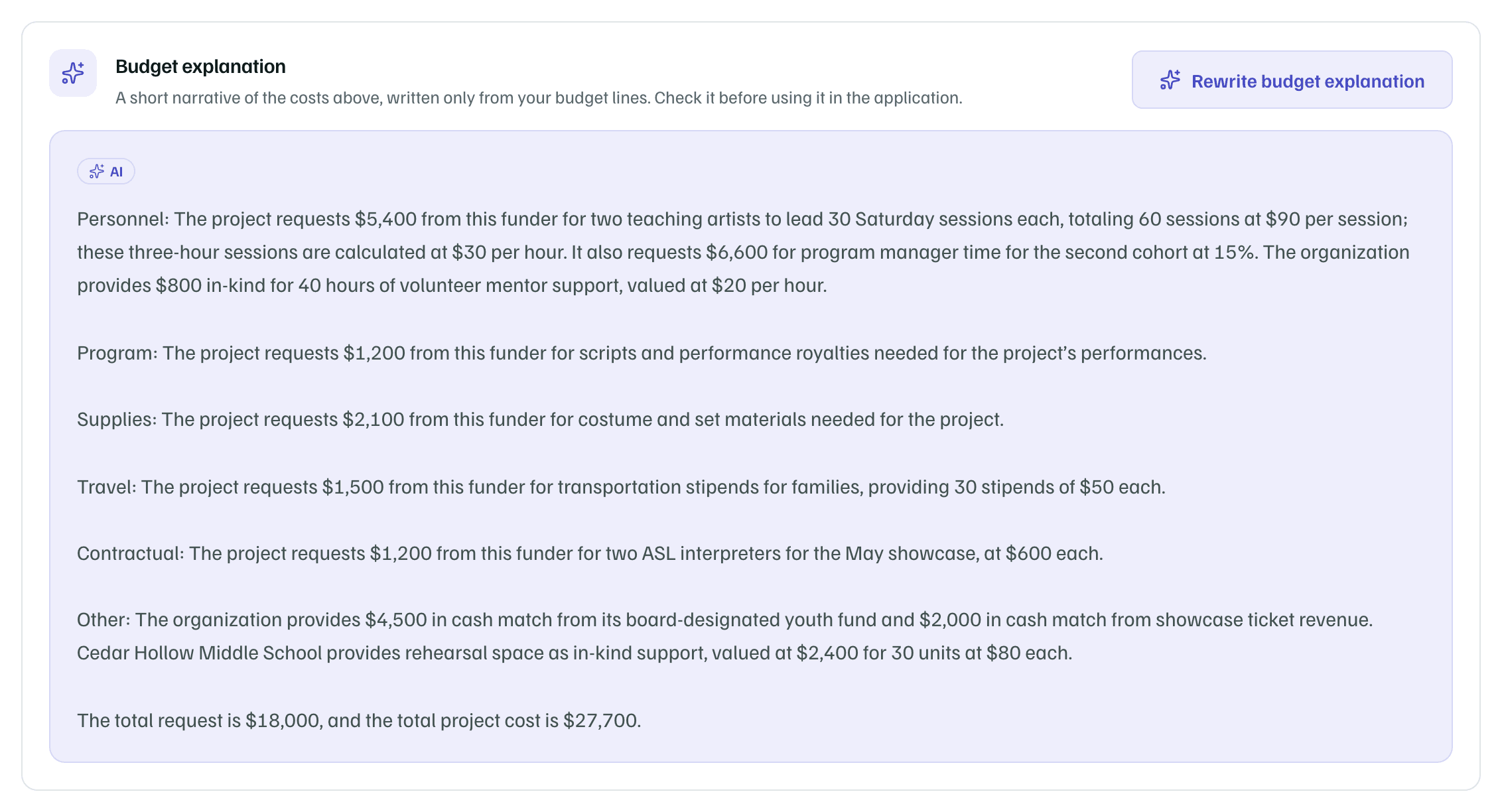
- Check each figure against your lines before you use the explanation.
- If you change the lines afterward, the explanation is marked Out of date — numbers changed. Select Rewrite budget explanation for a new one.
- The Package tab lists it as Budget narrative, ready to copy, and the AI review reads it too.
Download the budget
Once the budget has a line, select Download (Excel) for a workbook with currency cells and bold totals, or CSV for plain values. Downloading doesn't send anything to the funder.
Note