Change stage and record decisions
Move a funding record through its stages from the stage menu. Sending a letter of inquiry or a proposal, recording an award and closing a record each open a short dialog that keeps the details.
- 6 min
- Every plan
Screens from October 2026
In the app:Pipeline, then Funding plan, then Stage
The stage menu
Select the stage chip, the first chip under a record's title. The menu lists the stages under Move this plan to, and Declined and Archived under Close the plan. Each stage says what it means.
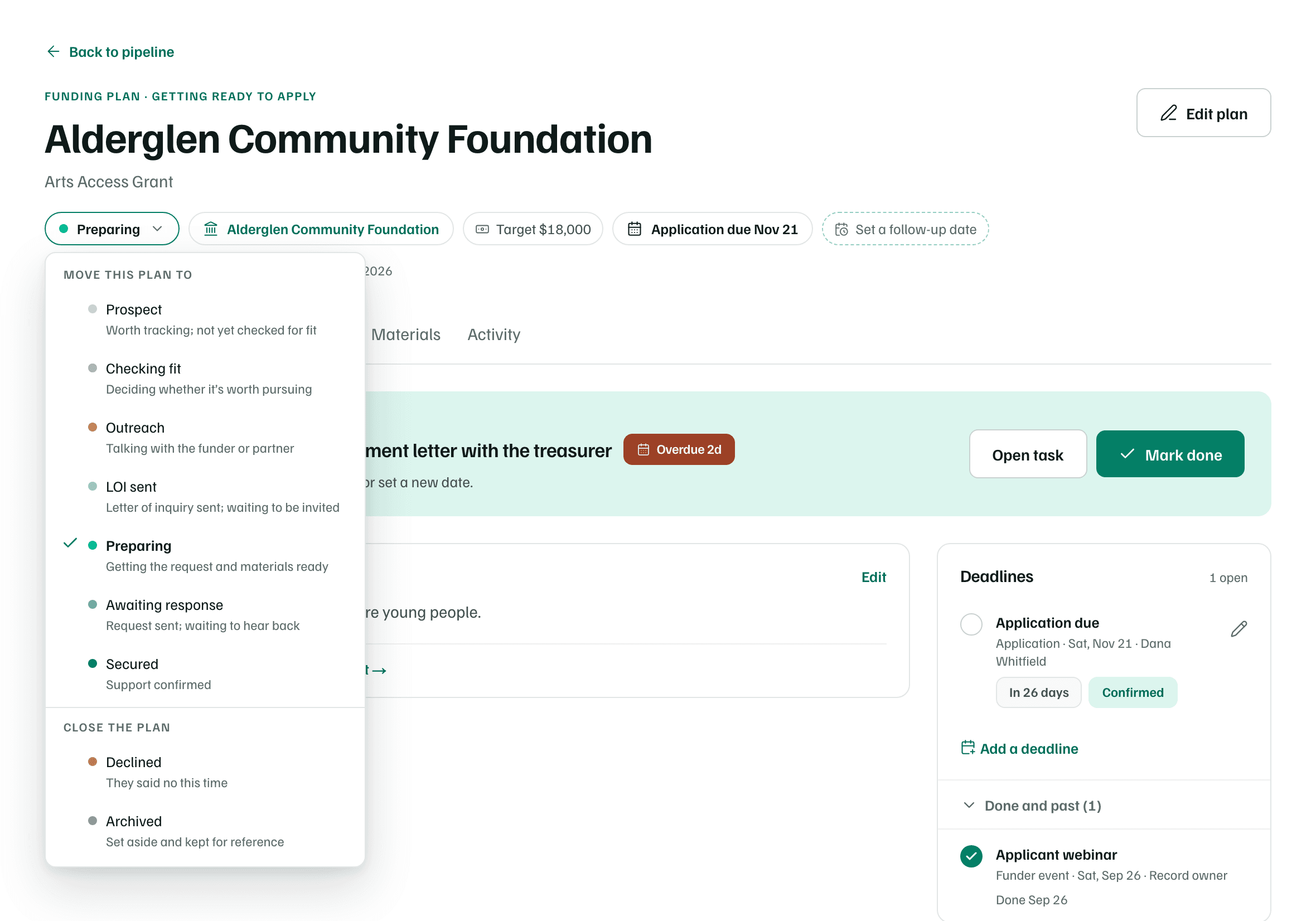
| Choose | What happens |
|---|---|
| Prospect, Checking fit, Outreach or Preparing | The stage changes straight away. |
| LOI sent | Record the letter of inquiry opens. |
| Awaiting response | Record the submission opens. |
| Secured | Record the award opens. |
| Declined or Archived | Close this record opens. |
Every change is logged on the record's Activity tab. A proposal on the record follows along: it shows Submitted once you're Awaiting response, and Awarded once the record is secured. The funder's relationship in Funders moves forward too: In conversation at Outreach, Contacted once you've sent a letter or a proposal, and Funder after an award. It never moves back on its own.
Tip
Record a letter of inquiry
When a funder asks for a letter of inquiry first, choose LOI sent once you've sent it. Enter the Date sent and choose How it was sent: Online portal, Email, Mail, In person or Other. Add the Portal or system, a Confirmation number and notes if you have them, then select Record letter.
Record the submission
After you send the proposal, choose Awaiting response. The dialog asks the same questions as a letter, plus the Amount requested, which starts as the record's amount. Select Record submission.
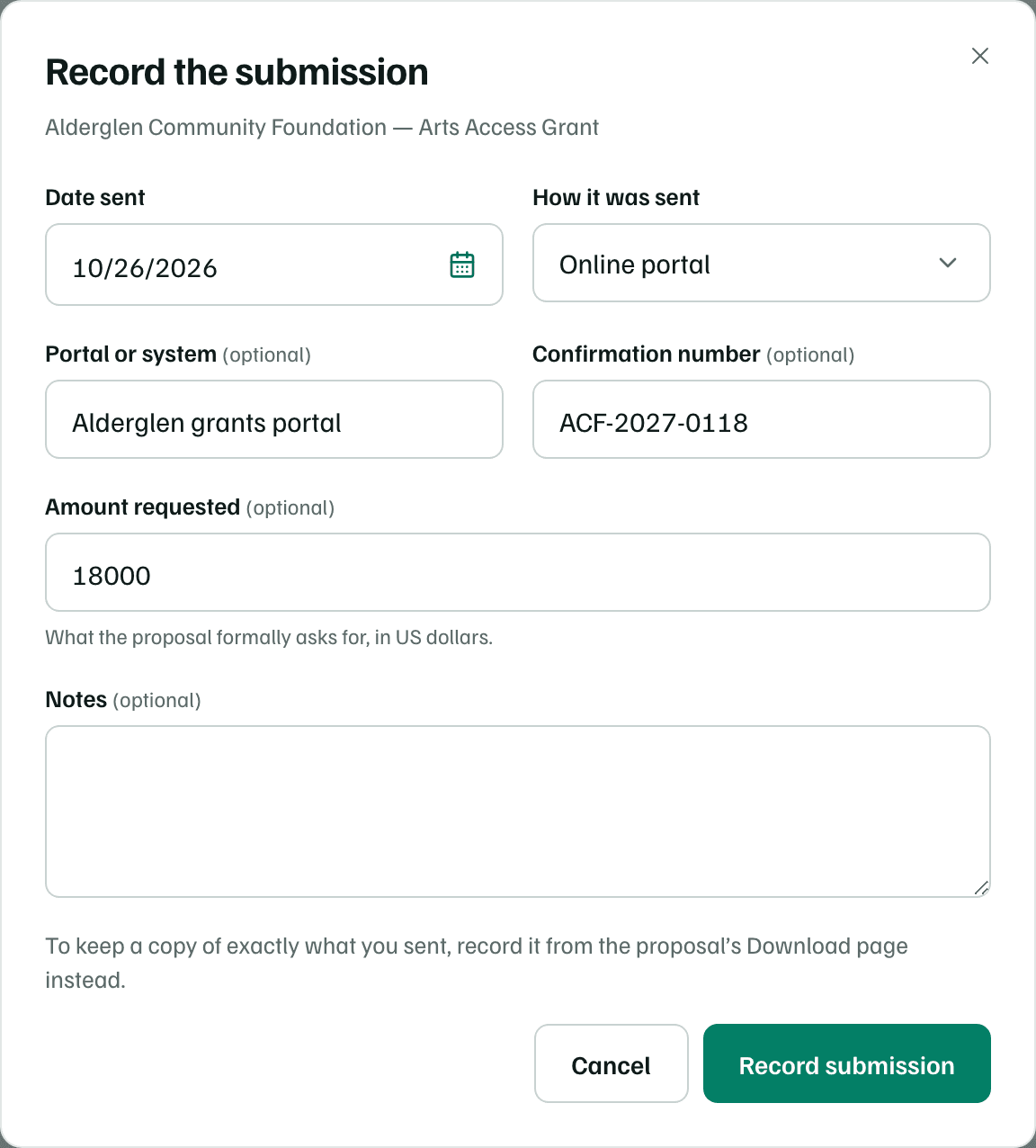
The header then shows Requested with the amount, and Overview shows when and how you sent it. A proposal on the record locks against edits. To keep a copy of exactly what you sent, record the submission from the proposal's download page instead. See Package and record your submission.
Note
Record the award
Choose Secured when the funder says yes. Enter the Amount awarded and the Award date, and the grant period if you know it. Under Use of funds, choose Restricted to a purpose, Unrestricted (general support) or Not sure yet, and add any conditions. Select Record award.
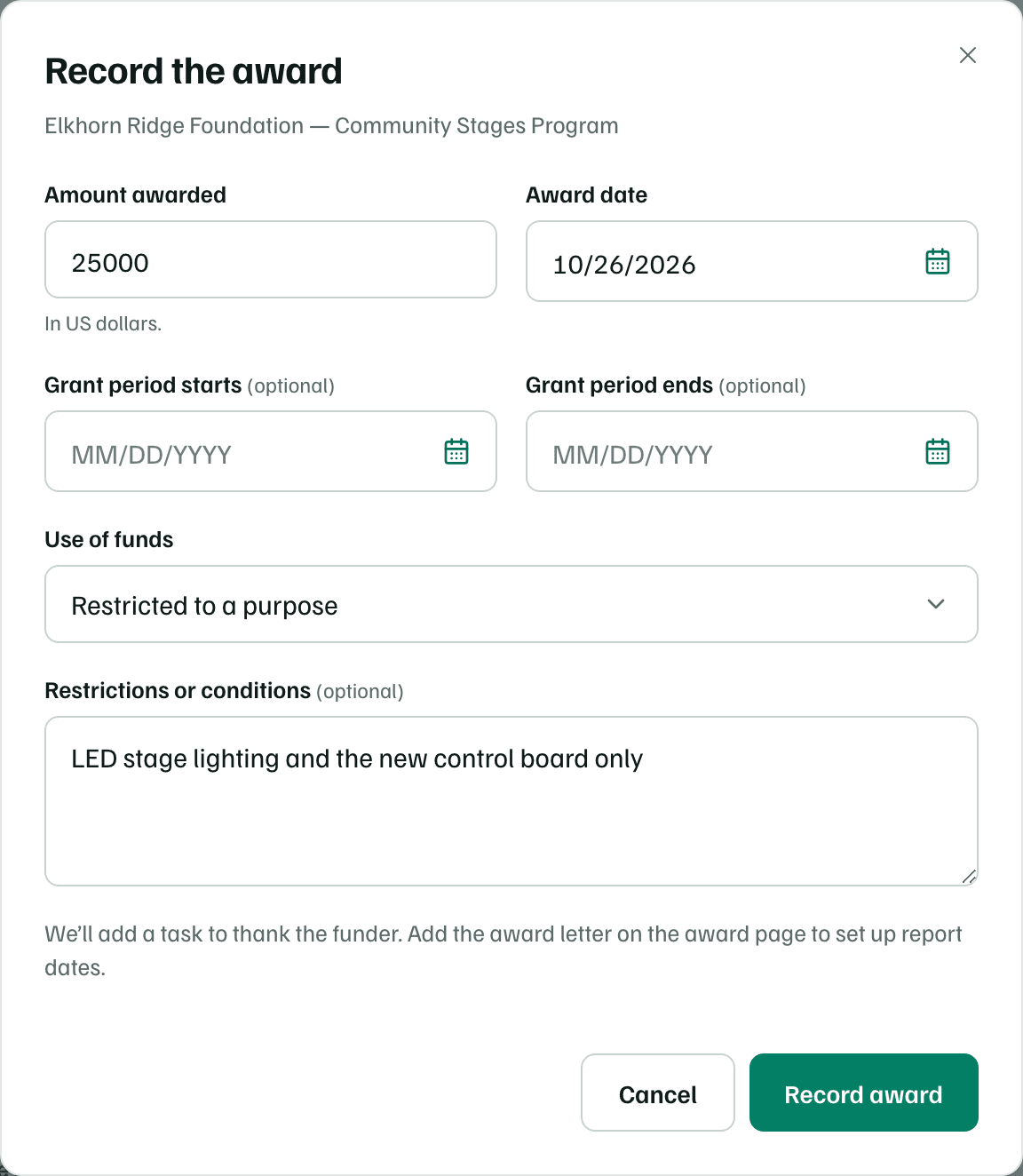
- The record moves to Secured, and Overview links to Payments, reports and terms on the award's page.
- A task to thank the funder is added, due two days after the award date and assigned to the record's owner.
- The record's letter of inquiry, application and decision dates are marked done.
Then add the award letter on the award's page to set up report dates.
Close a record
Choose Declined or Archived. In Close this record, choose what happened: The funder declined or We stopped pursuing it. Then choose a Reason and add notes.
What happens in this clip
Open the stage menu on a record whose letter of inquiry was sent, and choose Declined. Close this record opens with The funder declined selected. Choose a reason and turn on Remind us to reapply next cycle, which suggests a date. Switch to We stopped pursuing it to see its reasons, then select Cancel. Nothing is saved.
The reasons for The funder declined are:
- Strong fit, not funded this cycle
- Outside the funder’s current priorities
- Not eligible
- Outside the funder’s geography
- Request size didn’t fit
- Application incomplete or late
- Too many strong applicants
- No reason given
- Other
The reasons for We stopped pursuing it are:
- Not a good fit after all
- No capacity to apply this cycle
- Timing didn’t work
- Funder closed or paused the program
- We withdrew the request
- Other
For a decline, What the funder said keeps their feedback on the record and on the funder's page in Funders. Then select Record decline, or Close record when you stopped.
Remind us to reapply
When a funder declines, turn on Remind us to reapply next cycle. When the next cycle opens (estimate) starts about 11 months out. Change it if you know better. GrantFlex adds a new record for the same funder and program at Prospect, with that date as an estimate and the funder's feedback as a note.
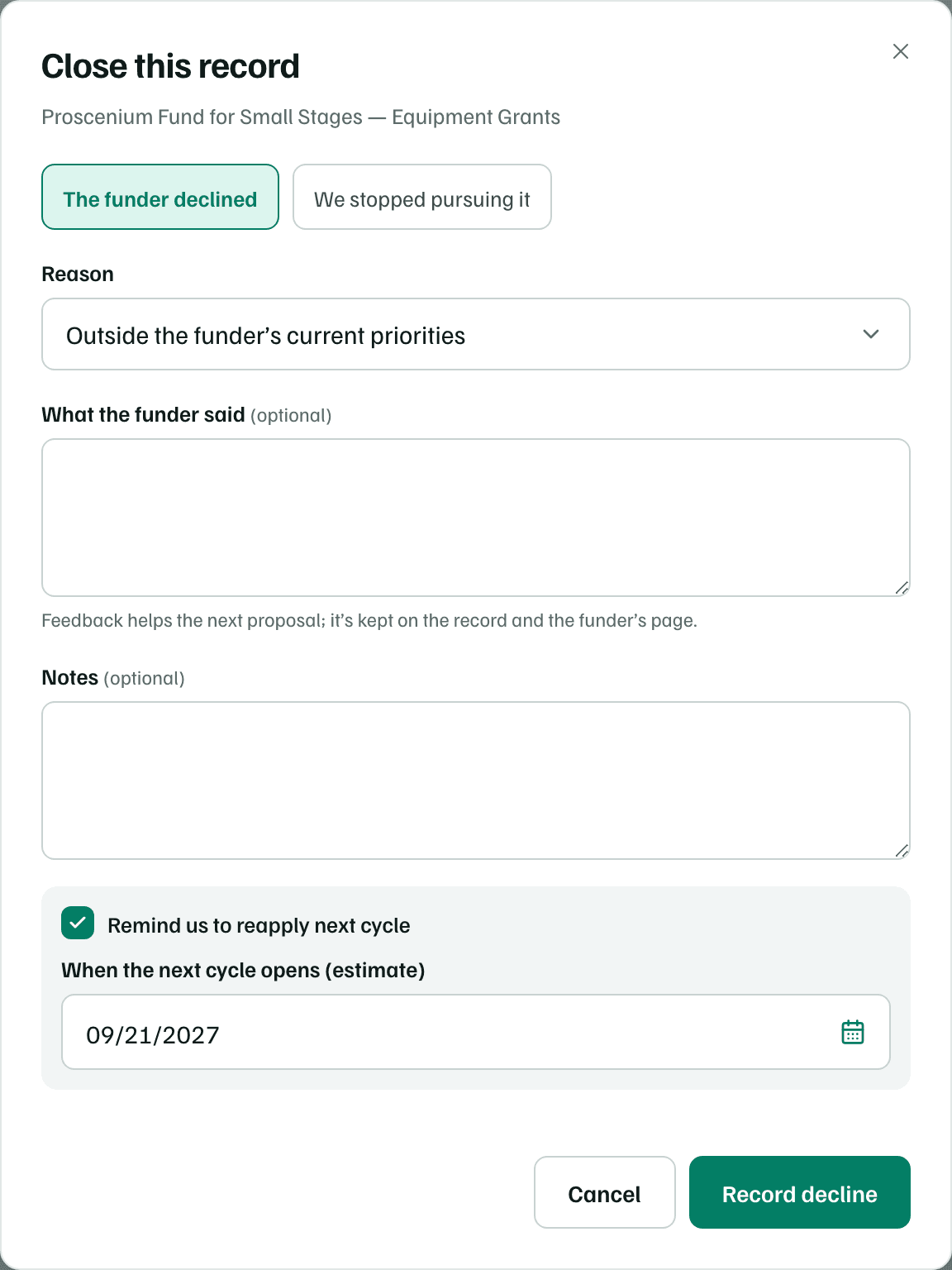
A closed record keeps its tasks, notes and materials. Overview shows the reason, the date and any feedback, with a Next cycle link to the new record. Its dates leave the calendar and stop sending reminders, and its open tasks show as inactive in Tasks.
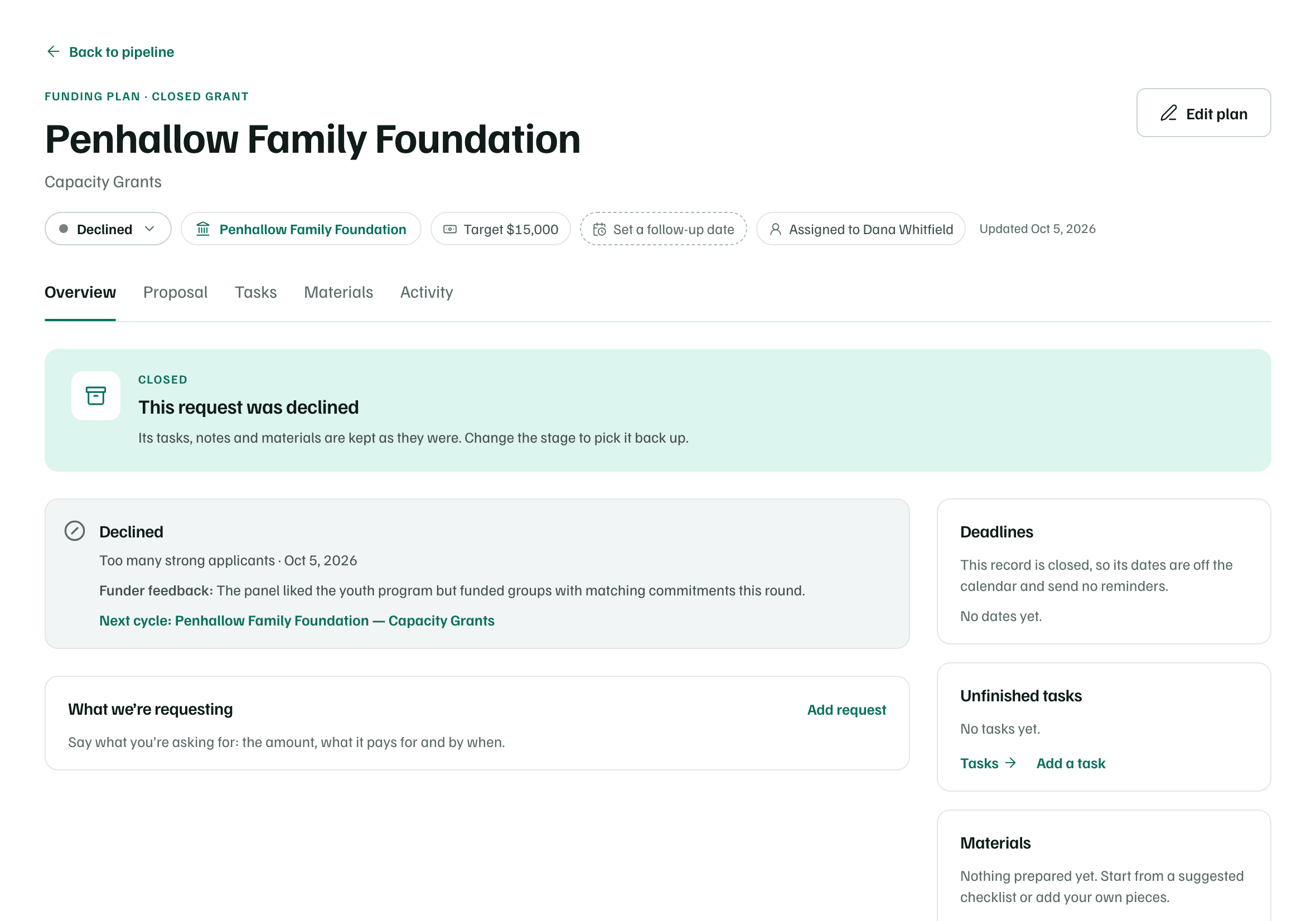
Reopen or move back
To pick a closed record back up, choose another stage from the menu. Moving back to Prospect, Checking fit, Outreach or Preparing also reopens a submitted proposal for edits. What you sent stays on file.
Check first