Keep a report current
A refresh re-reads the funder pages behind your report and shows what changed, such as a new deadline or a round that opened. The report itself stays as written.
- 4 min
- Paid plans
- No AI actions
Screens from October 2026
Solo and Team
The refresh panel
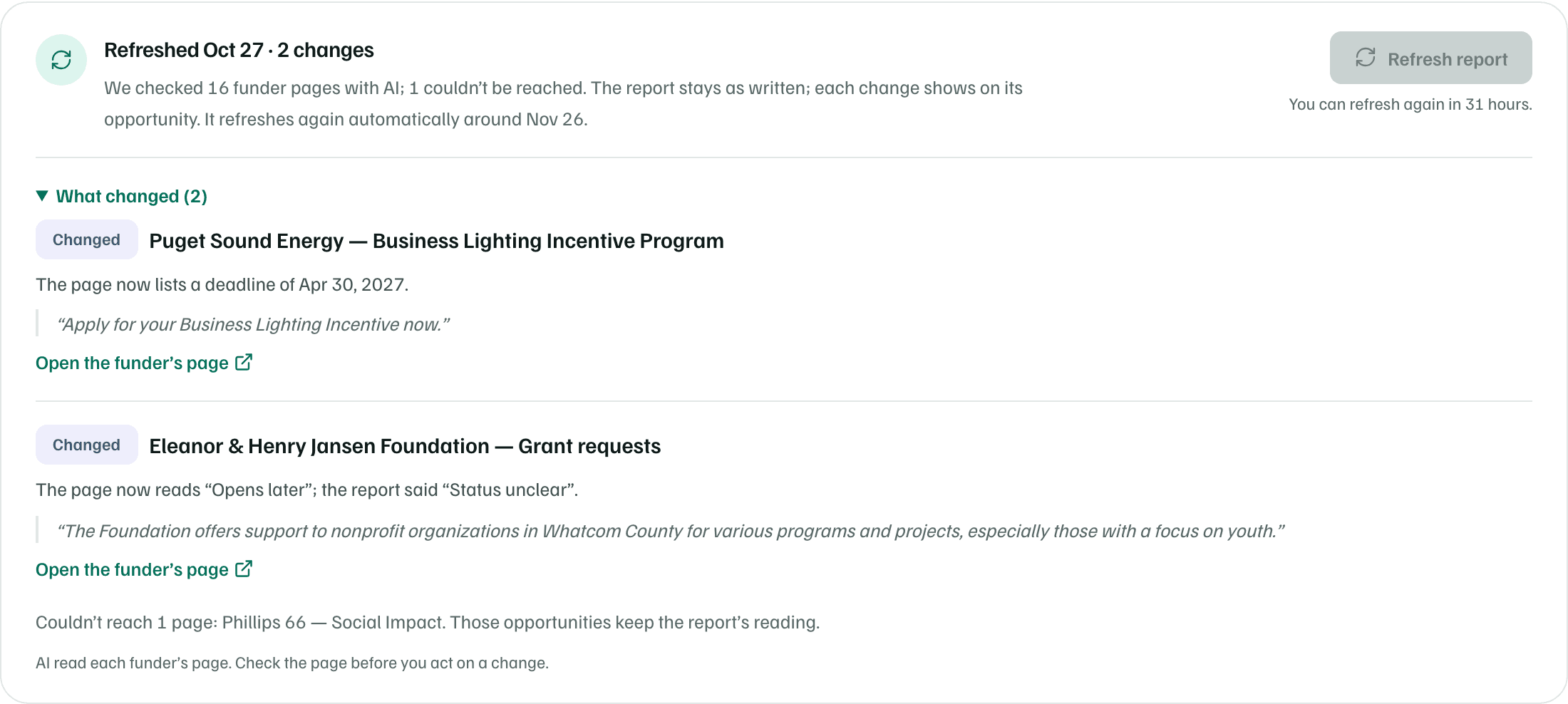
The panel sits above your opportunities. After a refresh, its title starts with Refreshed, then the date and how many changes it found. Below that, it says how many funder pages were checked, how many couldn't be reached, and when the next automatic refresh is due.
Refresh now
Select Refresh report in the panel, or choose it from More report actions. The panel says Refreshing this report… while AI re-reads each funder's page. You can leave the page. When it's done, you get a notification with what it found.
- You can refresh a report once a day. Until then, the button is off and says when you can refresh again.
- Each refresh checks up to 40 opportunities that link to a funder's page.
- Owners, admins and editors can refresh. Workspace AI needs to be on.
The monthly refresh
Your latest report also refreshes on its own, about 30 days after its facts were gathered or last checked. A monthly refresh that finds nothing new stays quiet.
When it does find changes, owners, admins and editors get a notification, such as Monthly refresh: 2 changes in your funding report. They also get an email, unless they turned off Research reports in their notification settings.
What changed
Open What changed to see each change. Each one is labeled, such as Changed, Closed, Now open or New, and quotes the page's own words, with Open the funder’s page.
- A newly listed program offers Track in pipeline.
- A new deadline for an opportunity you already track offers Update the record’s deadline.
- Pages that couldn't be reached are listed at the end. Those opportunities keep the report's reading.
Each opportunity's card shows its latest check on one line, such as No changes on the funder’s page or a new deadline, with the day it was checked.

Check first
Why we're not sure
A refresh checks status, deadlines, amounts and program names. The research's other caveats stay in each opportunity's details, under Why we’re not sure: how sure the research is, what the funder's site hasn't confirmed, and what still needs checking.
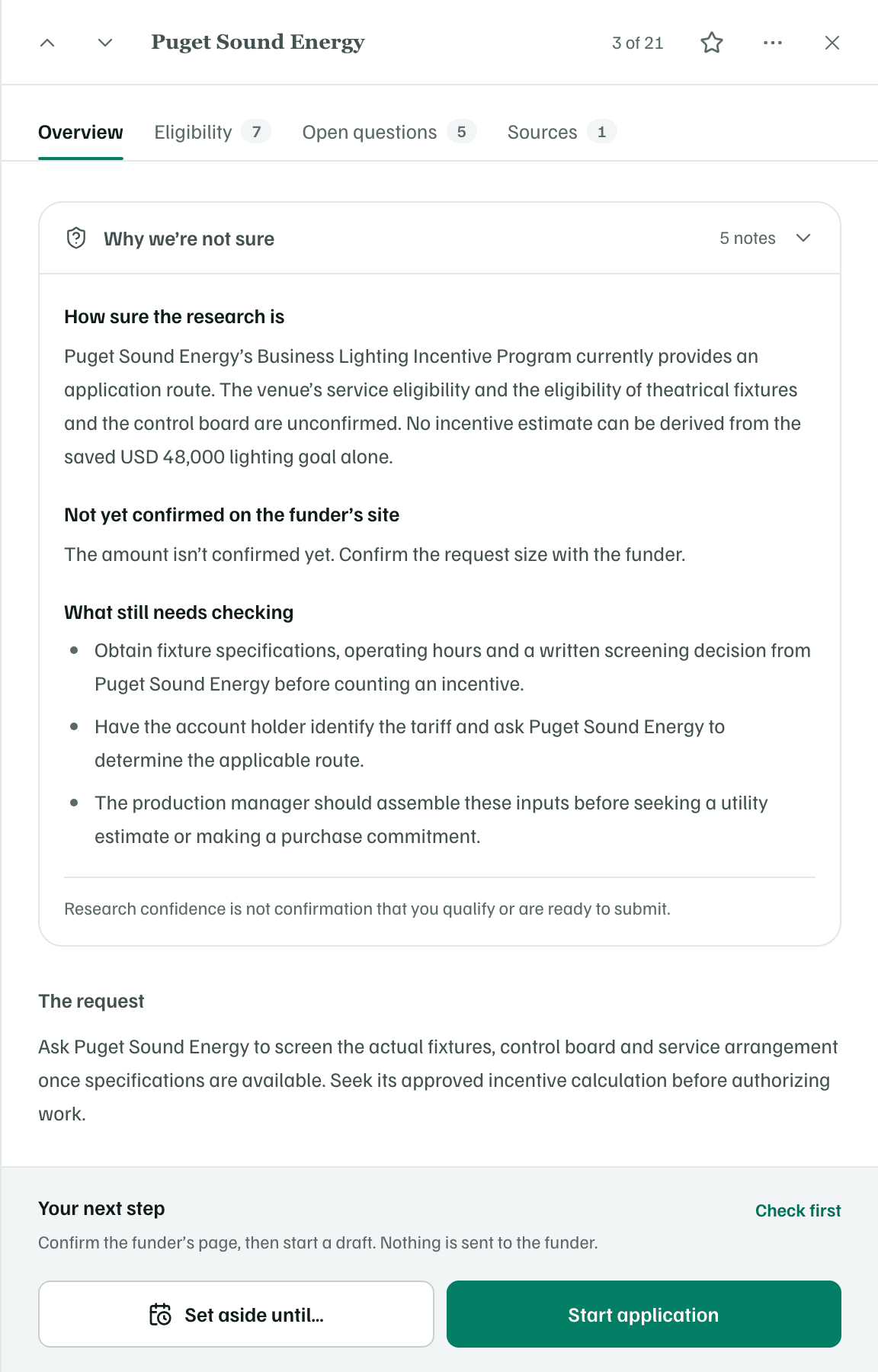
Research confidence doesn't confirm that you qualify or that you're ready to apply. Settle the open points with the funder or your team.