Plans, seats and AI actions
Every workspace has its own plan. Plans differ in how many people can join, how many AI actions you get, and how much of each research report you can see.
- 4 min
- Every plan
Screens from October 2026
Plans at a glance
| Plan | Price | Members | AI actions | Research |
|---|---|---|---|---|
| Free | $0 | 1 | 10 in total; they don't renew | Your free introductory research, and the top 3 opportunities in every research report |
| Solo | $49 a month | Up to 2, including the owner | 100 each billing month | Every opportunity in every research report, and new reports whenever you need them |
| Team | $149 a month | Up to 5, including the owner | 500 each billing month | The same research as Solo |
Every plan includes projects, tracking, manual editing and exports. Prices are in US dollars, and taxes, when they apply, are shown at checkout. Paid plans renew monthly until you cancel, and cancelling keeps access through the period you've paid for.
What counts as an AI action
One requested AI draft, rewrite, review, chat answer, quick search, project suggestion, profile synthesis, or document extraction. Automatic document processing does not use these actions.
Buttons that use an action say so, for example:
- Find opportunities in a quick search. On Free, the note beside it shows how many free actions are left, for example Uses 1 of your 7 free AI actions.
- Fill from this page when you add a grant to your pipeline.
- Adapt with AI when you insert an answer from your library.
- Drafting or rewriting a proposal section, getting an AI review, and drafting letters of support.
These don't use AI actions:
- Automatic document processing.
- The lookups during workspace setup, and your free introductory research.
- Full research reports and report refreshes on a paid plan. Daily research limits apply instead.
- Reading, editing by hand, and exporting your work.
Failed requests
When you run out
When the allowance is used up, the workspace shows You’ve used every AI action. Reading, manual editing, and exports still work. New AI requests stop until the allowance resets or the owner changes the plan.
- Free actions don't renew.
- Paid allowances reset each billing month. Unused actions don't carry over.
Members and seats
Each plan allows a number of members, the owner included. A workspace with more members than its plan allows must remove members or upgrade before anyone starts new AI work. Changing plans never deletes documents or removes members.
Check your usage
In the app:Settings, then Billing and usage
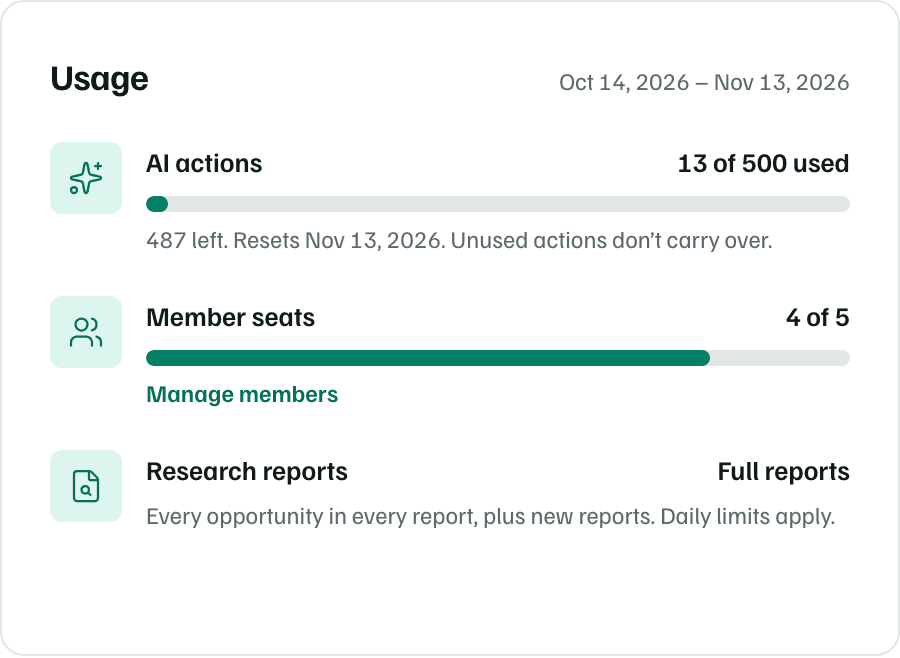
The Usage card shows the AI actions used this period and when they reset, your member seats, and whether research shows full reports. Only the workspace owner can choose or change the plan.