What a project is
Funders give to projects. A project holds one piece of work you're raising money for: its brief, its plan and tasks, its funding sources and its files, so research, proposals and your team all work from the same facts.
- 5 min
- Every plan
Screens from October 2026
In the app:Projects
Each project keeps a short brief: what the work is, who it's for, what it costs and when it should be done. The rest of GrantFlex reads from that brief. Project research looks for funders that fit it, the AI coach reviews it, and AI can draft a section of an application from it once your team approves it.
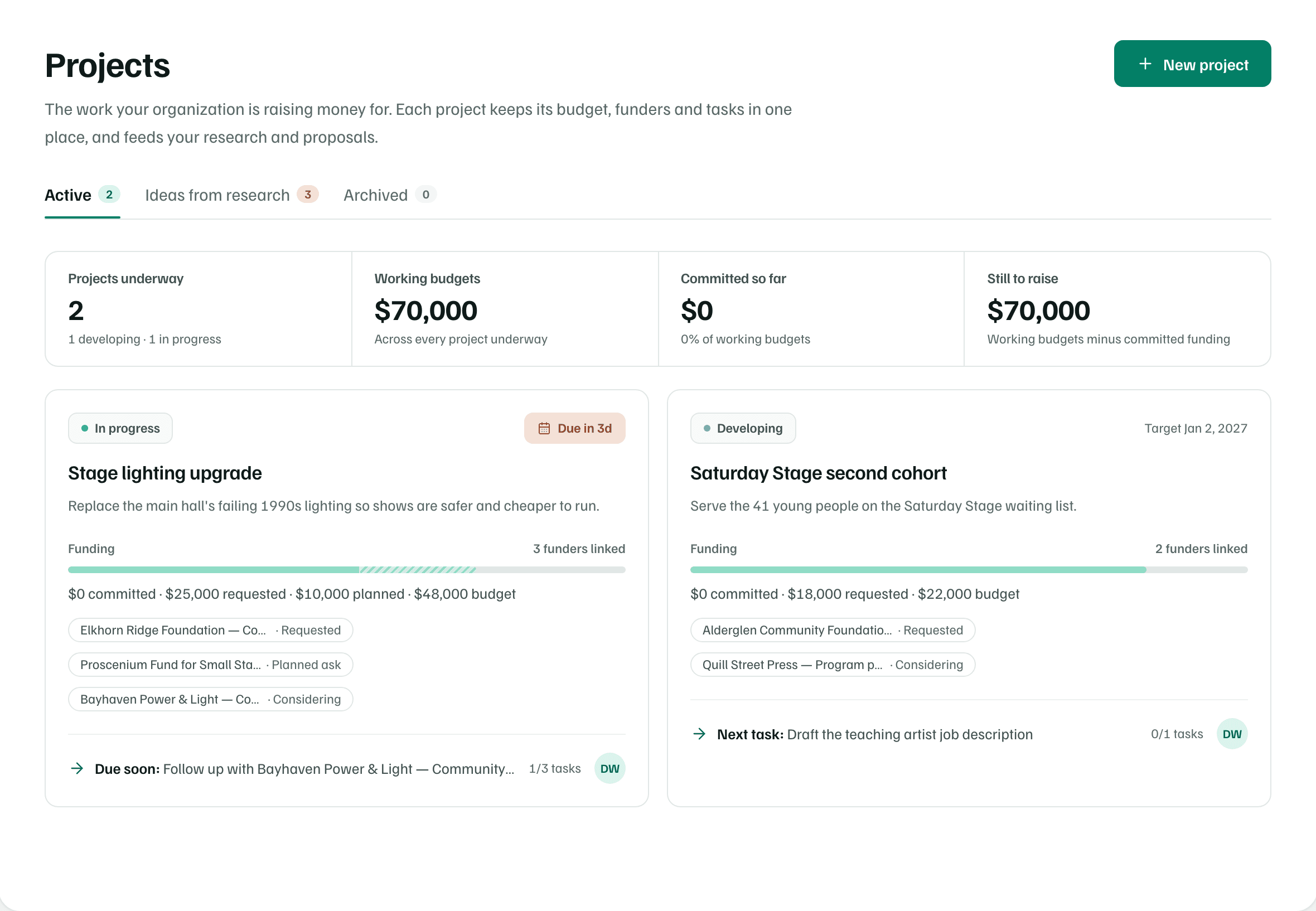
The Projects page
The page has three tabs, each with a count:
- Active: the projects you're working on. Completed projects sit in their own group under Completed, kept for reports and future proposals.
- Ideas from research: projects your research reports suggested, described below.
- Archived: projects you've put away. Select Restore to bring one back.
Owners, admins and editors see New project and can change projects. Viewers can read everything but change nothing.
The funding picture
With two or more projects on the Active tab, four figures sit above the cards. Only projects at Developing or In progress count. The line under each figure notes anything left out.
| Figure | What it adds up |
|---|---|
| Projects underway | Projects at Developing or In progress. Projects on hold or completed are noted underneath but not counted. |
| Working budgets | The working budgets of the projects underway. Projects without one are counted underneath. |
| Committed so far | Funding marked Committed on those projects, and its share of their working budgets. |
| Still to raise | Working budgets minus committed funding. A project whose commitments need a review, such as a committed source with no amount, is left out, and the line underneath says how many need one. |
When a project underway has no funding linked or under consideration, Find funders under Still to raise opens research for it.
Project cards
Each card shows, from top to bottom:
- The project's stage and its nearest date: a linked application's deadline or a request's follow-up date when there is one, otherwise the target date.
- What the project is for, from its brief.
- A funding bar against the working budget. Committed money is the darkest, requested money lighter, and planned asks striped. The line under it adds them up.
- Up to three linked funders, each with its status, like Planned ask.
- The next step, such as Next task or Due soon, and how many of the project's tasks are done.
The next step is the same one the project's Overview leads with. The project workspace explains how it's chosen.
Stages
A project's stage says where the work stands. New projects start at Developing. You change the stage under Stage when you edit the brief. Funding never changes it on its own.
- Developing and In progress: work that's underway. Both count in the funding picture.
- On hold: paused. The project's next step says so until you change the stage.
- Completed: done. The project moves to the Completed group, with its plan, funding and files kept.
Ideas from research
A research report can suggest projects that funders could support. The Ideas from research tab lists the ideas from your latest report, each with Read in the report and Create project.
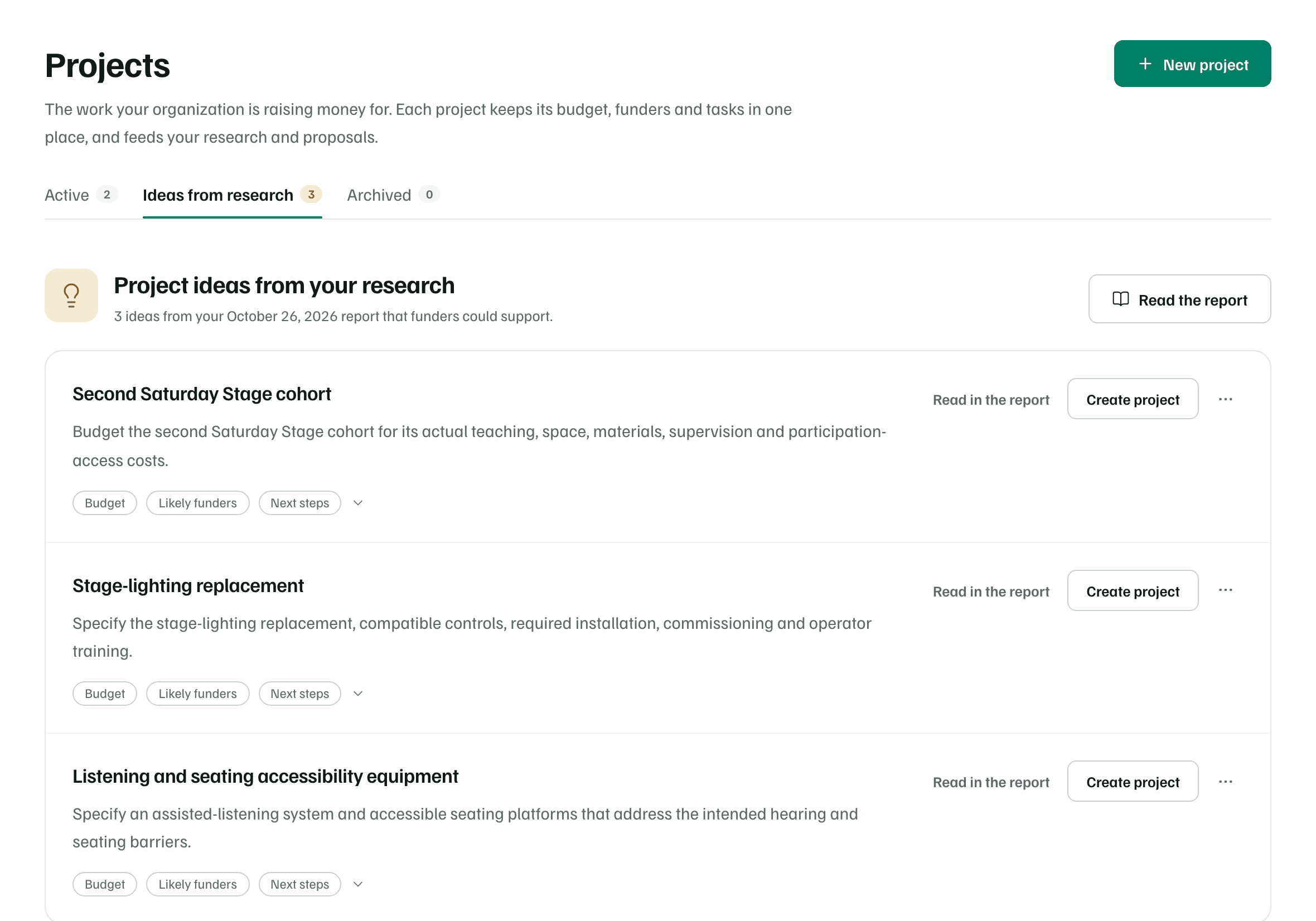
- Select the Budget, Likely funders and Next steps row under an idea to open the report's plan for it, such as the proposed outcome, the budget assumptions, what needs confirming and the funders who could support it.
- Create project opens a draft brief from the idea. Nothing is saved until you create the project. See Create a project.
- Once an idea becomes a project, it's marked In your projects and offers Open project.
- The menu beside Create project has Not for us, which marks the idea Set aside. Undo brings it back.
- With more than one finished report, the Report menu switches between them.
Free plan
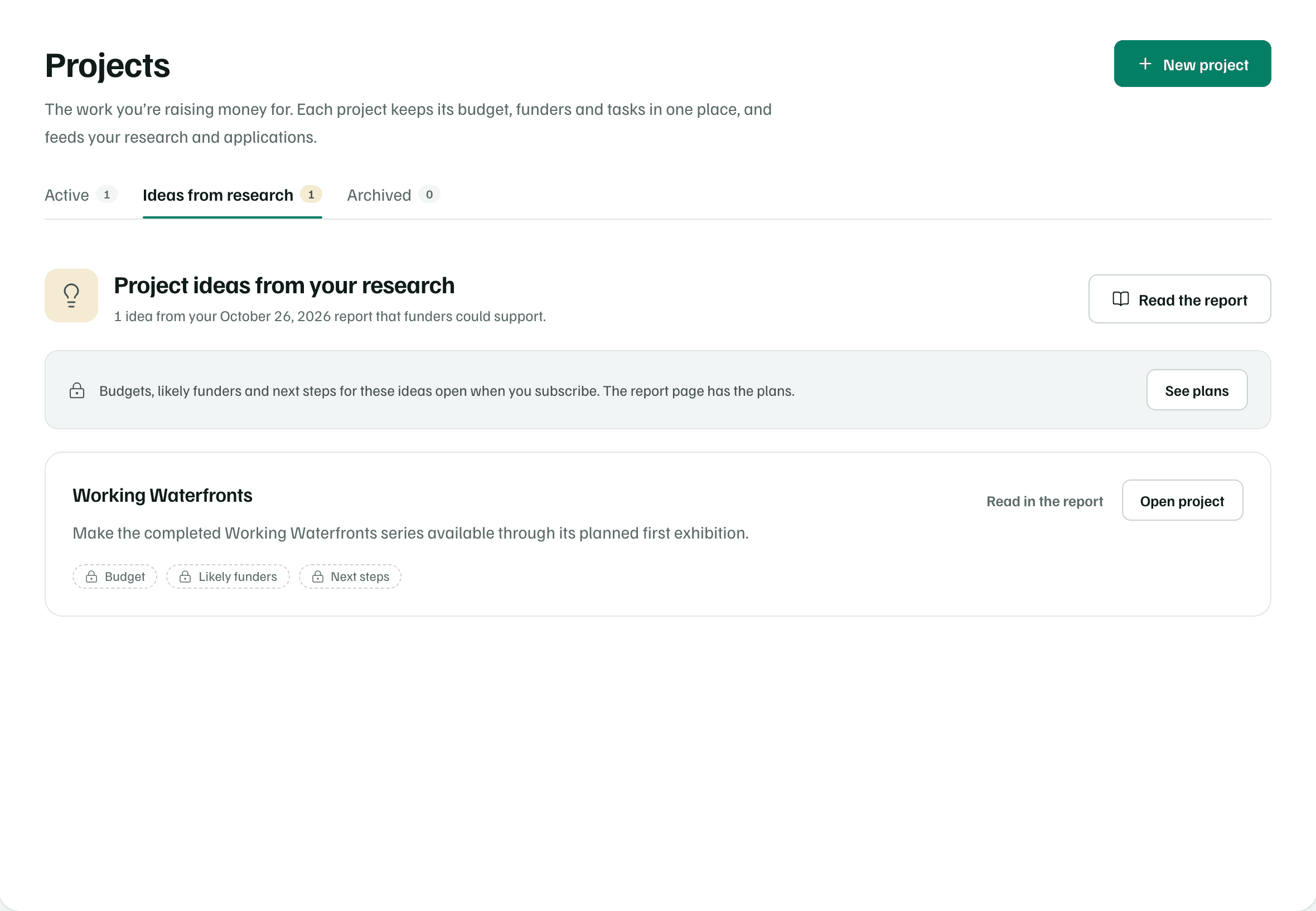
Before your first report, the tab says Research can suggest projects for you and offers Start research. Project ideas you typed during setup don't appear on this tab. They're offered when you create a project.
Archive a project
Open the project, select Edit brief, then Archive project at the bottom of the page. The project moves to the Archived tab with its brief, plan, funding links and files kept as they were. To bring it back, select Restore on the Archived tab or Restore project on the project.