Pipeline basics
Pipeline is where you track every grant and funding request, from first look to final report. Each record moves through stages, and the stages group into phases.
- 6 min
- Every plan
Screens from October 2026
In the app:Pipeline
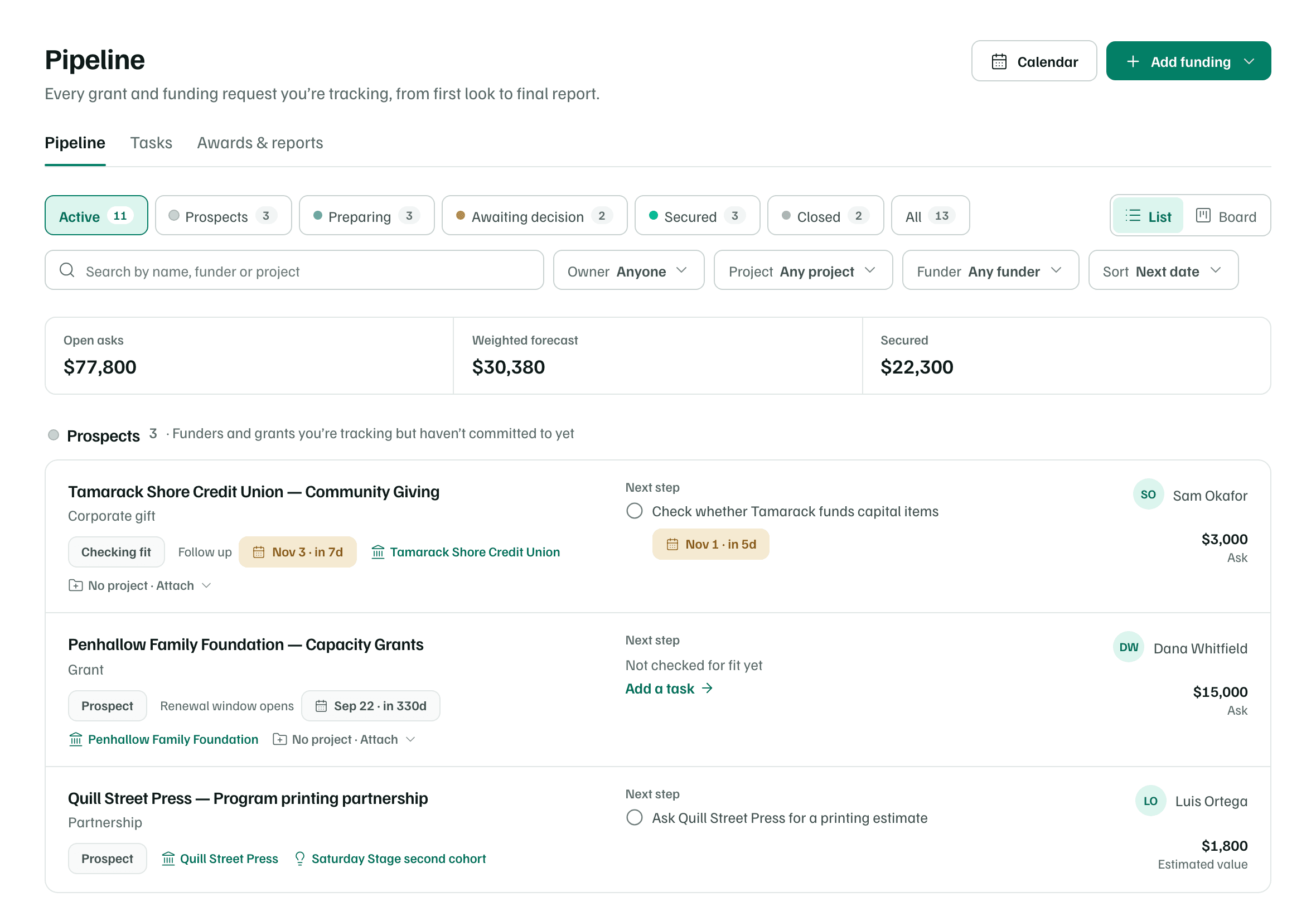
Pipeline has three views: Pipeline, Tasks, and Awards & reports. This page covers the first. Owners, admins and editors can add and move records. Viewers can look but not change anything.
Stages and phases
Each record has a stage, which says exactly where it stands. Stages group into five phases, which Pipeline uses for its headings, columns and filters. The likelihood is what the Weighted forecast assumes until someone sets a different one on the record.
| Stage | What it means | Phase | Likelihood |
|---|---|---|---|
| Prospect | Worth tracking; not yet checked for fit | Prospects | 10% |
| Checking fit | Deciding whether it’s worth pursuing | Prospects | 20% |
| Outreach | Talking with the funder or partner | Preparing | 30% |
| LOI sent | Letter of inquiry sent; waiting to be invited | Awaiting decision | 35% |
| Preparing | Getting the request and materials ready | Preparing | 45% |
| Awaiting response | Request sent; waiting to hear back | Awaiting decision | 60% |
| Secured | Support confirmed | Secured | 100% |
| Declined | They said no this time | Closed | 0% |
| Archived | Set aside and kept for reference | Closed | 0% |
| Phase | What's in it |
|---|---|
| Prospects | Funders and grants you’re tracking but haven’t committed to yet |
| Preparing | Applications and requests you’re still working on |
| Awaiting decision | Letters of inquiry and requests waiting to hear back from the funder |
| Secured | Awarded grants and support you’ve secured |
| Closed | Declined, withdrawn or archived — kept for your records |
List and Board
Use the List and Board switch beside the stage chips. List groups records under phase headings and shows each record's dates, funder, proposal status and next step. Board shows one column per phase.
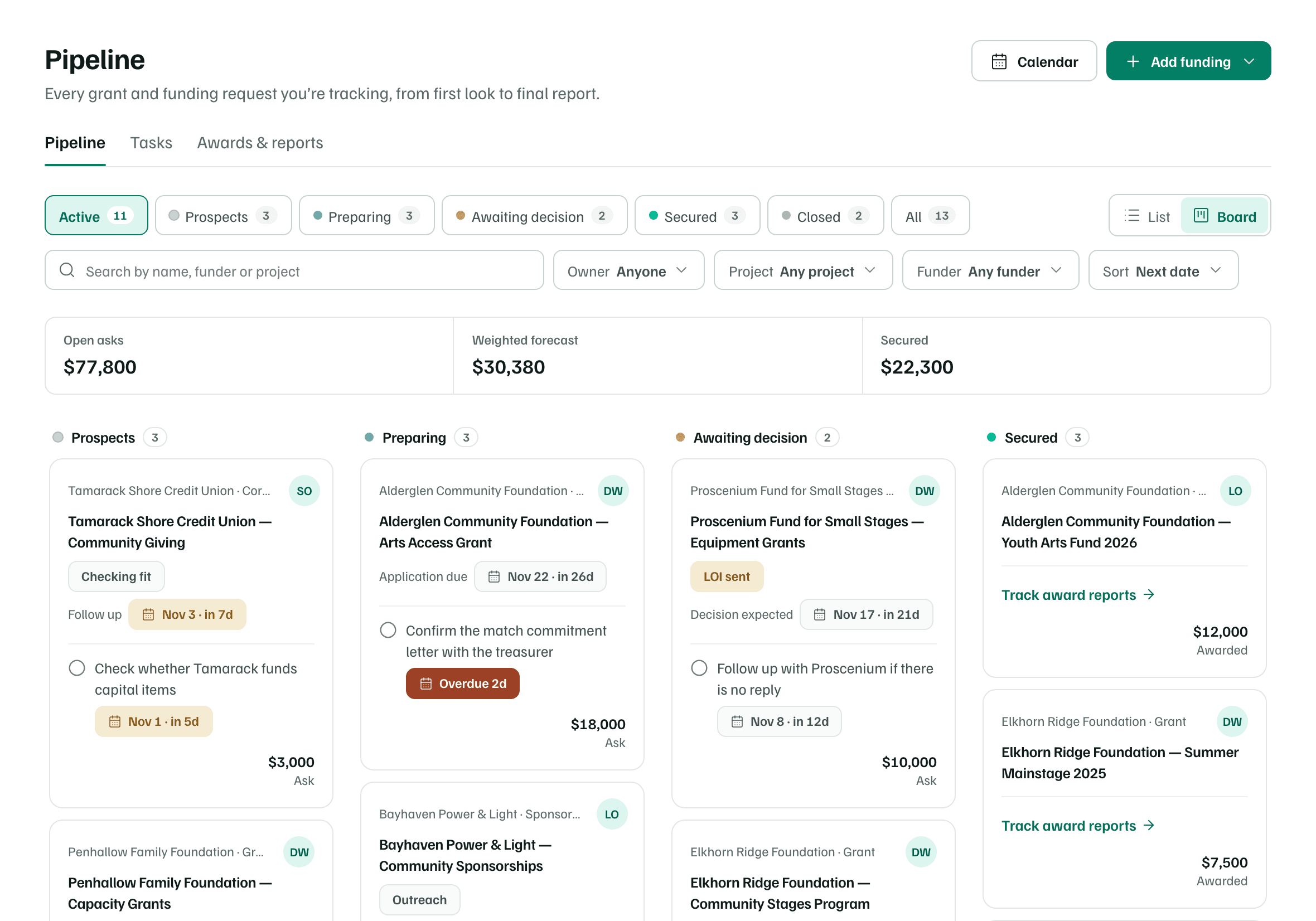
To change a record's stage on the Board, drag its card to another column:
- Prospects sets the stage to Checking fit.
- Preparing sets it to Preparing.
- Awaiting decision sets it to Awaiting response.
- Secured or Closed opens the record, so you can record the award, or say why it closed.
What happens in this clip
Drag the Tamarack Shore Credit Union card from Prospects to Preparing. A message confirms the move, the card's stage becomes Preparing, and the Weighted forecast rises with the new stage's likelihood.
Tip
Totals
Above the records, three figures add up what you can see:
- Open asks: the amounts requested by records still in progress.
- Weighted forecast: each ask times its likelihood at its stage.
- Secured: the awards you've recorded.
The totals follow your filters, so filtering to one owner or one project shows that person's or that project's figures.
What happens in this clip
Select the Awaiting decision chip: the list shows only requests waiting on a funder, and the totals change. Then select All and search for Elkhorn: the list and the totals follow again.
Filter, search and sort
- Stage chips: Active, each phase, and All. Waiting on funders appears when you're waiting on a reply to a message you sent with Ask the funder.
- Search by name, funder or project.
- Owner, Project and Funder menus narrow the list. Clear filters resets them.
- Sort by Next date, Largest amount, Recently updated, or Name.
Add funding
Select Add funding at the top of the page. Add a grant or funder tracks something you already know about. Below it, Or start from offers four other ways in.
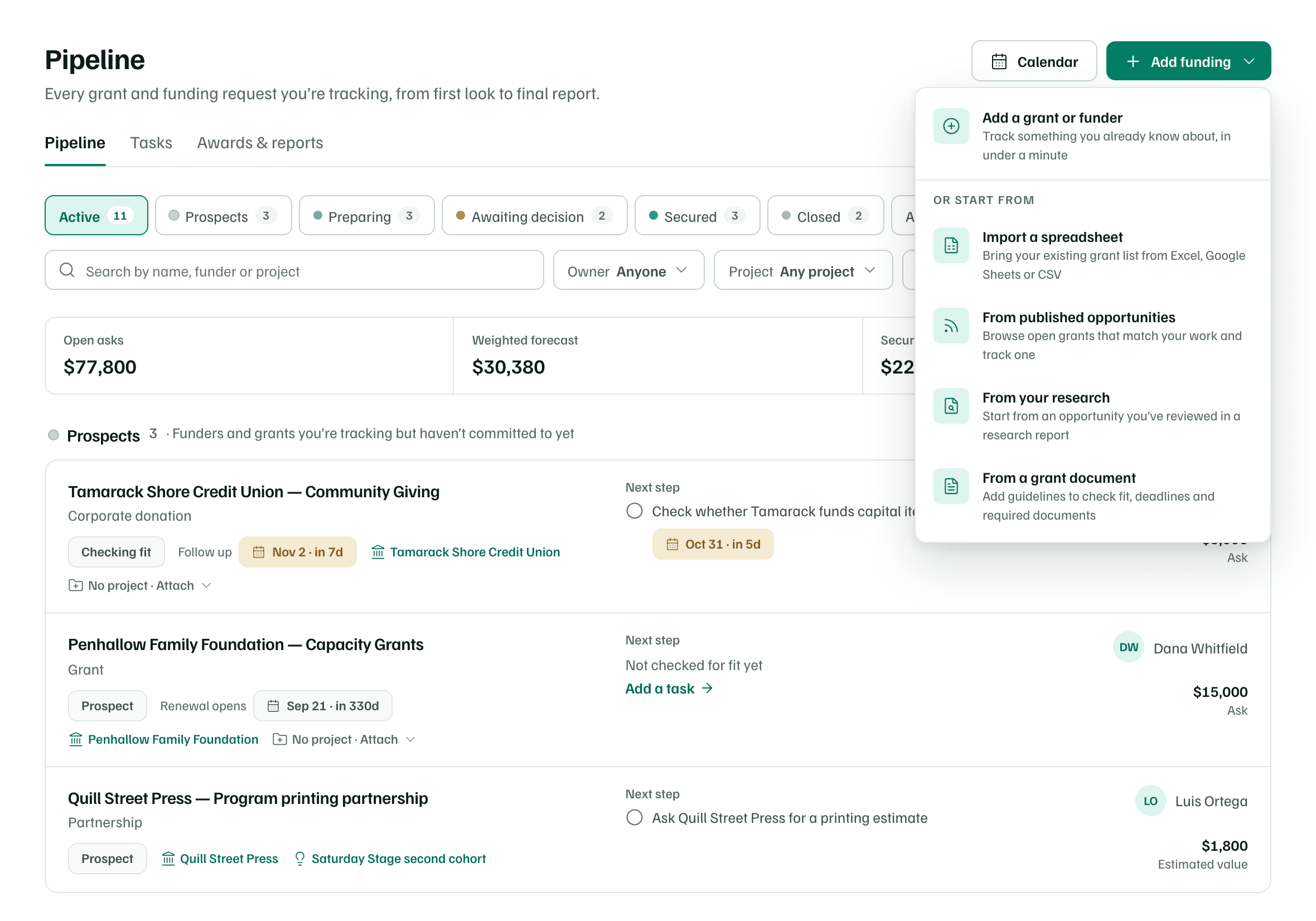
- Import a spreadsheet: bring an existing grant list from Excel, Google Sheets or a CSV file.
- From published opportunities: browse open grants and track one.
- From your research: start from an opportunity in a research report.
- From a grant document: add a funder's guidelines to check fit, deadlines and required documents.
Name the funder
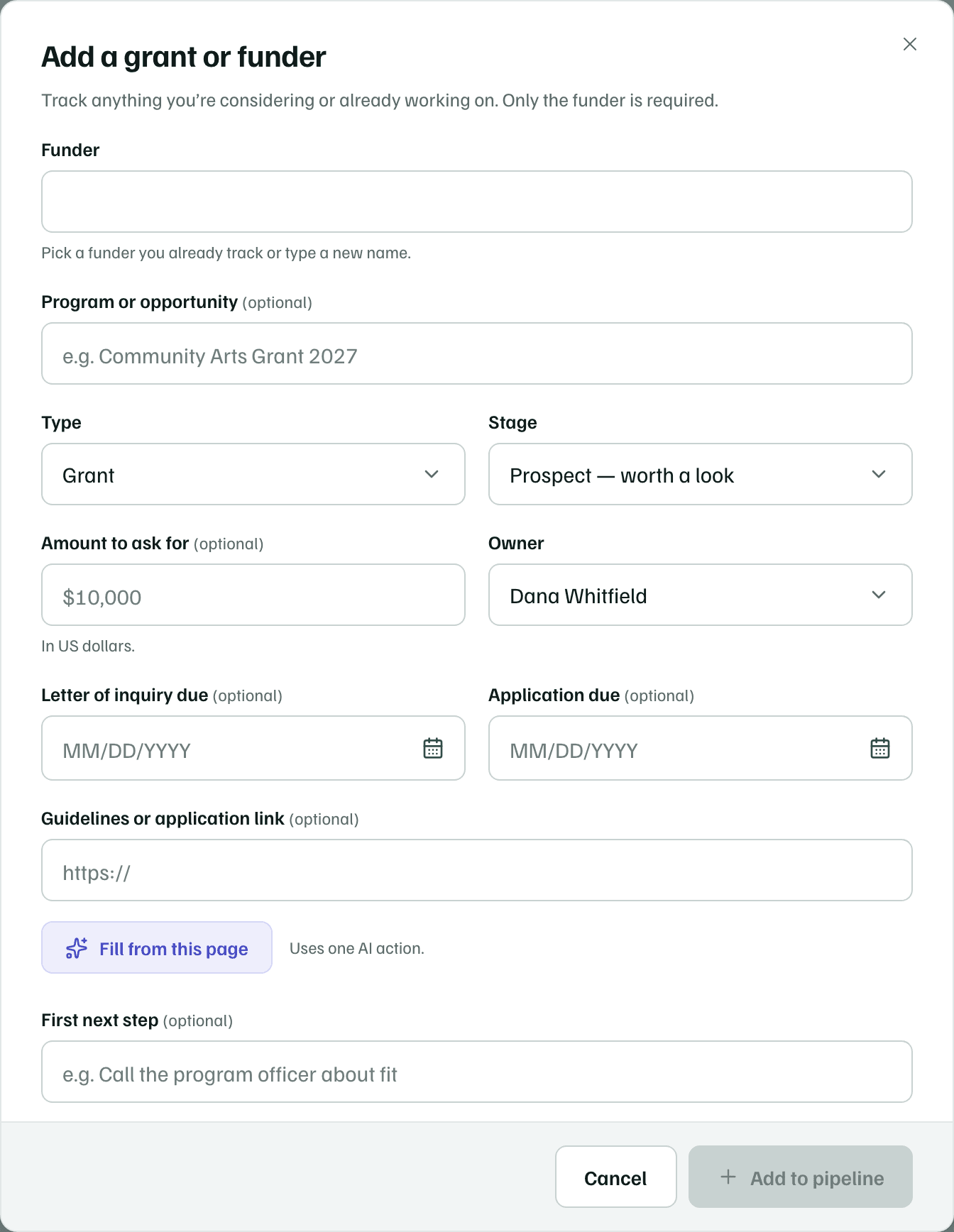
Only Funder is required. Choose an existing funder, such as Alderglen Community Foundation, or type a new name.
Example workspace · fictional data Add what you know
Add the Program or opportunity, Type, Stage, Amount to ask for, Owner, and any due dates. Everything except the funder can wait.
If you paste a Guidelines or application link, Fill from this page reads the page and suggests the details. It uses one AI action, and you review every suggestion before saving.
Save it
Select Add to pipeline. The new record opens so you can keep going.
Check first