Import a spreadsheet
Move the grant tracker you keep in Excel, Google Sheets or a CSV file into Pipeline. You match the columns and review every row before anything is added.
- 6 min
- Every plan
Screens from October 2026
In the app:Pipeline, then Add funding, then Import a spreadsheet
Before you start
- Save the list as a .xlsx or .csv file under 1 MB. In Google Sheets, use File › Download. In an Excel file, GrantFlex reads the first sheet.
- Put column names in the first row, like Funder, Amount, Deadline and Status.
- Keep it to 1,000 rows. GrantFlex reads the first 1,000 rows and the first 40 columns, so split a longer list into several files.
- Owners, admins and editors can import. Viewers can't.
Tip
Import your list
What happens in this clip
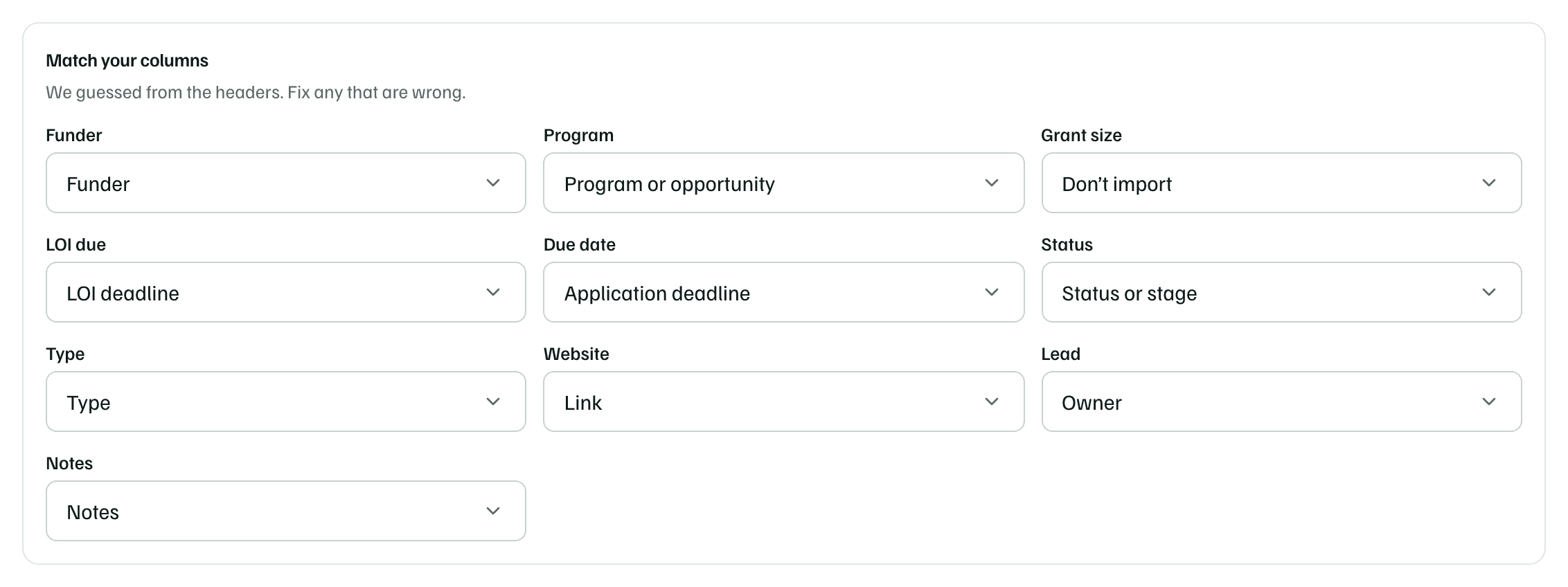
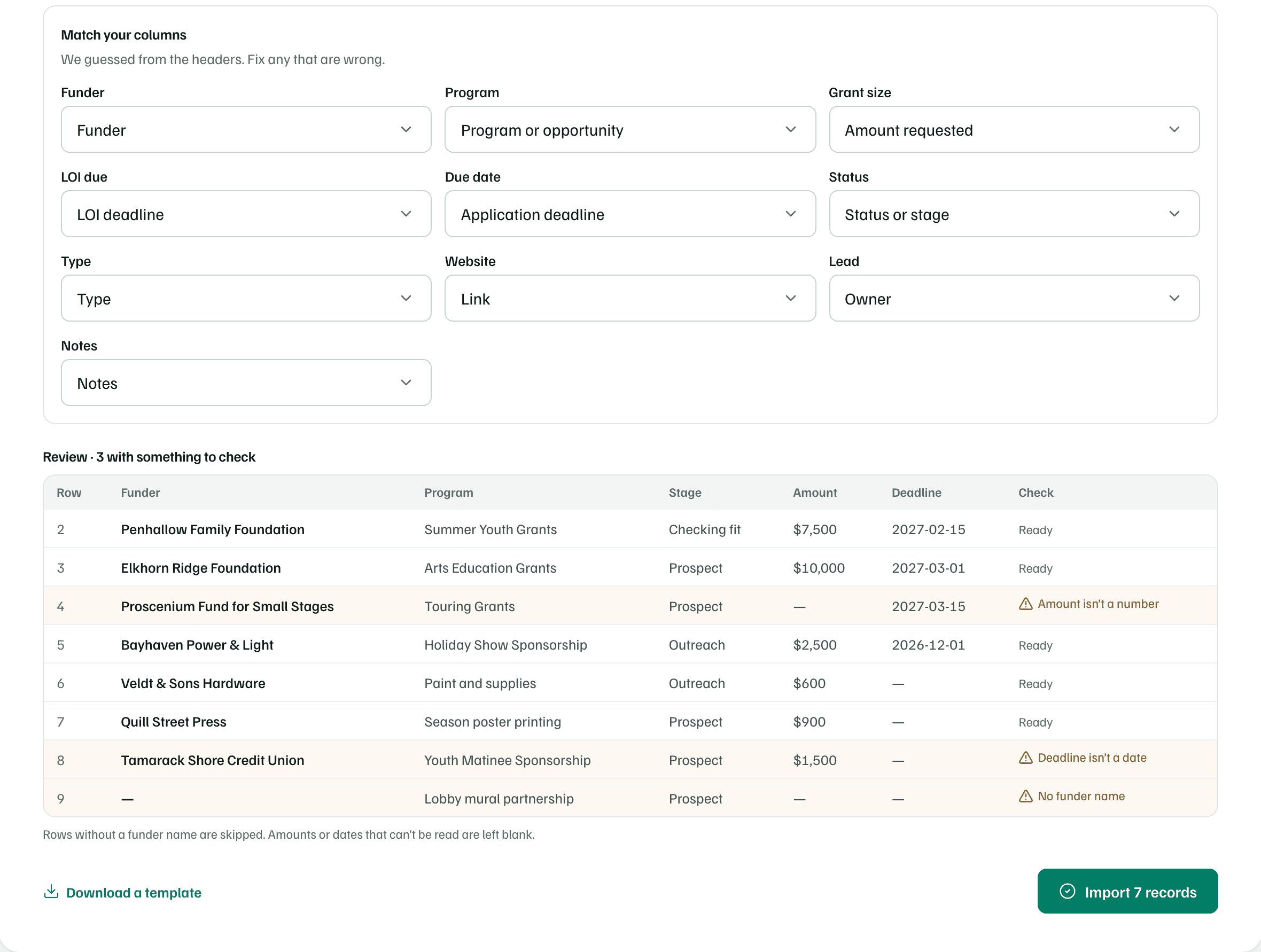
Upload a ten-column tracker. GrantFlex matches nine columns from their headers and leaves Grant size as Don't import. Set Grant size to Amount requested: the amounts fill in, and a row whose amount reads TBD is flagged. The clip stops at Import 7 records, before anything is saved.
Choose your file
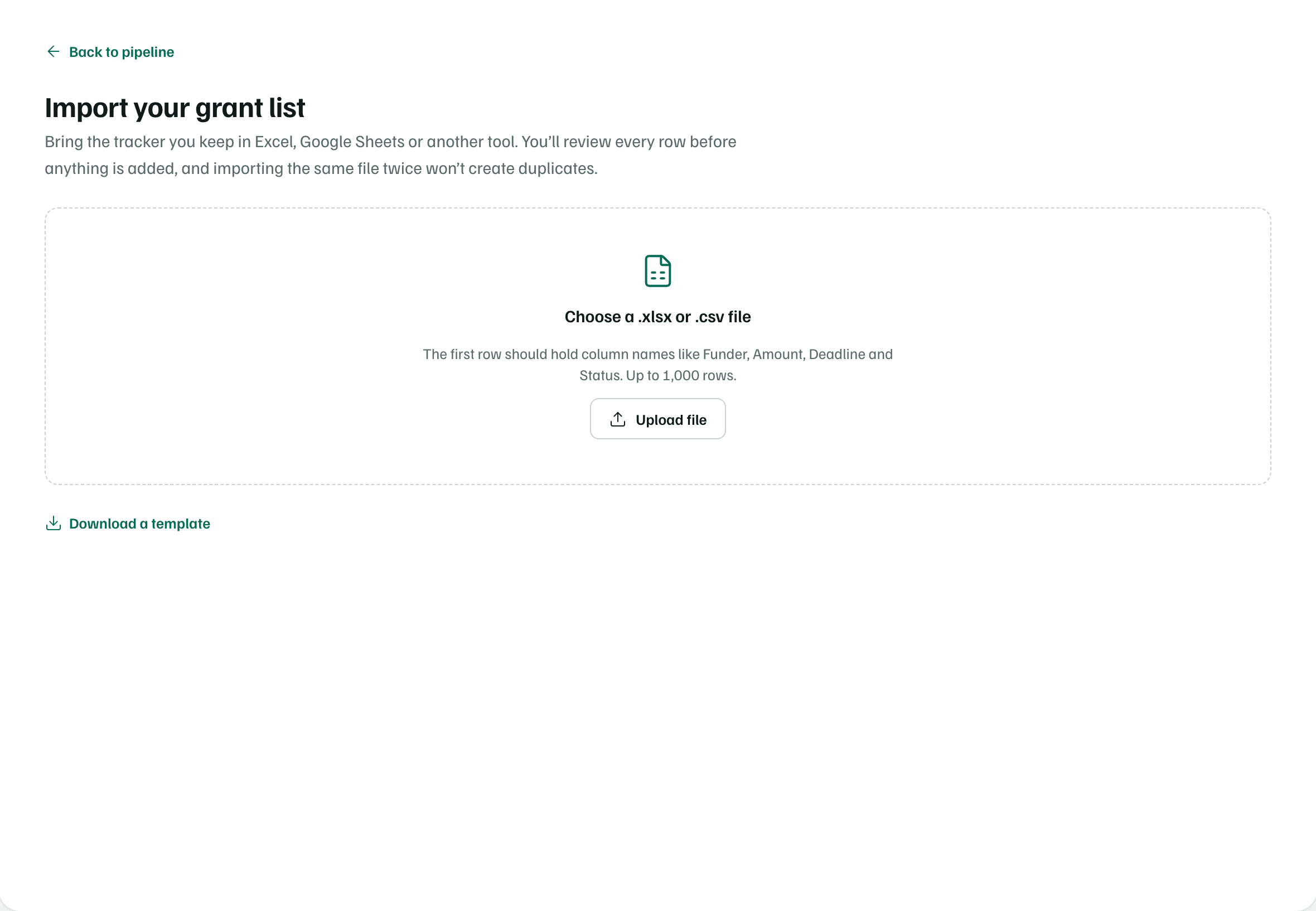
Select Add funding, then Import a spreadsheet. Select Upload file and choose your file. GrantFlex shows the file's name and how many rows it found. Nothing is saved yet.
Example workspace · fictional data Match your columns
Under Match your columns, each column has a menu. GrantFlex guesses from the headers, so check every one. Choose a column type, or Don’t import for a column you don't need.
Each type can belong to one column. Choosing it for a second column clears the first.
Example workspace · fictional data Review the rows
The Review table shows each row as it will be imported: funder, program, stage, amount and application deadline. The Check column says Ready, or what to look at.
Fix a wrong match above and the table updates. To fix the file itself, edit it and select Choose another file.
Example workspace · fictional data Import
Select the import button. It counts the rows that have a funder, like Import 7 records. This is the first step that saves anything.
When it's done, GrantFlex says how many records it imported. Select Open the pipeline to see them, or Import another file.
The twelve column types
| Column type | What happens |
|---|---|
| Funder | The funder's name. Rows without one are skipped. |
| Program or opportunity | The program or funding round. With the funder, it names the record. |
| Amount requested | Dollar amounts, like $15,000 or 15000. |
| Application deadline | Goes on the record and your calendar as the application deadline. |
| LOI deadline | Goes on the record and your calendar as the letter of inquiry deadline. |
| Status or stage | Your status words, matched to a stage. See the next table. |
| Type | Matched to a support type by words like sponsor, corporate, in-kind, individual and partner. Anything else becomes a grant. |
| Link | Kept when it starts with http:// or https://. |
| Owner | Matched to a member by email address, full name or first name. With no match, the record is unassigned. |
| Notes | Becomes a note on the record. |
| Amount awarded | For grants you've won. A row with an amount awarded and no status is Secured. |
| Date submitted | Used as the award date for rows that import as Secured. Other rows don't keep it. |
Dates can be written like 2027-03-01, 3/1/2027 or March 1, 2027. Excel date cells work too.
Check first
How statuses become stages
GrantFlex looks for these words in the status column, checking from the top of the table down, and uses the first stage that matches.
| If the status includes | The stage is |
|---|---|
| declined, rejected, denied, not funded, unfunded, unsuccessful | Declined |
| award, won, funded, approved, secured | Secured |
| withdrawn, archived, inactive, dropped, cancelled, closed, not pursuing | Archived |
| LOI, letter of intent, letter of inquiry | LOI sent |
| submitted, pending, waiting, under review, awaiting, sent | Awaiting response |
| draft, writing, in progress, preparing, invited, working | Preparing |
| cultivating, contact, meeting, talking, outreach, relationship | Outreach |
| research, qualifying, review fit, considering, evaluating | Checking fit |
| prospect, idea, maybe, potential, future, identified | Prospect |
A row with no status, or words GrantFlex doesn't recognize, is Secured when it has an amount awarded. It's Awaiting response when its application deadline has passed, and Prospect otherwise.
What the review checks
- No funder name: the row is skipped.
- Amount isn’t a number: the row is imported with the amount left blank.
- Deadline isn’t a date: the row is imported without its deadline.
The table shows the first 200 rows. Every row with a funder is imported, including the ones below.
After the import
Each row becomes a funding record with its stage, type, amount, owner and notes. Its deadlines go on your calendar, and its Activity tab says Imported from a spreadsheet. Funders you don't track yet are added to Funders. A row that imports as Secured also gets an award.
Rows go in batches of 100. If a batch fails, the message says how many records were imported first. Import the same file again to add the rest.
Importing the same file again
GrantFlex remembers each imported row by its funder, program and application deadline. A row that matches one from an earlier import is skipped, and the result says how many were already in your pipeline. Change any of those three and the row imports as a new record.
Check first