Ask for letters of support
Track who you've asked for a letter of support, when you need it and whether it came back. AI can draft the request and a letter they can adapt. You send them yourself.
- 5 min
- Every plan
- Uses 1 AI action
Screens from October 2026
In the app:Pipeline, then Proposal, then Letters
You send these yourself
The tab lists your supporters, when each letter is needed, where the request stands and the next step. The bar above them counts what's back, such as 1 of 3 letters received. Give people two to three weeks.
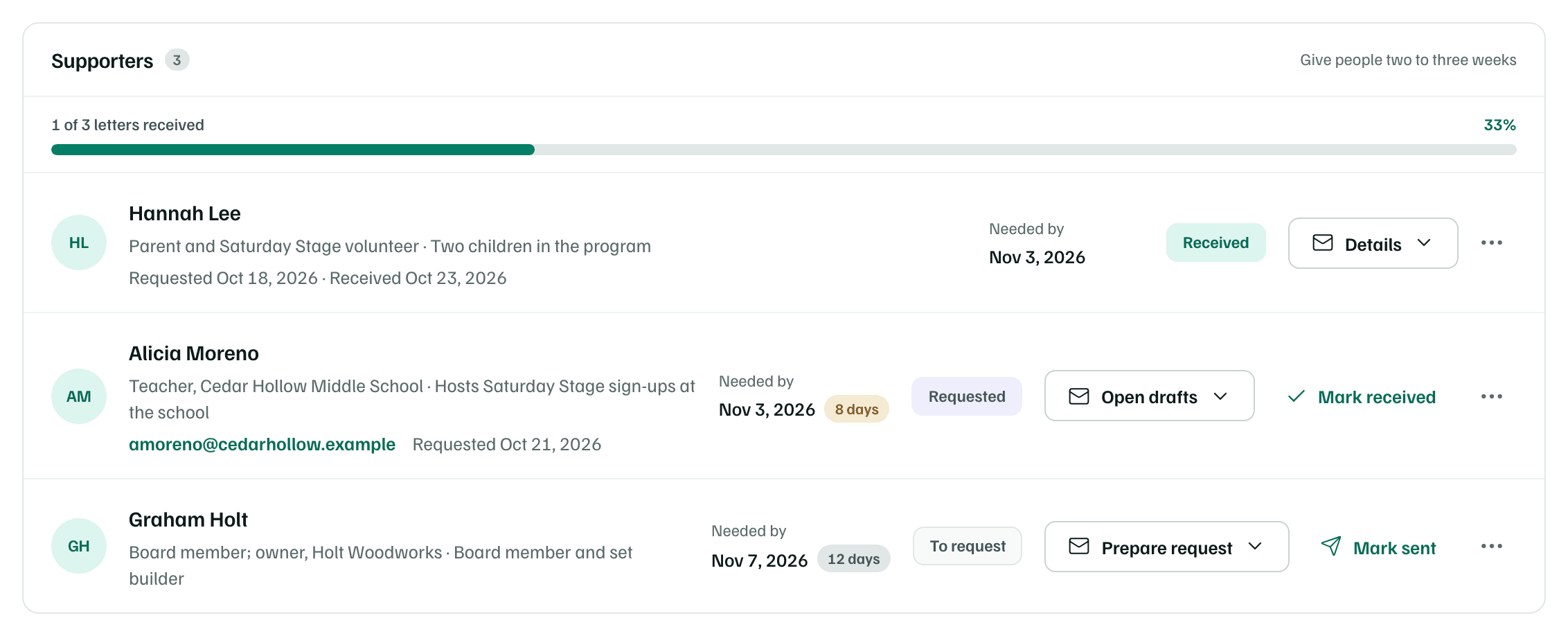
Ask for a letter
Add the supporter
Under Add a supporter, enter their Name. Role, How you know them, Email and Letter needed by are optional. Leave a week before the funder's deadline. Then select Add supporter.
Draft the request
On their row, select Prepare request, then Draft email and letter. AI drafts an outreach email and a letter template they can sign. It works from your organization's name and mission, their role, how you know them and when you need the letter. It uses one AI action.
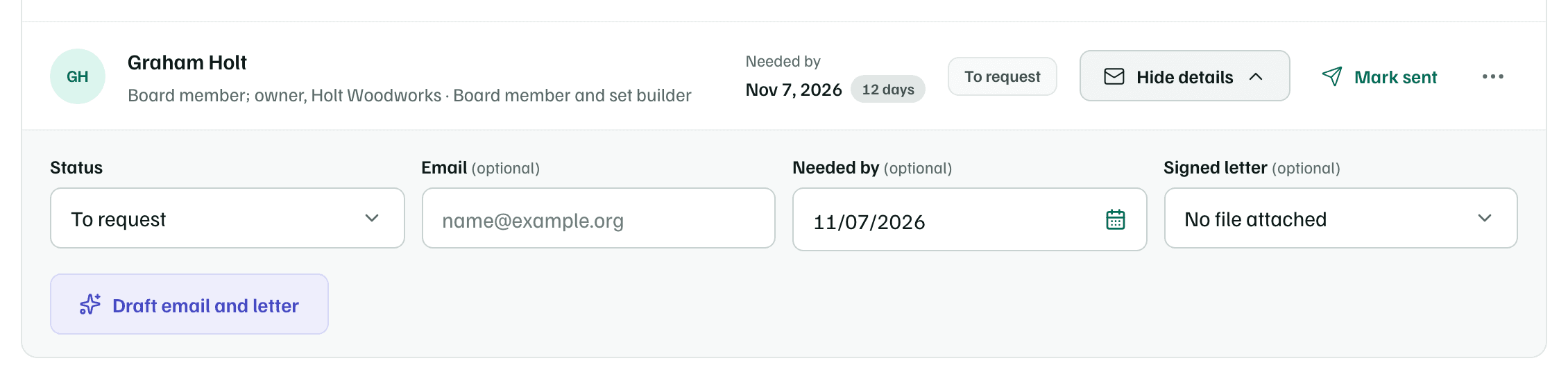
Example workspace · fictional data Check it and send it yourself
Fill in the [bracketed details], such as your name and title, and check the wording. Select Copy, or Open in your mail app to start the email in your own mail program. A long draft doesn't fit in that link, so copy it instead.
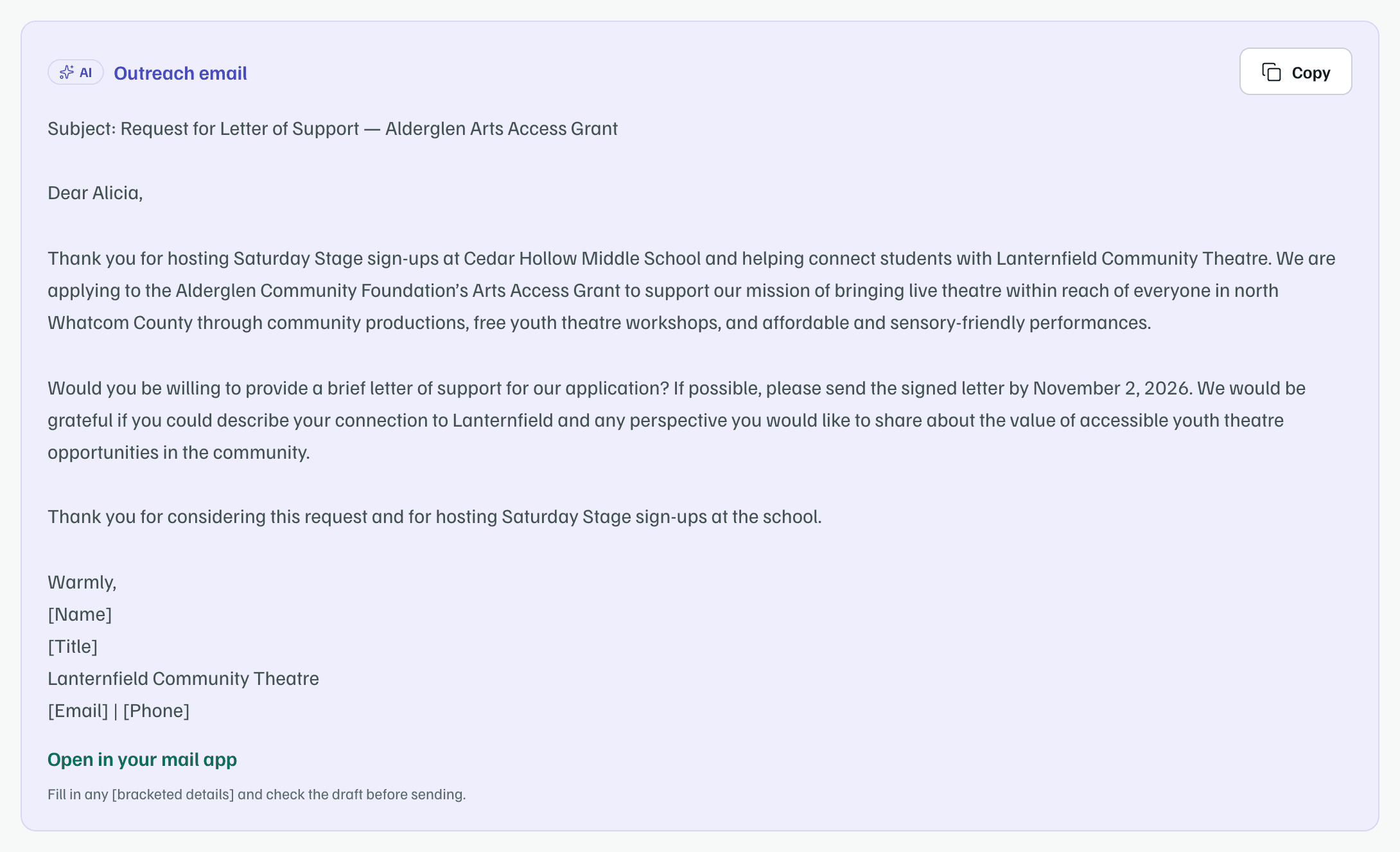
Example workspace · fictional data Mark it sent
After you send it, select Mark sent. The row shows Requested with the date.
Mark it received
When the signed letter comes back, select Mark received. Upload the letter to your documents and choose it as the Signed letter, so it goes into your package.
Statuses
| Status | What it means |
|---|---|
| To request | You haven't asked yet. |
| Requested | You've sent the request. GrantFlex keeps the date. |
| Received | The signed letter came back. |
| Declined | They can't write one. It no longer counts as outstanding. |
| Drafts ready | Shown instead of To request once drafts exist but the request hasn't gone out. |
Change a request
- Open drafts or Details opens a supporter's row. There you can change the Status, the Email and the Needed by date, choose the Signed letter or select Draft again.
- The row's ⋯ menu has They declined and Remove supporter. Removing someone deletes their drafts too.
- If a letter isn't back by its date, the row says so in red, so you can follow up or set a new date.
Once you track any letters, Letters of support is one of the readiness checks on the Package tab. It's met when every letter is received or declined.