Research funding for one project
Project research is a full research report about one project. It reads the project's brief privately, searches the web for funders and partners that fit, and lets you link the ones worth pursuing to the project.
- 5 min
- Paid plans
Screens pending
In the app:Projects, then Project, then Funding, then Find funding
Solo and Team
Before you start
- You need to be an owner, admin or editor. Viewers can read saved project research.
- Workspace AI must be on.
- Research reads the saved brief, so save any edits to it first.
- Only one report runs at a time in a workspace.
Start research for a project
Open the research page
On the project's Funding tab, select Find funding. When the Overview suggests Find funders for this project, its button opens the same page.
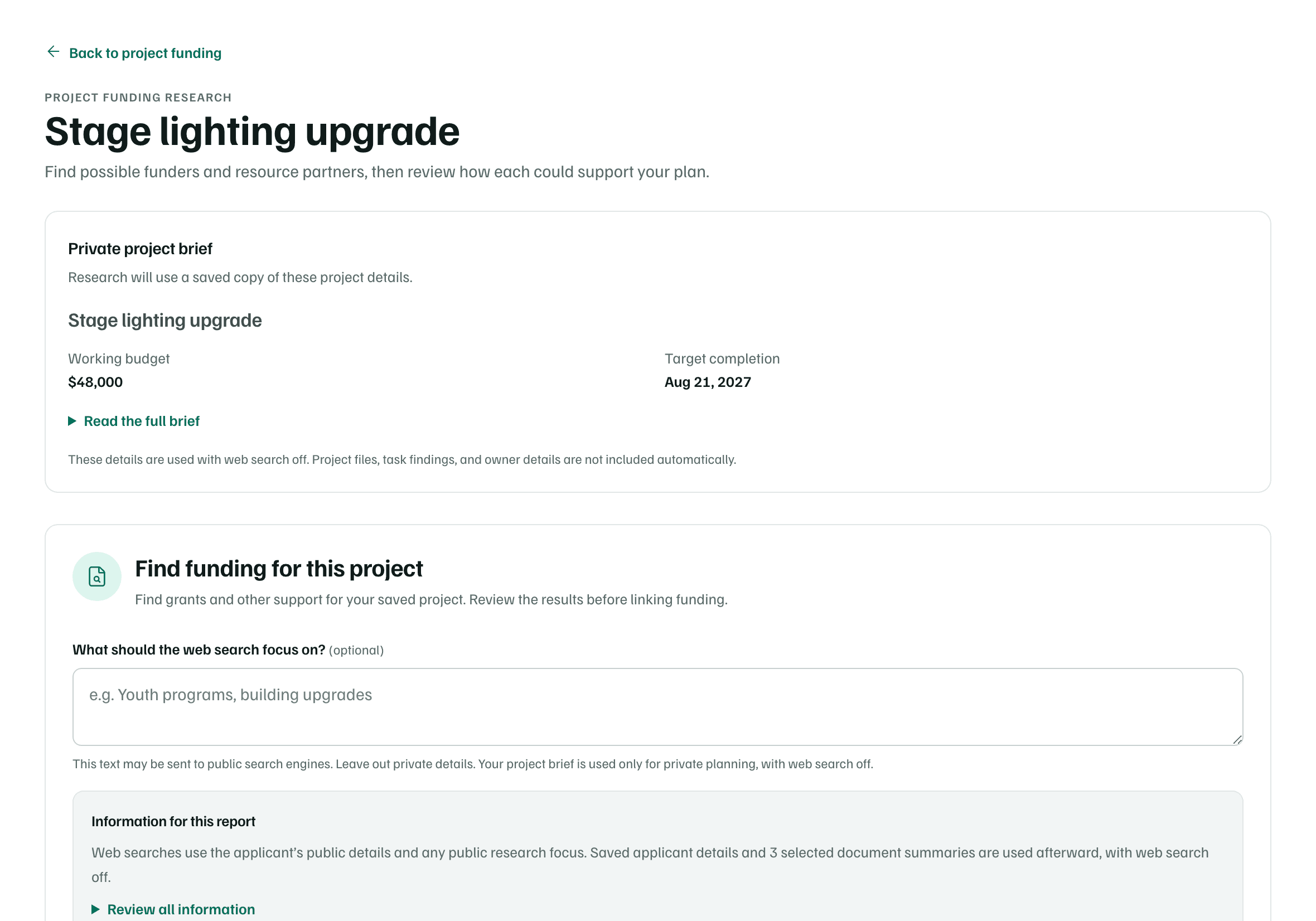
Check the brief research will use
Private project brief shows the saved copy of the brief the research will read. Select Read the full brief to see all of it. To change it, edit the brief first.
Example workspace · fictional data Say what the search should focus on
Under What should the web search focus on?, add a sentence if you like, such as the kind of support you need. This text may be sent to public search engines, so leave out private details.
Start the report
Check Information for this report, then select Start report. It takes about 30 minutes. You can leave, and you're notified when it's ready.
What the brief shares
The report keeps a copy of the brief as it was when you started: the project's name, purpose, who benefits, what’s included, what’s not included, what success looks like, working budget, budget assumptions and target completion.
- The brief is used only for private planning, with web search off.
- Web searches use your public details and the focus you wrote.
- Your saved applicant details and the document summaries you allowed are used afterwards, also with web search off.
- Project files, task findings and owner details aren't included.
The rest works like any full report. See Run a full research report for the wait, the research steps and how to cancel a run.
Read the results and link funders
When the report is ready, the page lists Suggested funding sources. Each is marked Research suggestion and says what it Could support, Why this could fit, the amount and timing the report found, Eligibility and open questions and a Suggested next step, with links to its sources.
Choose a source worth pursuing
Select Review link to project. The project's Funding tab opens with that funder chosen in Link a source.
Say what it would support
Fill in What would it support?, the Amount for this project and the Status, then select Link to project.
Linking records a possible source. It doesn't start an application or commit any funding. Once linked, the suggestion offers View funding connection. Opportunity details and application options opens the funder in the report, where you can decide what to do next.
- Project in scope shows the version of the brief the report used. If you've edited the brief since, the page says This project has changed since the research started.
- Past reports for the project are listed on the Funding tab under Research for this project. New research starts another.
Check first