Research setup
Research setup is what research reports work from: your funding goals, the kinds of support you want, your limits and the document summaries research may read.
- 4 min
- Every plan
Screens from October 2026
In the app:Organization, then Details, then Research setup
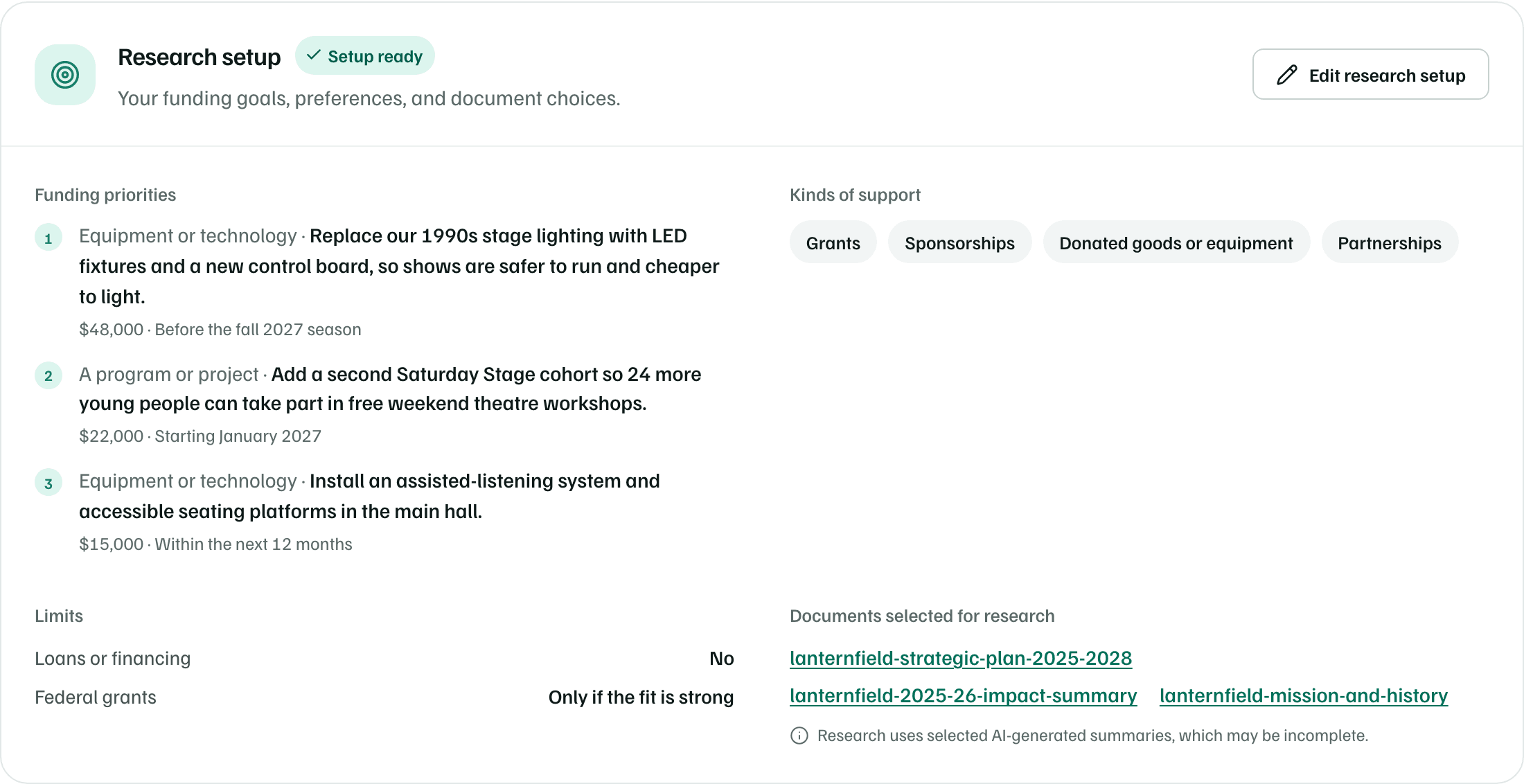
Setup fills it in from your funding goals and document choices. On the Details tab, the Research setup card shows Funding priorities, Kinds of support, Limits and Documents selected for research, with a status beside the title.
Statuses
| Status | What it means |
|---|---|
| Add funding goals | No funding needs yet. |
| Goals undecided | You chose to let your report suggest projects. |
| Needs review | There are funding needs, but nobody has confirmed the setup yet. |
| Review selected documents | A document you chose is no longer available to research. |
| Reviewed · details missing | Confirmed, but a need has no amount or timing, or no kind of support is chosen. |
| Setup ready | Confirmed, every need has an amount and timing, and at least one kind of support is chosen. |
Note
Edit research setup
Select Edit research setup on the card. Owners, admins and editors can change it. The page has four parts:
- Funding needs, up to 6, most important first. Each has a description, How much?, When? and an optional category. Use the arrows to change the order.
- What kinds of support would help?: grants, sponsorships, donated goods or equipment, professional help or partnerships.
- Funding preferences: whether research should include loans or financing and federal government grants, and Anything to leave out, such as funders or sponsors you won't take.
- Choose document summaries for research, described below.
When you're done, tick We’ve reviewed the funding goals, preferences, and document choices. and select Save research setup. Saving doesn't start any research.
Your description, public links and staff capacity aren't on this page. Change them on the Details tab.
Choose document summaries
Tick up to 8 document summaries for research to read. Select Review summary to read one first. Research reads them after its public web search, with web search turned off, so your summaries never go into a web search.
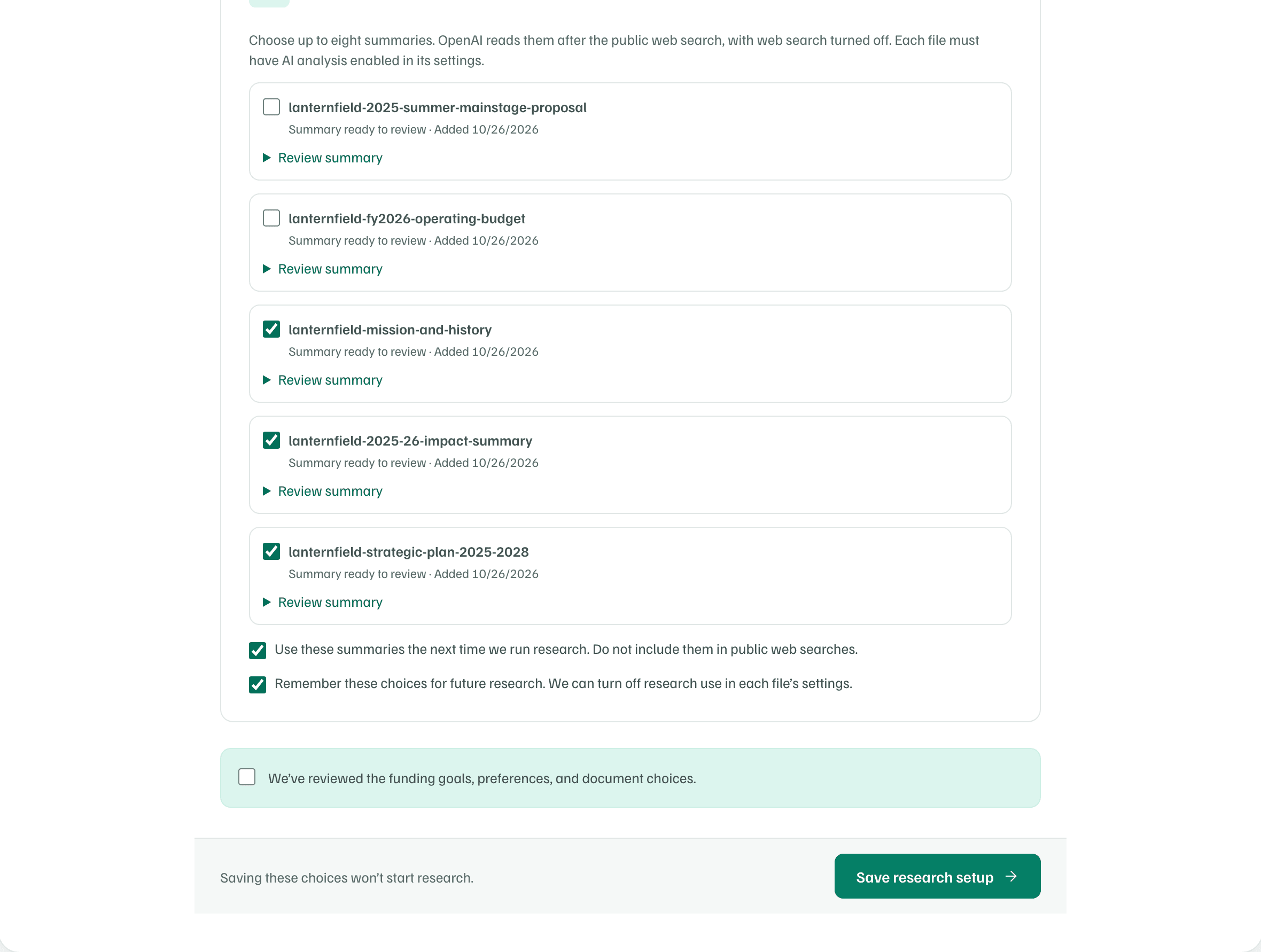
- Only files with a processed summary can be ticked. The others show No summary ready for research yet.
- Research can read summaries of past proposals, budgets, impact reports, mission statements, strategic plans and award letters.
- Bios aren't offered, since they hold personal details. Neither are files whose type is Grant guidelines (RFP) or Other.
Tick Use these summaries the next time we run research. to let research read the ones you chose. Tick Remember these choices for future research. to reuse them in later reports. To stop research using a file, untick it here or select Stop report use on the document's page.
Check first