A community theatre's first season of fundraising
Follow Lanternfield Community Theatre, a small nonprofit, through a season in GrantFlex: setup, research, decisions, two proposals, an award, a progress report and a report to its board.
- 9 min
- Every plan
Screens from October 2026
Lanternfield stages a five-show season and runs free Saturday Stage workshops for young people, from a converted hall in Ferndale, Washington. Dana Whitfield, the executive director, owns the theatre's workspace. Luis Ortega, who runs Saturday Stage, works in it as an editor. The theatre is on the Team plan.
Setting up
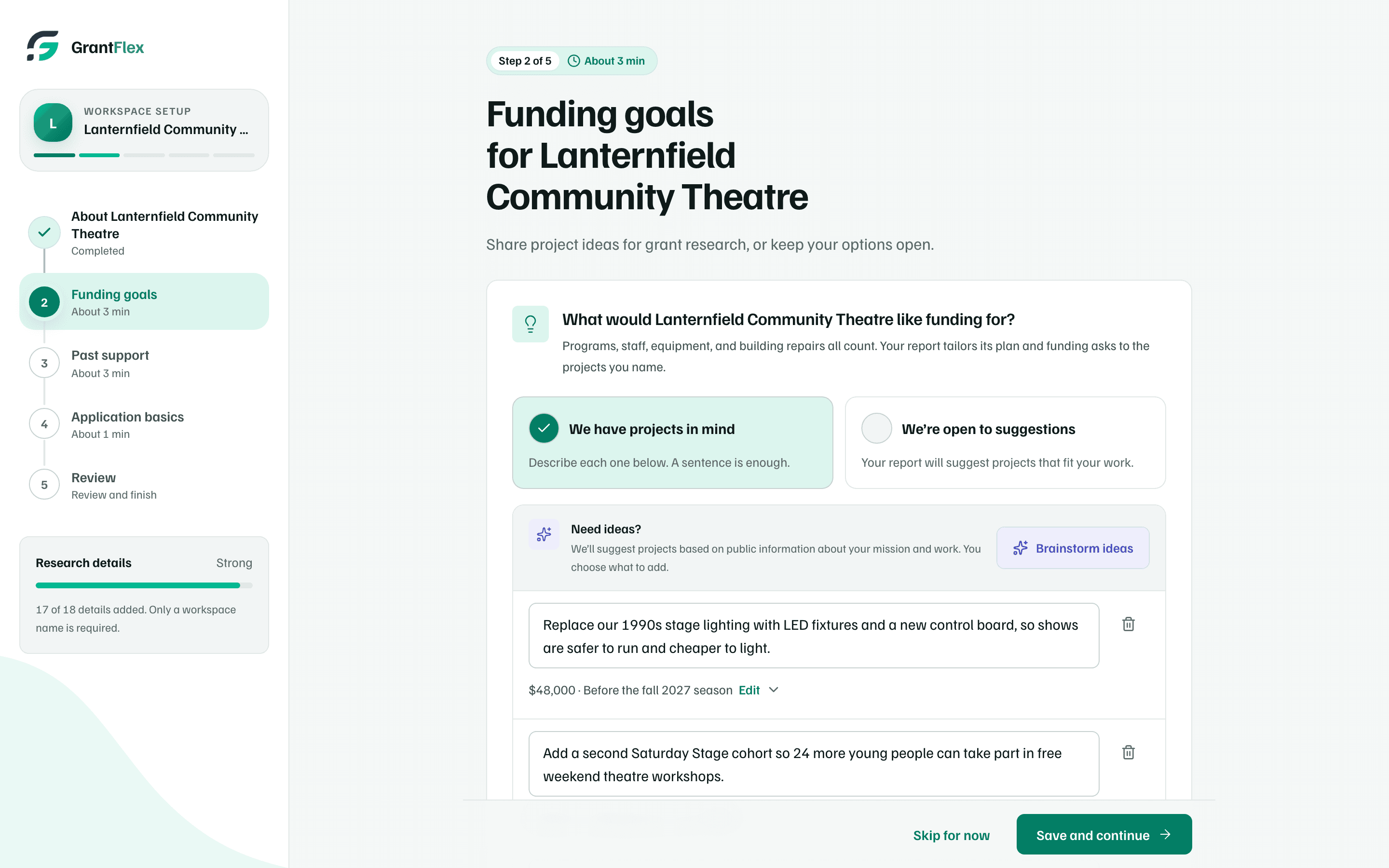
Dana creates the workspace for An organization and answers the five setup steps. Under Funding goals, she names three projects: new LED stage lighting for $48,000, a second Saturday Stage cohort for 24 more young people, and assisted listening with accessible seating. Under Past support, she lists the funders who've given before, such as Elkhorn Ridge Foundation's grant for the 2025 summer show. See The five setup steps.
Then she fills in the Organization page. She uploads six documents, such as the operating budget, the board list and the strategic plan, and AI summarizes each one. Four of them go into the applicant file, which tracks 15 standard documents. The board, the staff and three programs go on People & programs. See Documents and AI permissions.
Finding funders
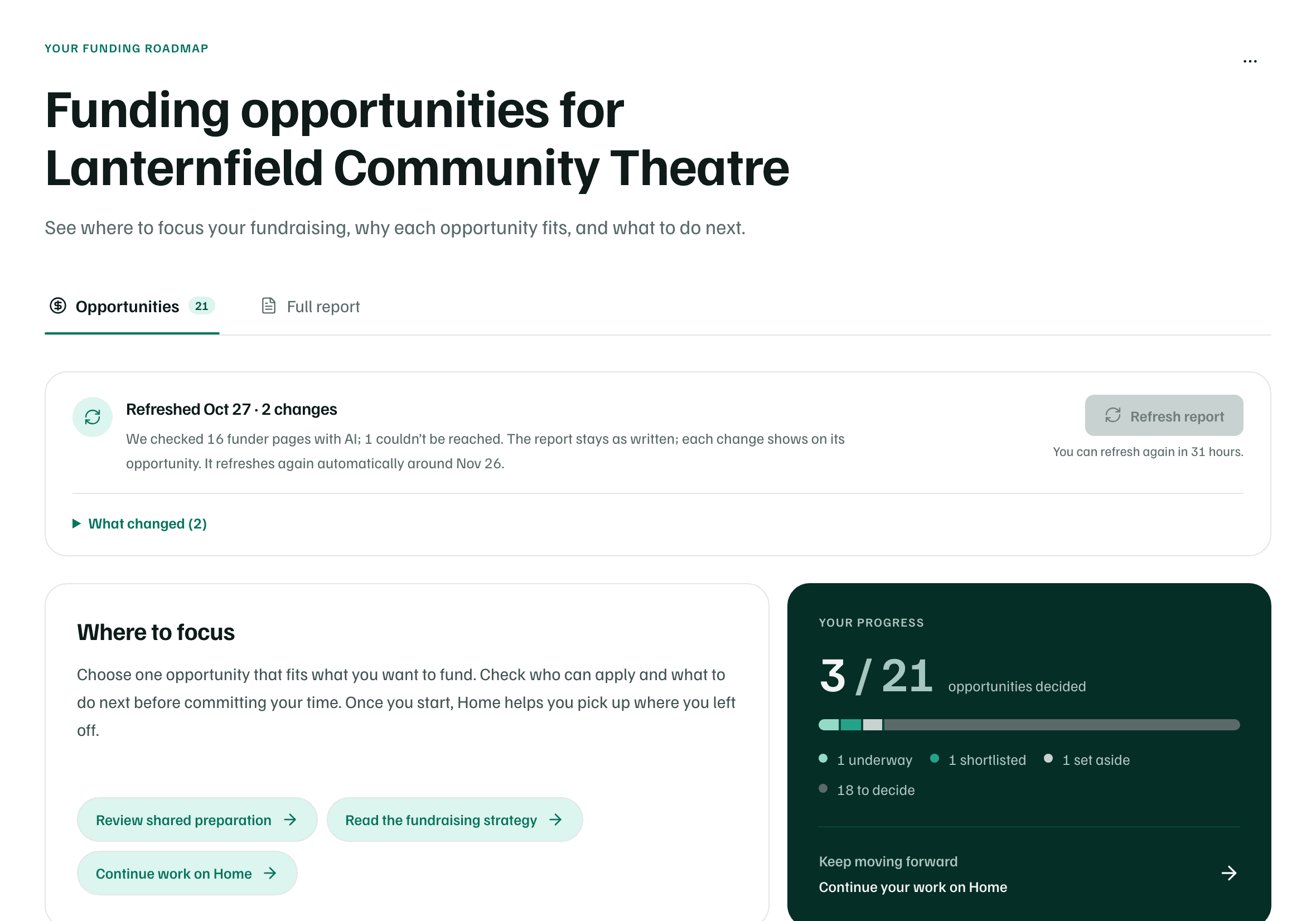
The owner of a new workspace gets one free introductory research run, with 3 opportunities shown in full. The Team plan includes full reports, so Dana starts a full research report from Discover. It takes about 30 minutes, and she gets a notification when it's ready. See Run a full research report.
The report ranks 21 opportunities from public sources by fit, from grants to in-kind support and partnerships. Each has a status, such as Open now or Opens later. The Full report tab explains the fundraising plan behind them. Once it's done, Refresh report checks the funders' pages again and lists what changed. See Read your research report.
Deciding what to pursue
Dana opens the strongest matches one at a time. Each one's details cover its key facts, eligibility, open questions and sources. A main button suggests the next step, such as Start application or Check first, and nothing goes to the funder. See Decide what to do with an opportunity.
She makes three decisions to begin with: one Underway, one Shortlisted and one Set aside until a date next year. Your progress counts them, with 18 still to decide.
Keeping every ask in one place
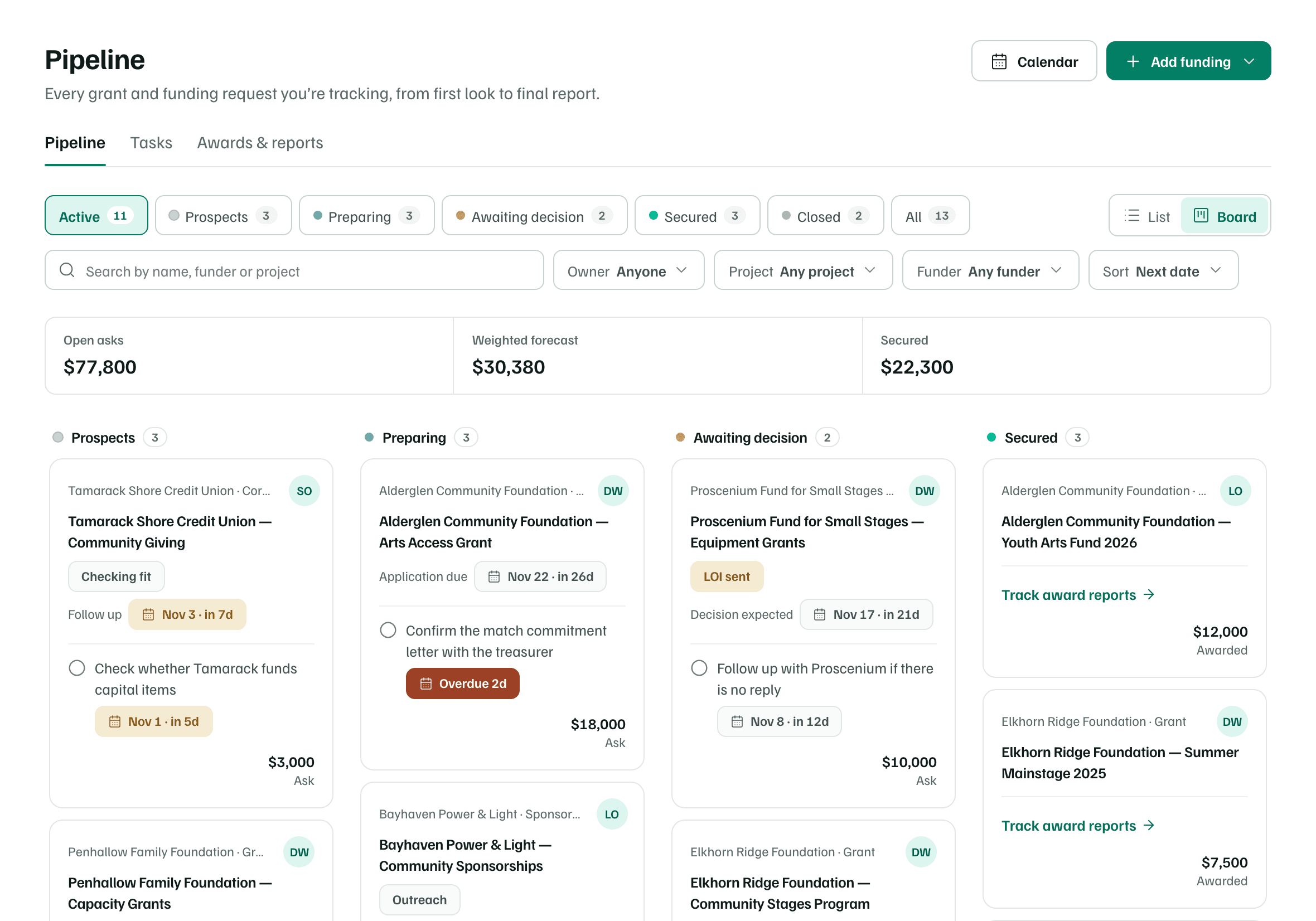
Pipeline holds every request the team is working on. Each is a funding record with a stage, an amount and an owner. They run from a $1,800 printing partnership with Quill Street Press to a $25,000 lighting request to Elkhorn Ridge Foundation. In Board layout, Dana sees them by phase, and the totals add up what's asked, expected and secured. See Pipeline basics.
Writing two proposals
Two grant records get a proposal. Elkhorn Ridge Foundation's Community Stages Program gets a $25,000 request for LED lighting and a new control board. Alderglen Community Foundation's Arts Access Grant gets an $18,000 request for the second Saturday Stage cohort. Each starts from its record's Proposal tab with the standard five sections. See Start a proposal.
The Arts Access proposal shows how the work is shared:
- Luis drafts Program Design and asks Dana a question in a comment. He asks her to review Organizational Capacity before it's approved. See Draft sections.
- Draft from your documents drafts Impact Measurement from the theatre's documents and cites each one. The team checks the draft before relying on it.
- The budget splits costs between the request, Our match and In-kind support. AI drafts the budget explanation. See Build the budget.
- An AI review scores the draft Needs work, 22 of 40 points, and the team applies one of its suggestions. See Get an AI review.
- Requirements list the documents Alderglen asks for. One of three letters of support is in. See Ask for letters of support.
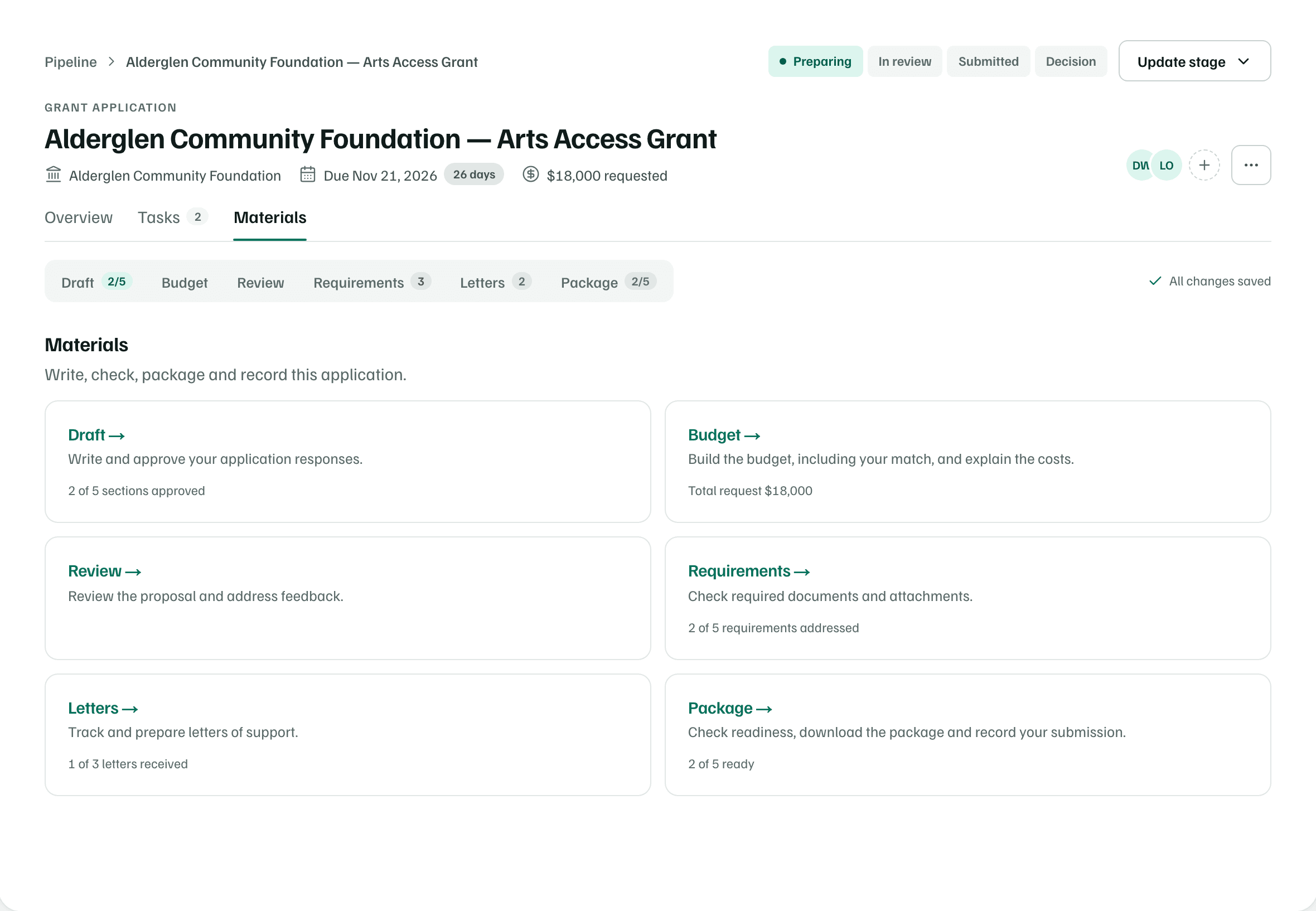
Submitting
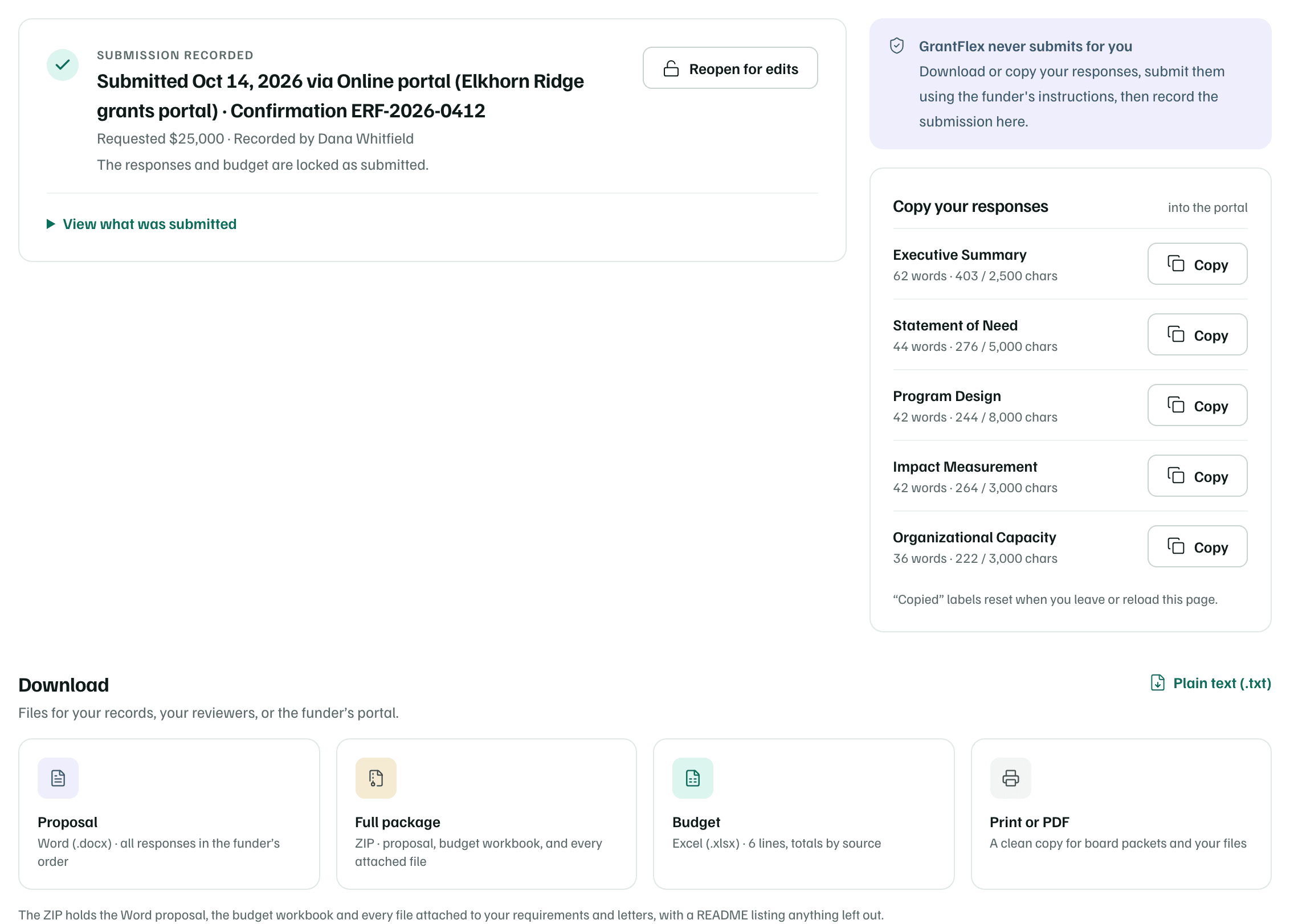
Dana submits the Community Stages proposal through Elkhorn Ridge's grants portal herself, since GrantFlex never submits for you. Back on the proposal's Package tab, she selects Record submission and enters the date, the portal and the confirmation number. The responses and budget lock as sent, and the record moves to Awaiting response. The decision is expected in about five weeks. See Package and record your submission.
When a funder says yes
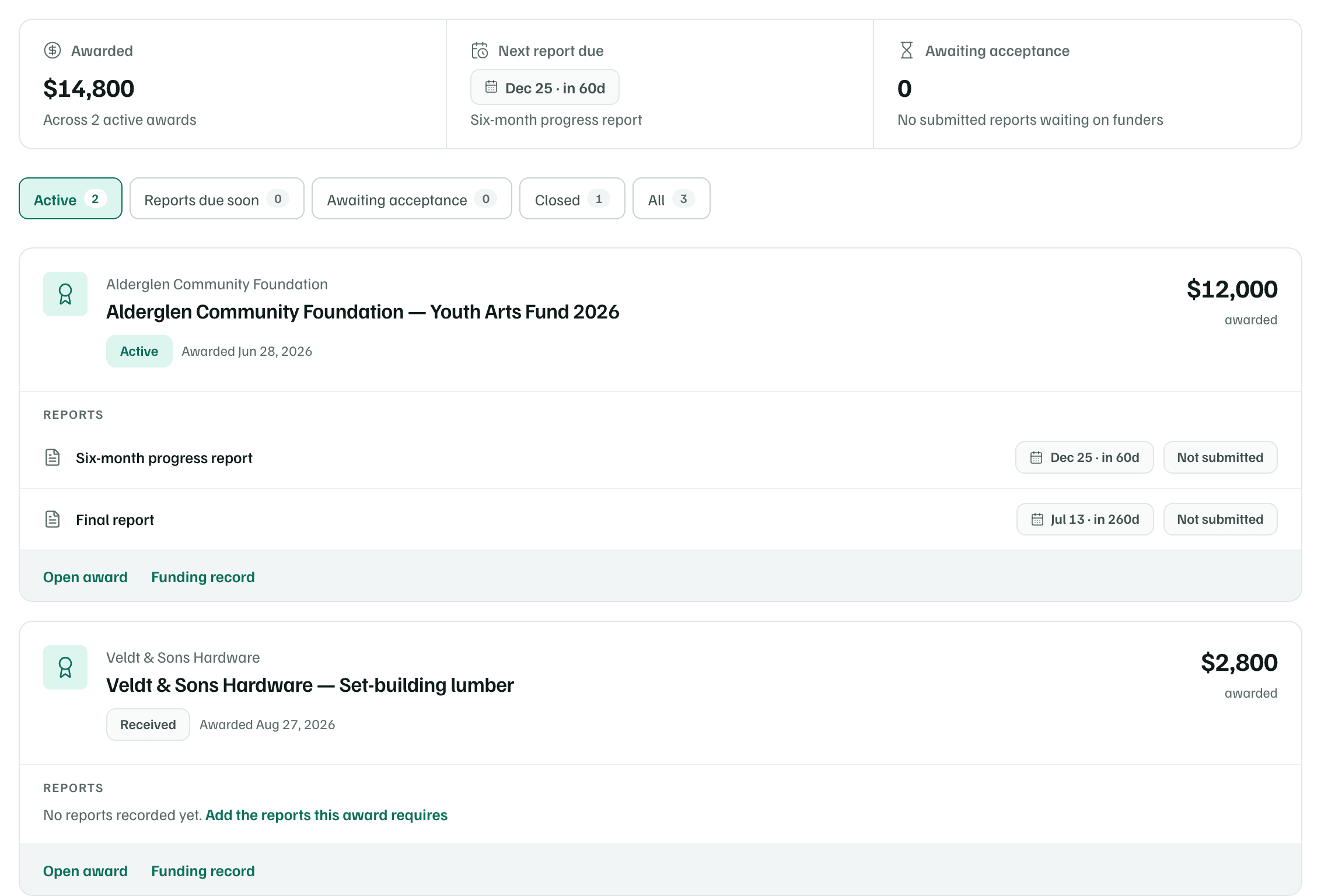
Alderglen has already said yes to one request: $12,000 from its Youth Arts Fund 2026, for Saturday Stage teaching artists, scripts and materials. Dana records it from the record's stage menu with Record the award. The record moves to Secured, GrantFlex adds a task to thank the funder, and the award gets a page of its own. See Record an award.
The award's page keeps the grant period and two payments of $6,000. The first has arrived, and the second comes once the six-month report is accepted. Veldt & Sons Hardware's donated lumber, worth $2,800, is recorded as an award too. See Award letters, terms and payments.
Reporting back
The award asks for a six-month progress report, due in about two months, and a final report. Luis owns both, and a task reminds him to gather attendance numbers first. On the report's page, he writes rough notes under What happened. Then Generate report drafts the report from his notes, for him to check and send himself. See Write a progress report.
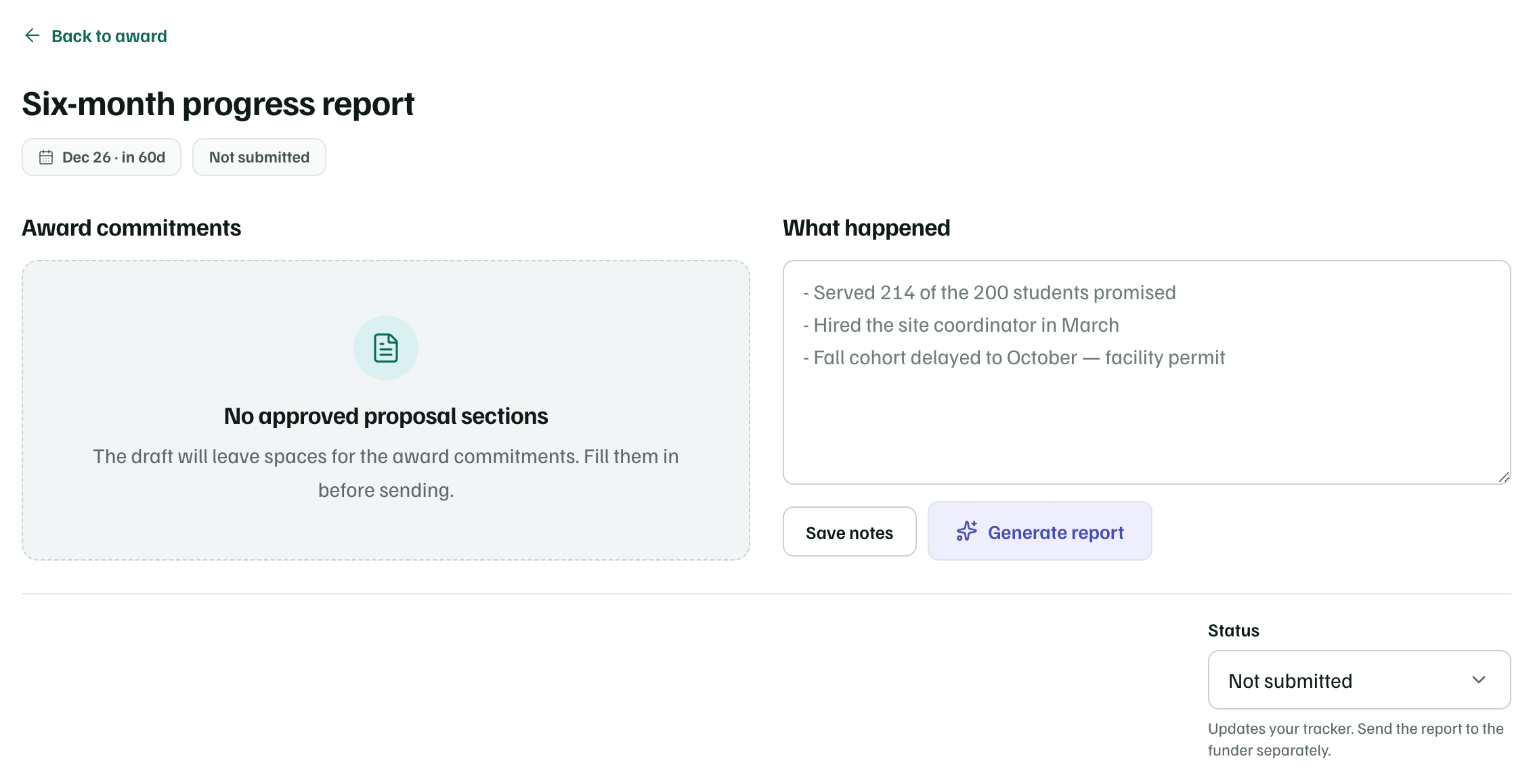
The Youth Arts Fund proposal wasn't written in GrantFlex, so Award commitments reads No approved proposal sections. The draft leaves spaces for those commitments, to fill in before it's sent.
Reporting to the board
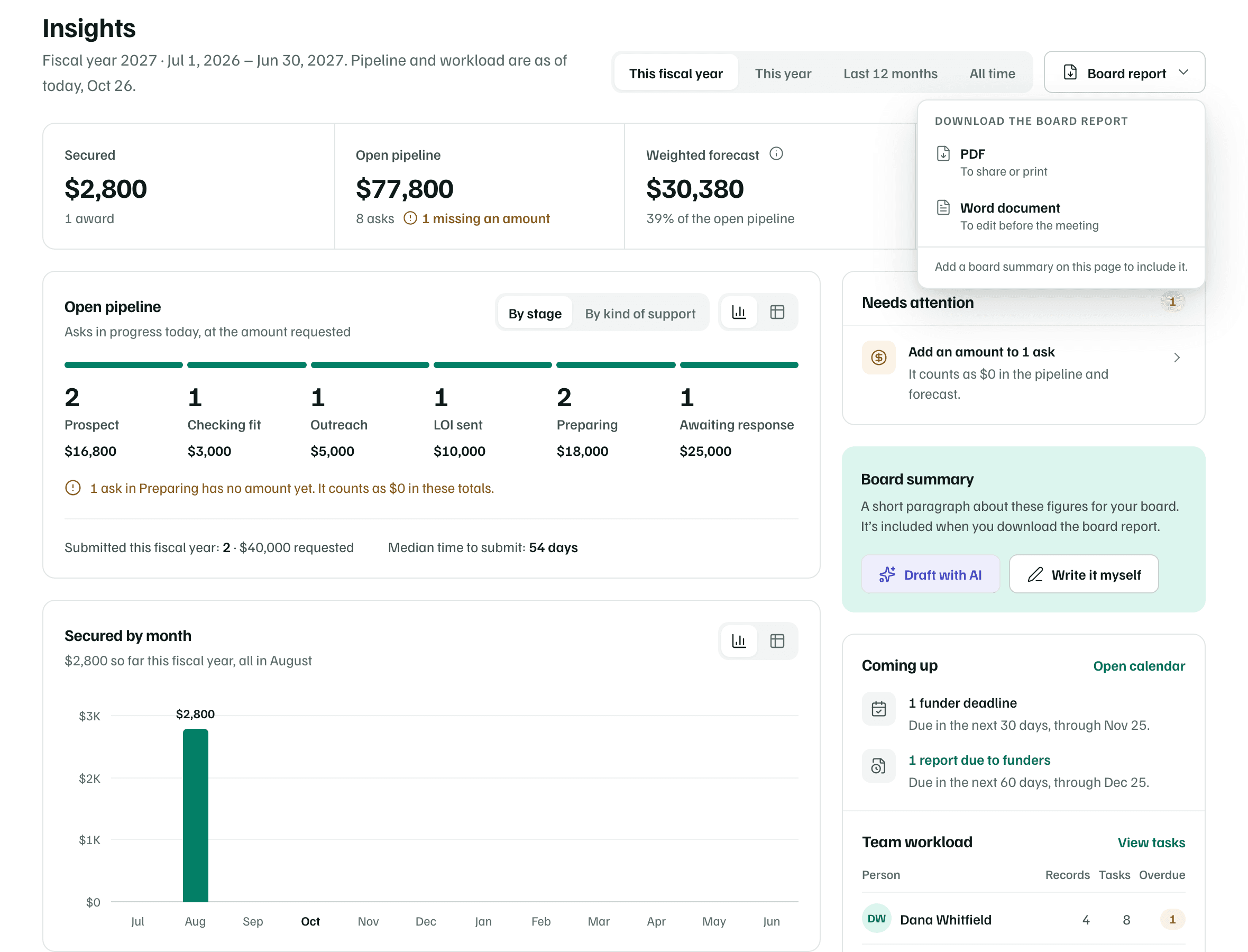
Before a board meeting, Dana opens Insights for This fiscal year. It adds up what the team has recorded: money secured, the open pipeline, the weighted forecast and the win rate. The win rate is marked Early read while few requests are decided. See Insights.
She writes a board summary herself, or drafts one with AI and edits it. Then she downloads the board report as a PDF, or as a Word document to edit before the meeting. The board chair, Priya Raman, isn't a member of the workspace, so the report is how the board sees the figures. See Board summary and board report.