A photographer applying for fellowships
Follow Mara Quinn, a documentary photographer on the Free plan, as she sets up a workspace for herself, finds funder leads and prepares to apply for two fellowships.
- 6 min
- Every plan
Screens from October 2026
Mara photographs small fishing and shellfish families along Puget Sound for a series called Working Waterfronts. She lives in Anacortes, Washington, and works on her own.
On the Free plan
A workspace of her own
In setup, Mara answers Who is this workspace for? with Myself. The questions are about her and her work, and the sidebar says Your work. See Organization, yourself, or clients you write for.
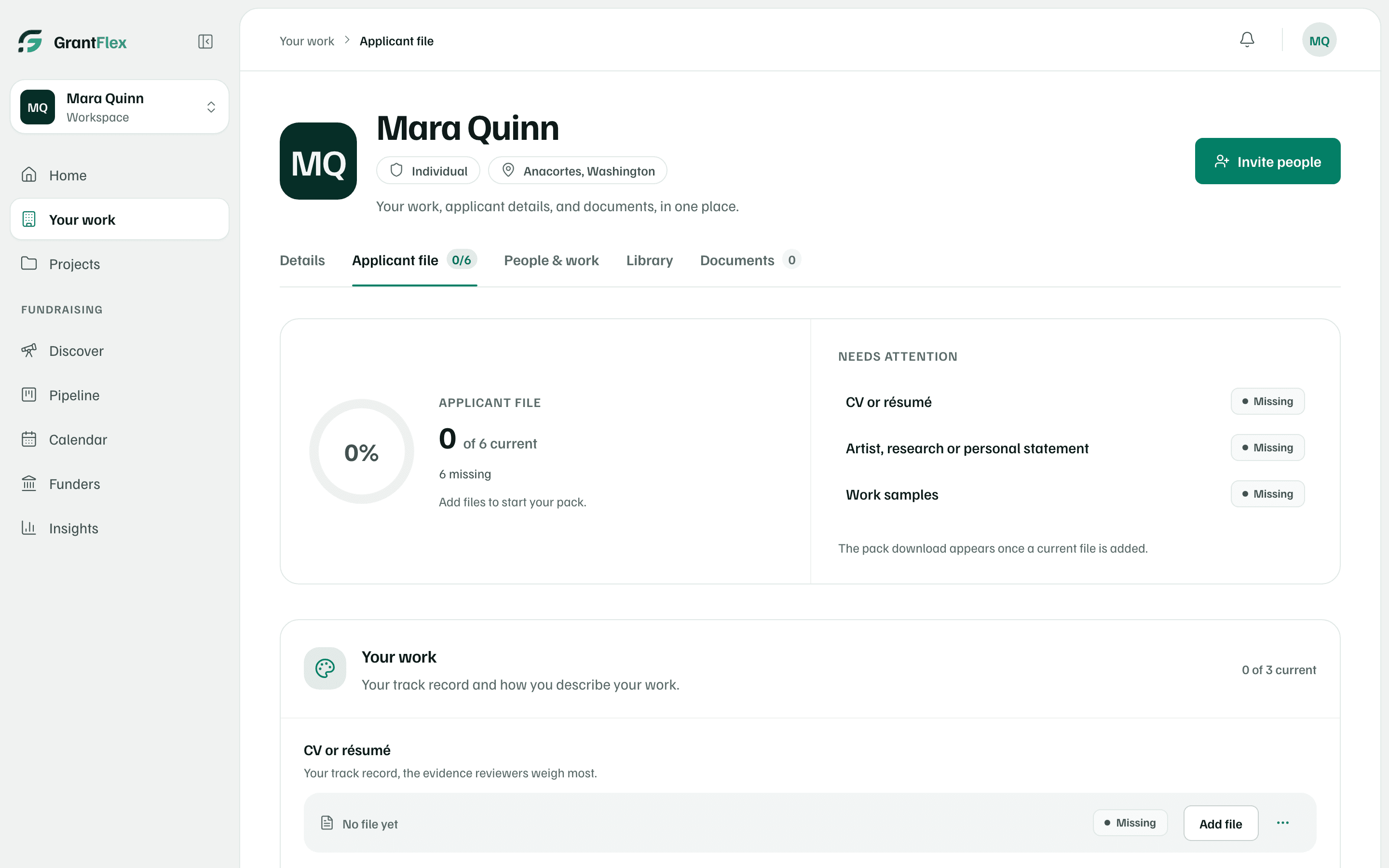
Her applicant file is built for an individual. It lists six items, such as a CV or résumé, an artist statement and work samples, and reads 0 of 6 current until she adds her files. See Applicant file.
Her free research
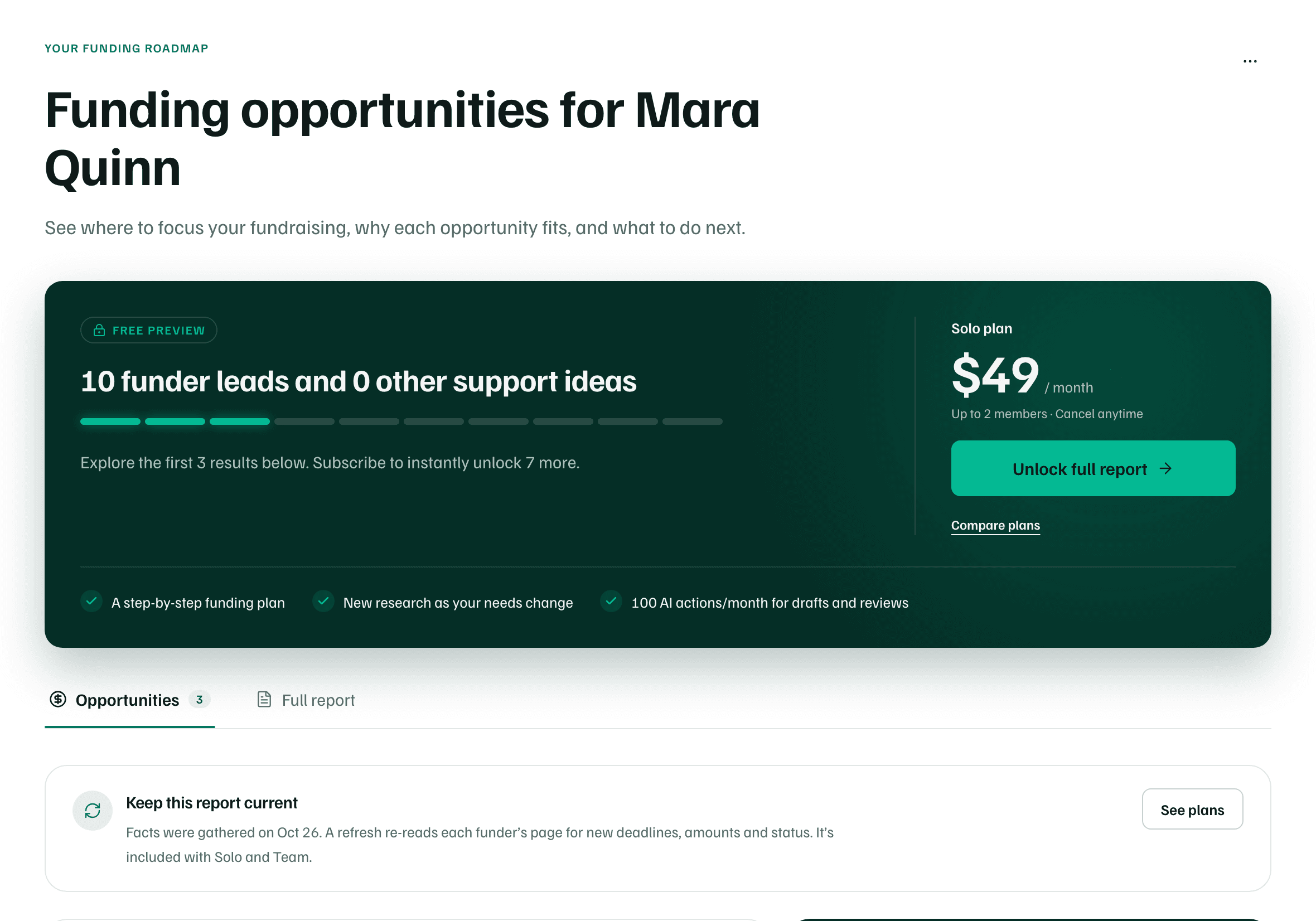
When Mara opens Discover after setup, her free introductory research starts on its own. It takes about 30 minutes, finds 10 funder leads and shows the first 3 in full. Unlock full report offers the Solo plan to see the other 7. The free research uses none of her AI actions. See Your free introductory research.
The project behind the applications
Working Waterfronts is a project in her workspace. Its project brief says what the work is for, who benefits and what success looks like: a 40-print exhibition and an oral-history archive. It also gives a working budget of $12,000 and says what's left out, a book. See What a project is.
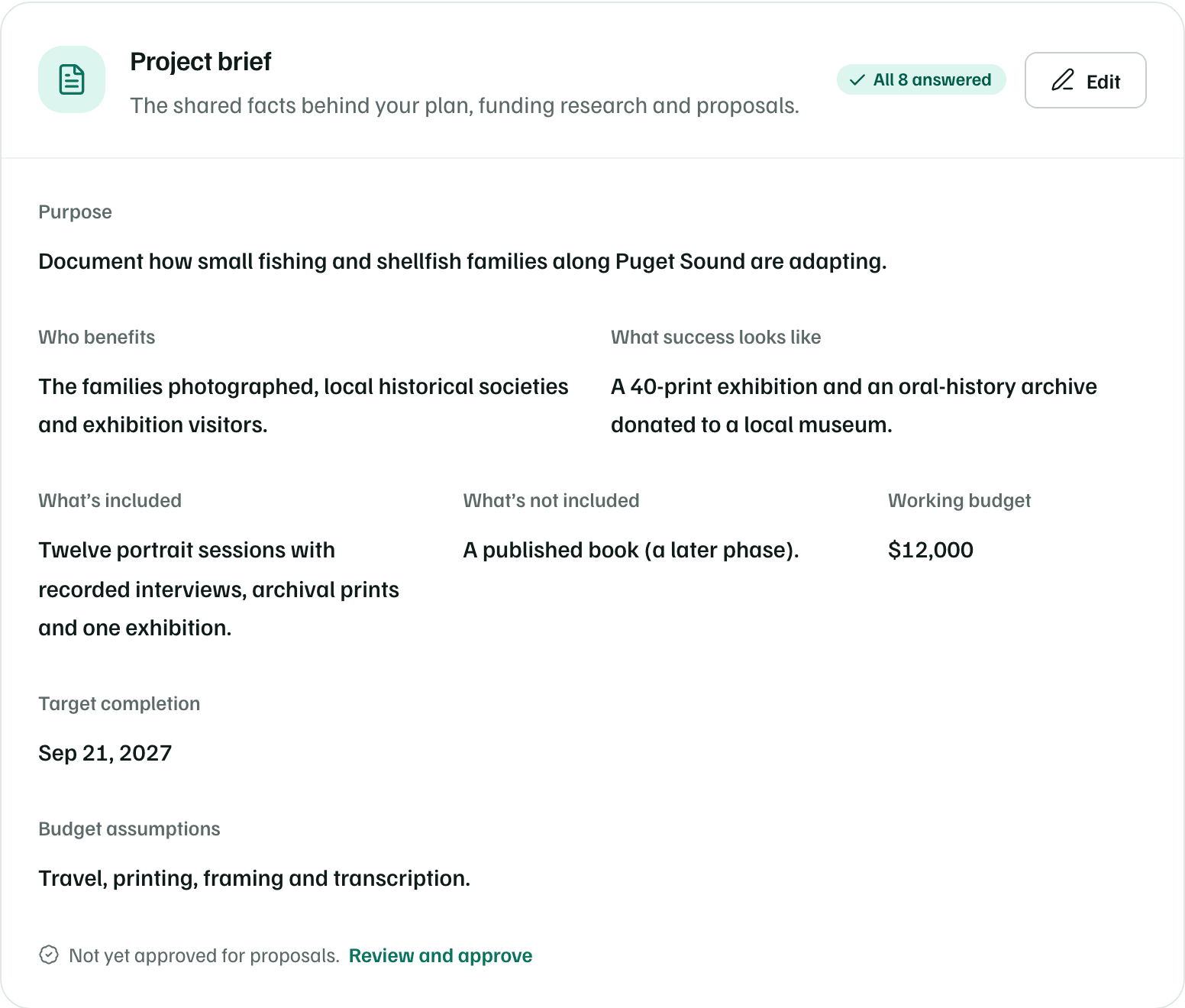
Every detail is answered, but the brief isn't approved for proposals yet. The AI coach can suggest how to strengthen it first, for one AI action. Once she approves it, she can draft a section of a linked application from it. See AI coach and funder-specific sections.
Two fellowships
Mara tracks two fellowships in Pipeline, each a funding record. Alderglen Community Foundation's Individual Artist Award 2027 is a $5,000 ask, with its application due in about six weeks. Alderglen gave her its Individual Artist Award in 2024, which she listed in setup. Elkhorn Ridge Foundation's Northwest Documentary Fellowship, a $10,000 ask, is still a Prospect. See Add grants and funders.
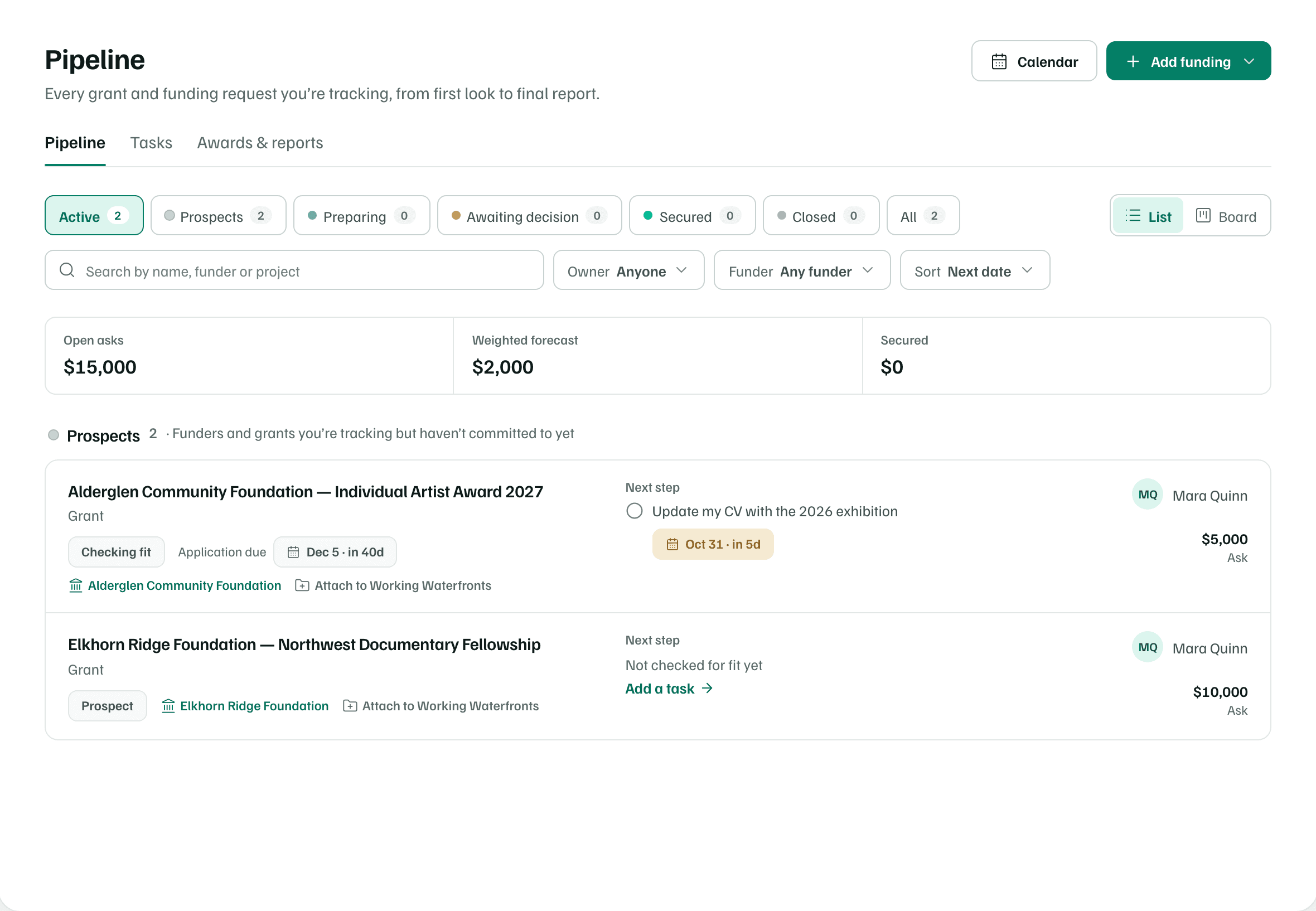
Attach to Working Waterfronts on each row opens the project's Funding tab, where she confirms the amount and status before linking the record. From then on, the project shows the ask against its budget. See The project workspace.
Checking she can apply
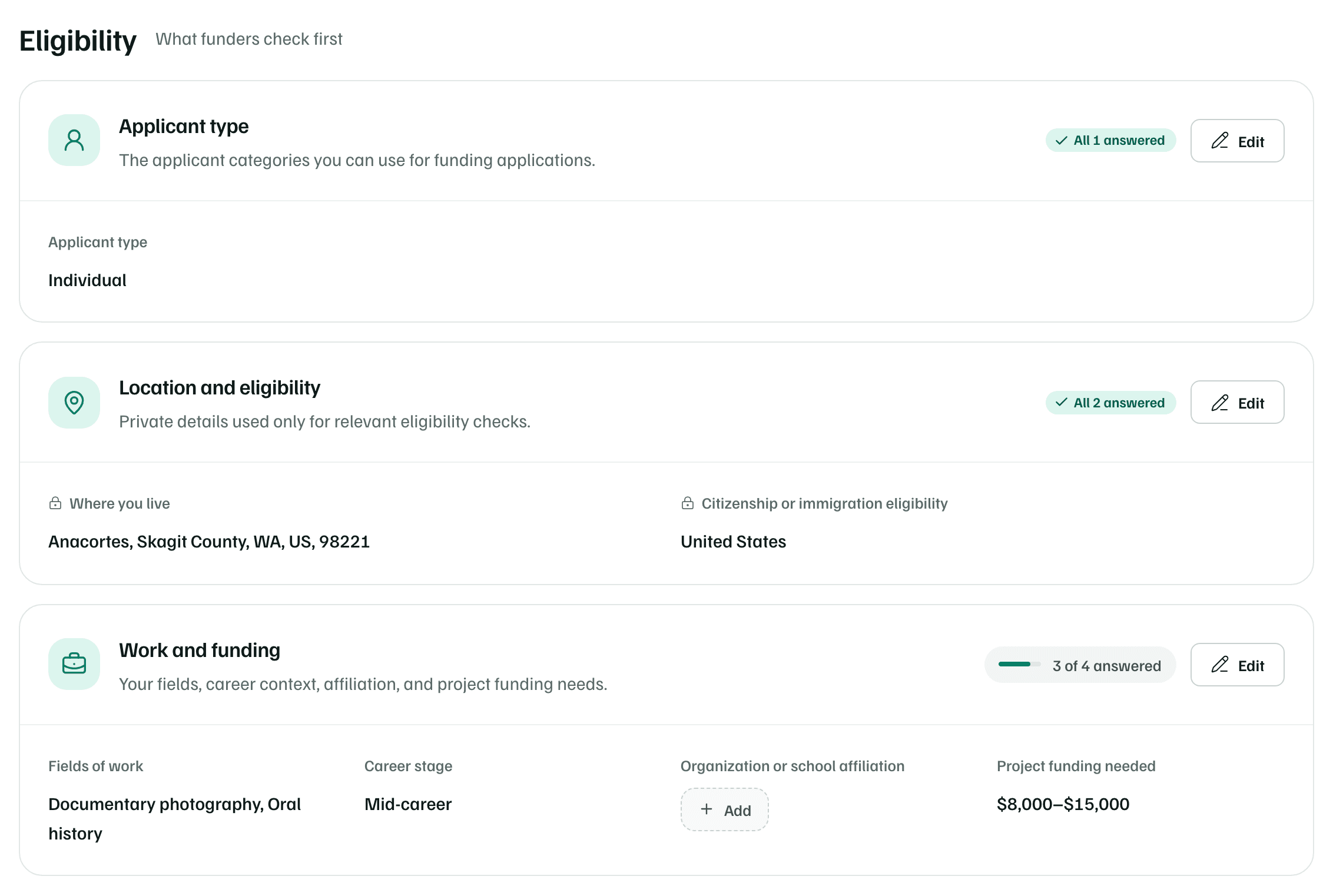
The Alderglen award is at Checking fit: Mara is deciding whether it's worth applying. Her Details tab lists what funders check first: her applicant type, where she lives, citizenship, her fields, career stage and how much funding her projects need. Only an affiliation is still to add. See Organization details and eligibility.
For the award itself, Check funder’s page on the record reads the guidelines page with AI. It quotes what the page says about the deadline, the amount and who can apply, for one AI action. Mara confirms her eligibility on Alderglen's own guidelines. See Work a funding record.
Writing in her own voice
Her next steps are tasks: update her CV with the 2026 exhibition, due in five days, and ask two people to be references. Once they're ready, her CV, statement and work samples go into the applicant file.
When she starts the proposal from the record's Proposal tab, she chooses Blank — I’ll add the funder’s questions. She adds each of the funder's questions with its limit, and writes her answers herself. See Start a proposal.
Draft from your documents can draft an answer from her own statement and CV, citing them, once AI analysis is on for them. Rewrite selected text offers Simpler language or a shorter version of a passage. Each draft or rewrite uses one of her AI actions, and she decides what stays. See Draft sections.