Add a client to your agency
Create a workspace for a new client from your agency's Clients page. It's linked to your agency straight away, so you can set up its funding goals and give your staff access.
- 5 min
- Agency plan
Screens from October 2026
Before you start
Agency plan
If the client already has a workspace you own or administer, link it instead. See Link a workspace.
Add the client
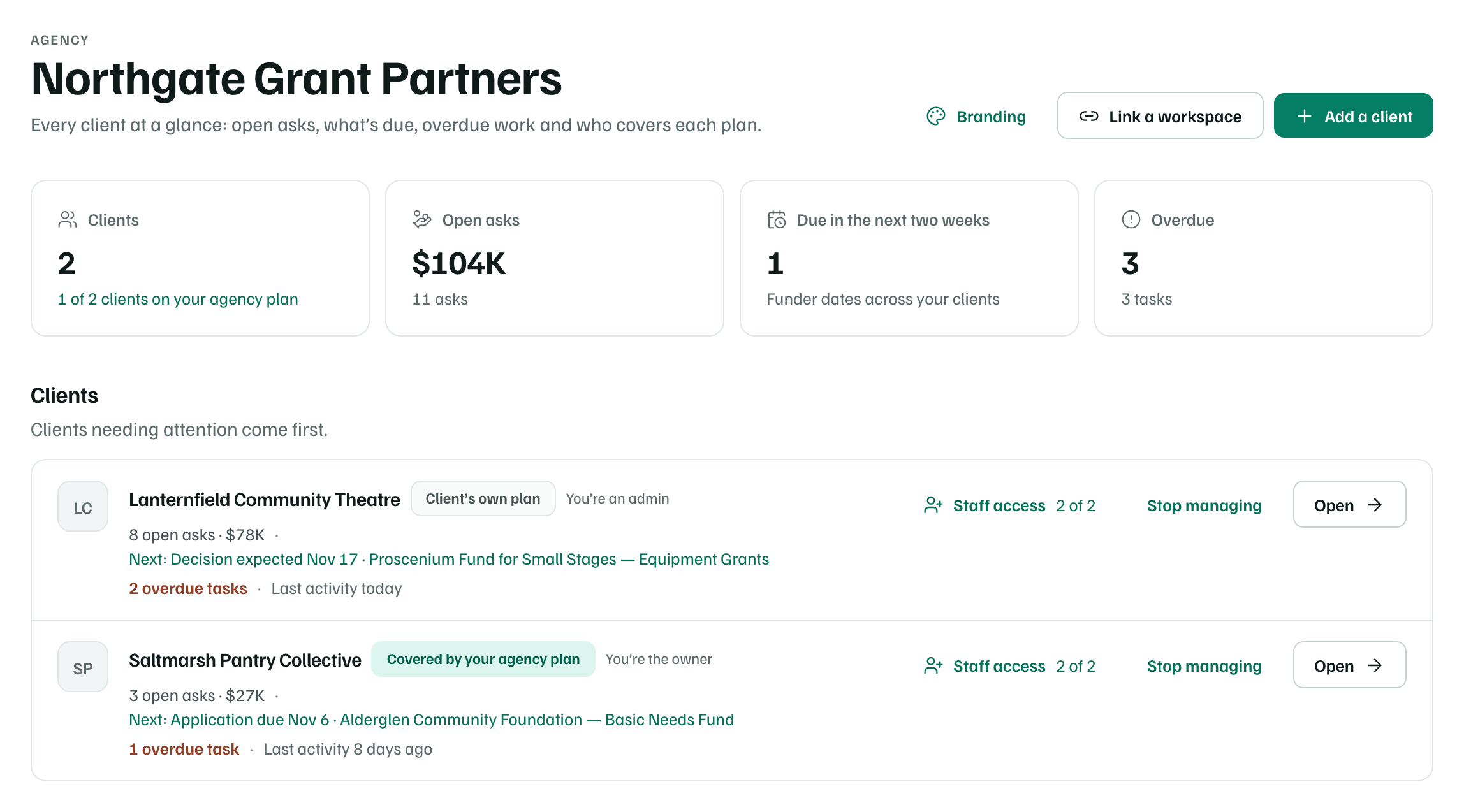
Open Clients
In your agency workspace, open Clients. It lists each client with who pays for its plan, its open asks and its next funder date.
Example workspace · fictional data Create the client's workspace
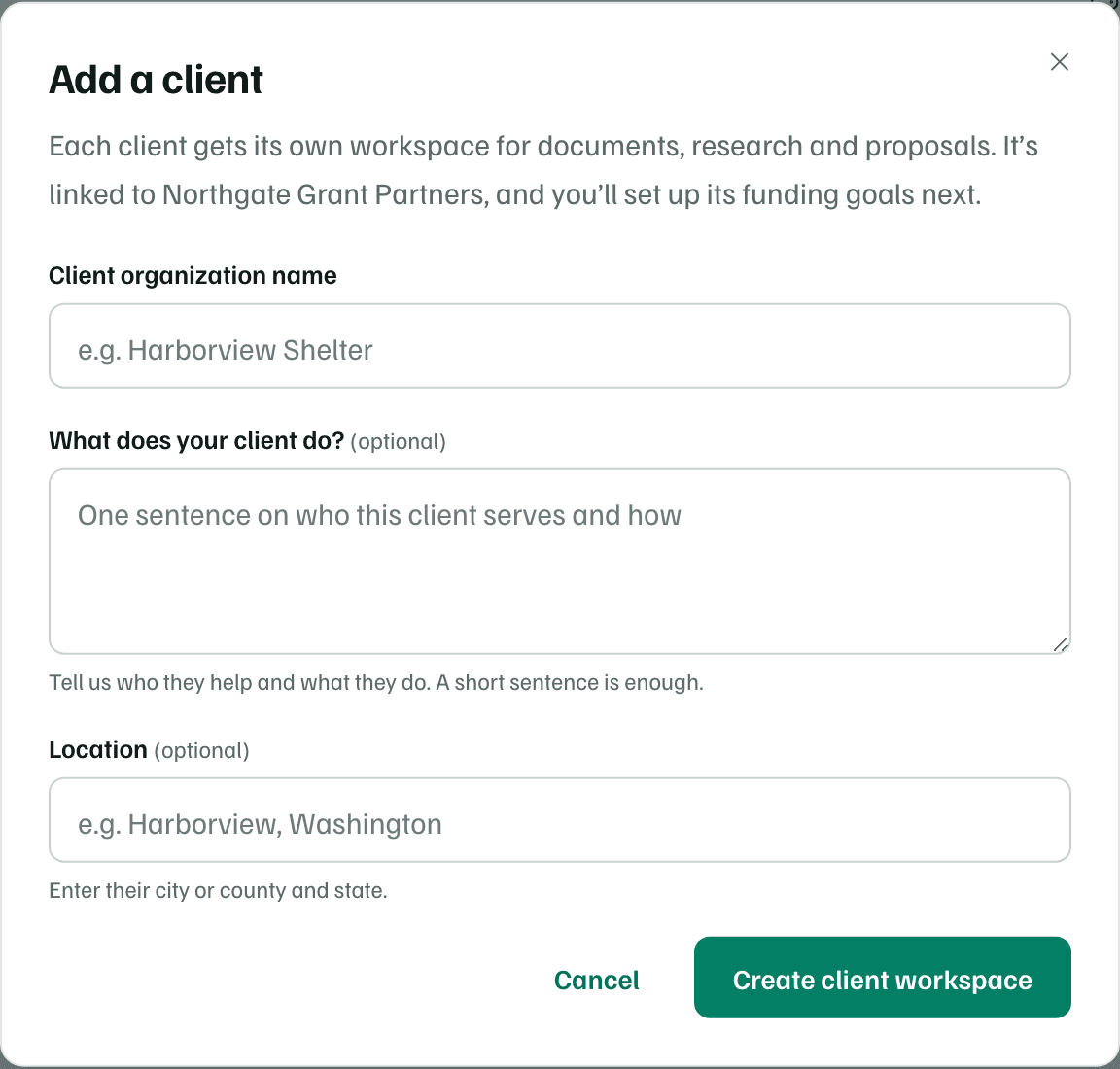
Select Add a client and enter the Client organization name. What does your client do? and Location are optional. Select Create client workspace.
You own the new client workspace, and it's linked to your agency.
Example workspace · fictional data Set up its funding goals
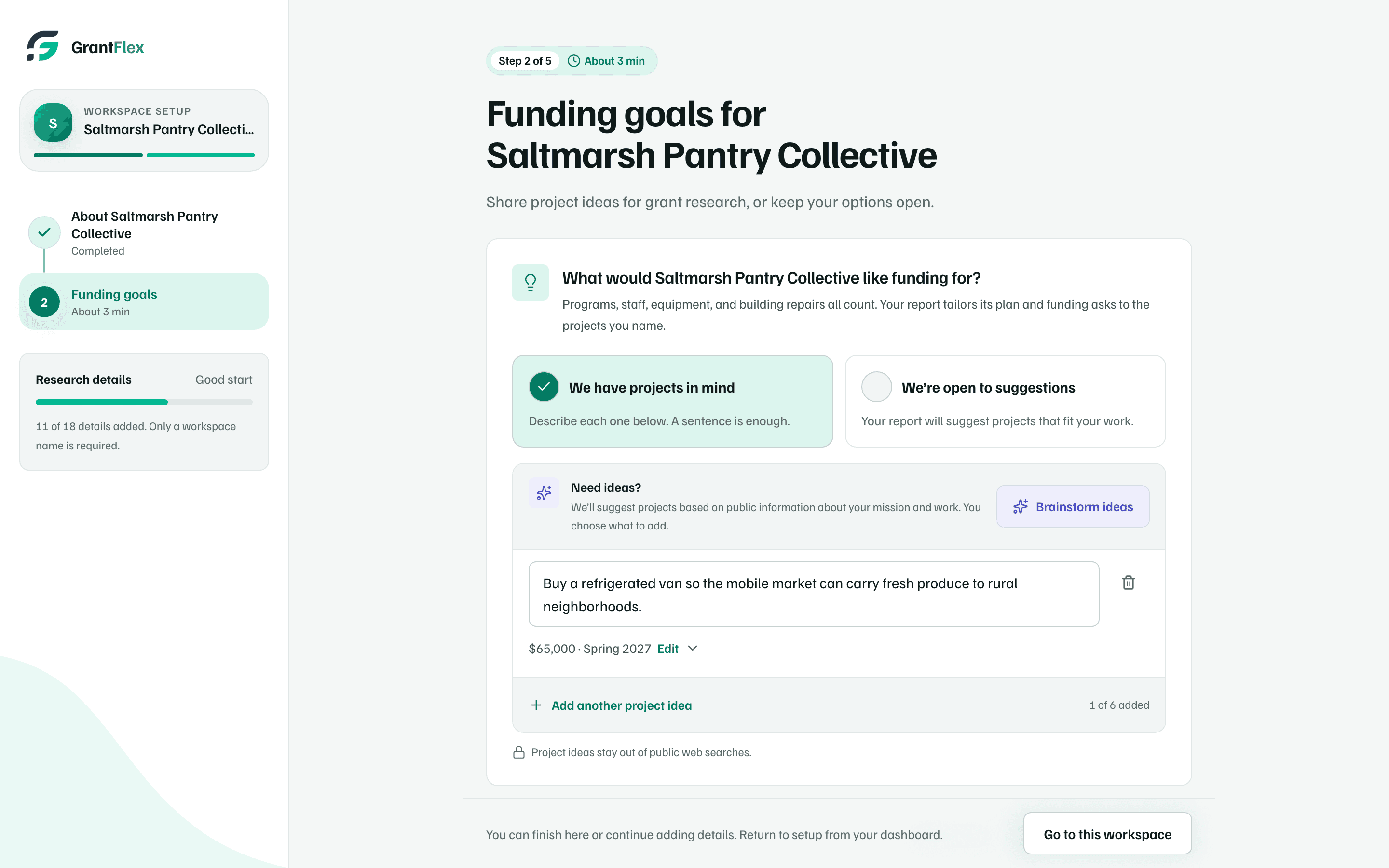
Setup opens at Funding goals for the client. Describe the projects it wants funding for, then select Save and continue to keep going, or Go to this workspace to stop there.
If you've set up a workspace before, setup asks only these first two steps.
Example workspace · fictional data Give your staff access
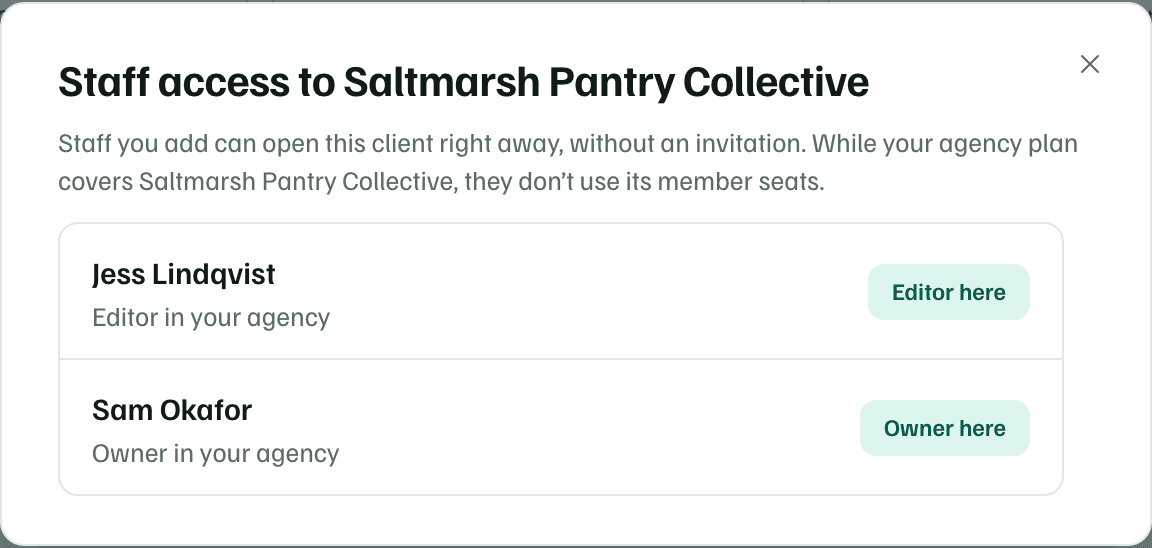
Back on Clients, select Staff access on the client's row. Choose Editor or Viewer for each person, then select Give access. They can open the client right away, without an invitation.
Example workspace · fictional data
For what each client's row shows and who pays for its plan, see Set up an agency workspace.
What you get
A client workspace linked to your agency, with its funding goals started and your staff able to work in it. Its records and dates join your agency's combined pipeline and calendar. Open the client to research funding for it, since research runs in each client's own workspace.