Ask a funder when the next round opens
When a report marks a funder No round announced or Opens later, ask the funder when its next round opens. GrantFlex drafts the email from your report. You send it from your own email, and GrantFlex reminds you to follow up.
- 10 min
- Every plan
- No AI actions
Screens from October 2026
Before you start
What each plan includes
Ask about the next round
Open the opportunity
In your report, open an opportunity marked No round announced, Opens later or Closed this round. Its Key facts show what the report couldn't confirm, such as the funder's deadline.
In its Next step box, select Ask the funder.
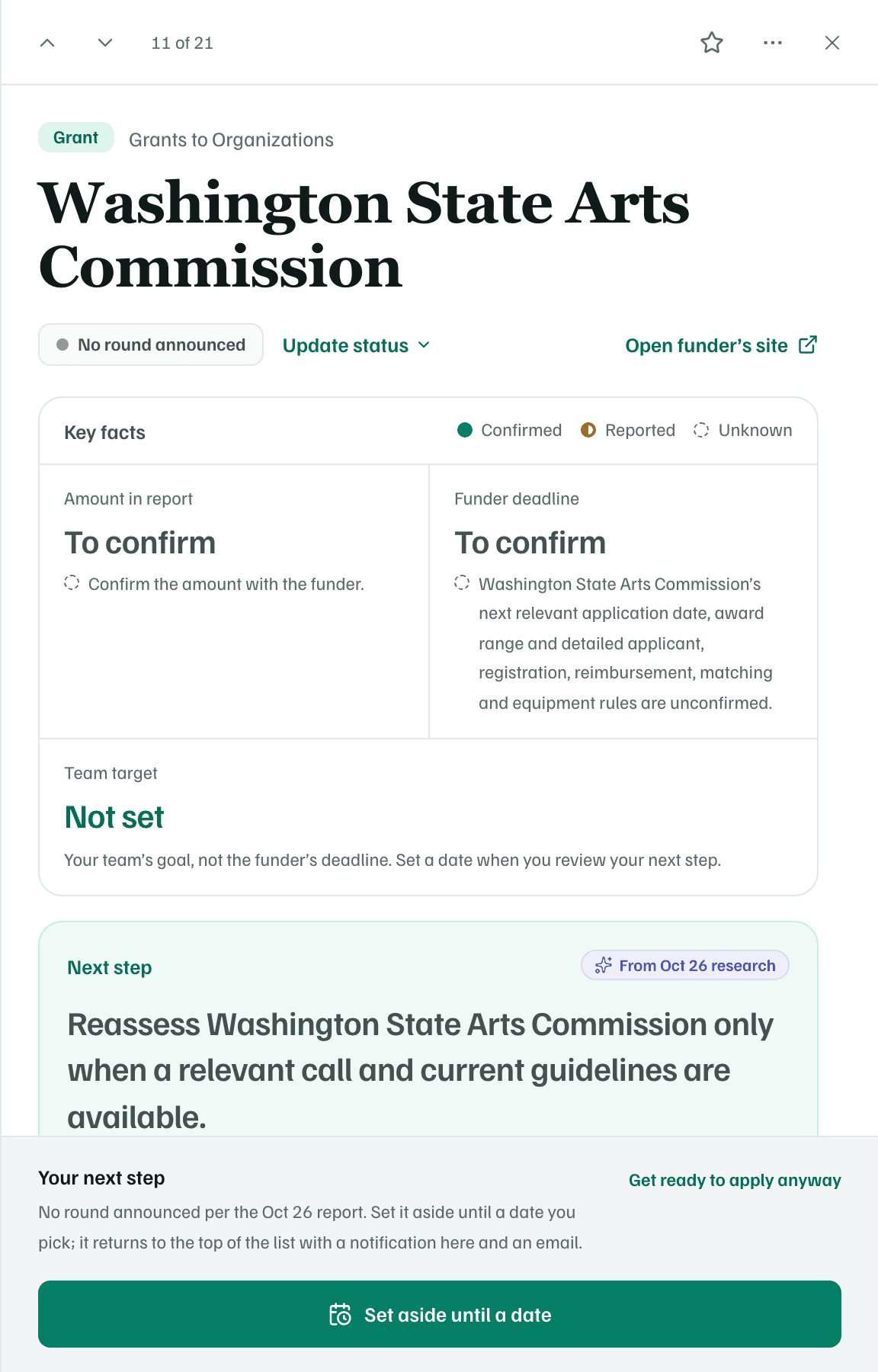
Fictional organization · real funders as researched in October 2026 Add your question about the next round
The dialog opens on the Questions purpose, with the questions the report couldn't answer under What to ask. Select Add a question, and under Timing, choose When does your next application period open, and how far ahead do you announce it? It joins the list and the email. Then select Done adding.
Edit any question in place, or remove one you don't need.
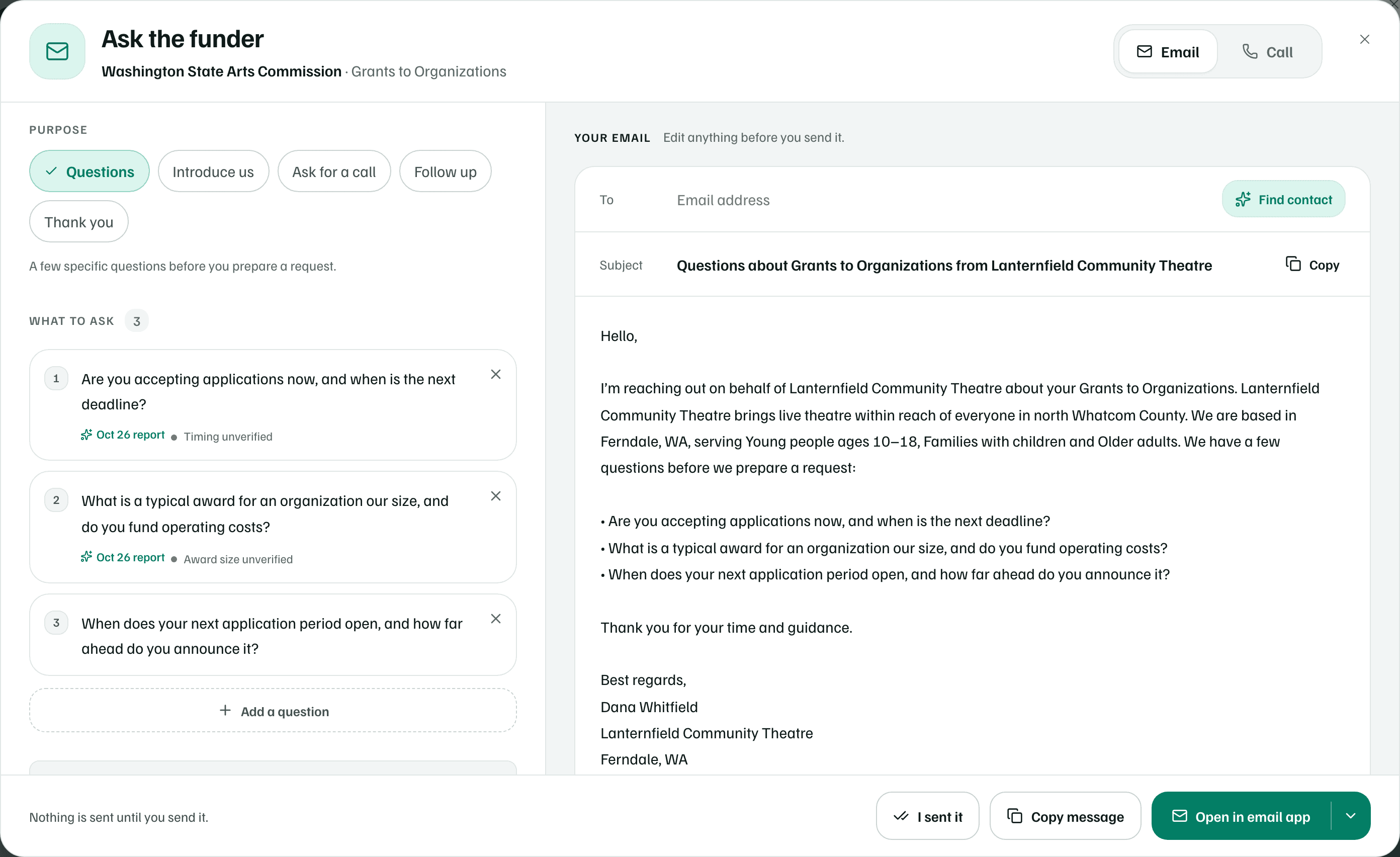
Fictional organization · real funders as researched in October 2026 Send it, then record it
Read the email and change anything you like. Select Open in email app, or Copy message to paste it anywhere. The arrow beside the button switches to Gmail or Outlook on the web. Nothing is sent until you send it.
Once your email has gone, select I sent it. Check Sent on and Follow up by, then select Save. The follow-up date starts 10 business days after you sent it.
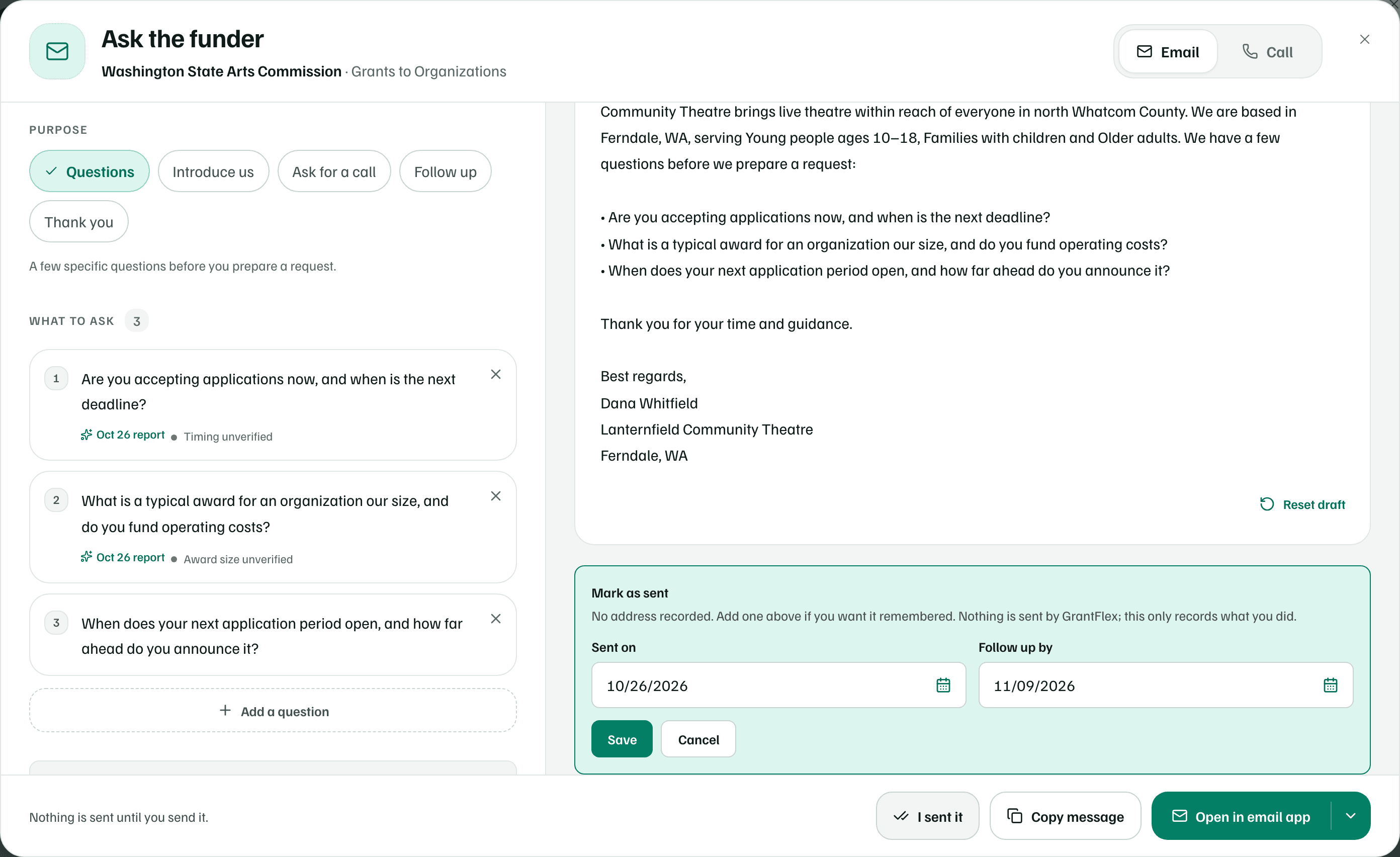
Fictional organization · real funders as researched in October 2026 Follow up, then keep the answer
The opportunity shows Waiting on the funder, and a task reminds you to follow up. If the date passes with no reply, select Send a follow up.
When the funder answers, select Log the reply and paste what they said. Pull out the facts with AI suggests what to keep and uses one AI action, and Continue without AI skips it. If they give a date, select Update status so your team sees it.
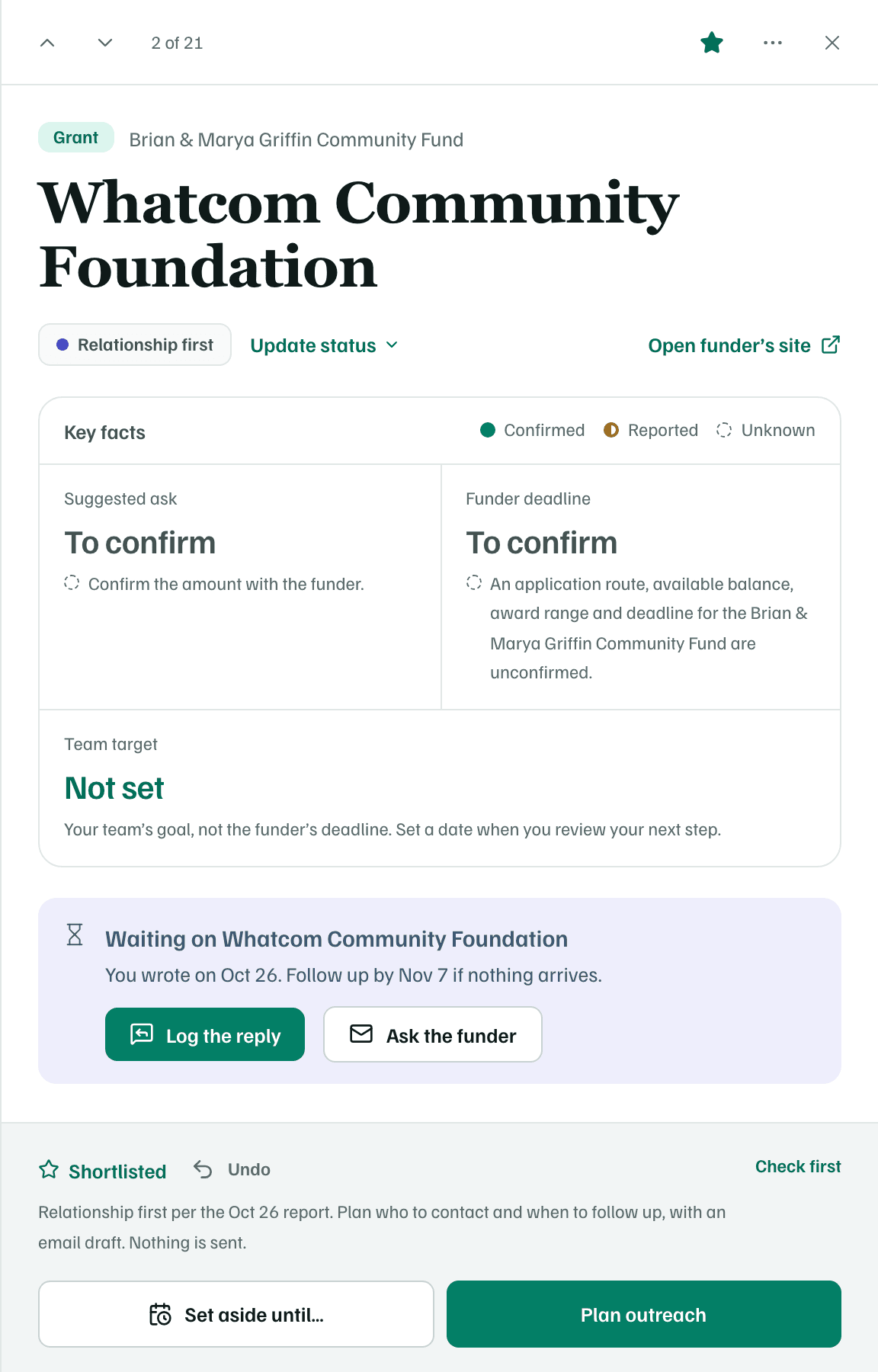
Fictional organization · real funders as researched in October 2026
Tip
For the other purposes, the call script and handing a draft to a colleague, see Ask the funder.
What you get
A question about the next round, sent from your own email, a task to follow up, and an opportunity that shows you're waiting on the funder. GrantFlex never contacts a funder for you.