Get an AI review and fix one gap
Have AI review your proposal against the funder's criteria, find the criterion that scored lowest, and revise one section with a suggested fix. The review and the revision use one AI action each.
- 10 min
- Every plan
- Uses up to 2 AI actions
Screens pending
Before you start
- Drafted sections. The review reads only what's written, so it skips empty sections.
- The funder's own criteria, if you want the review to use them. Have GrantFlex summarize the funder's guidelines first, as in Review a grant document. Otherwise the review uses standard criteria.
Review the draft and fix a gap
Open the Review tab
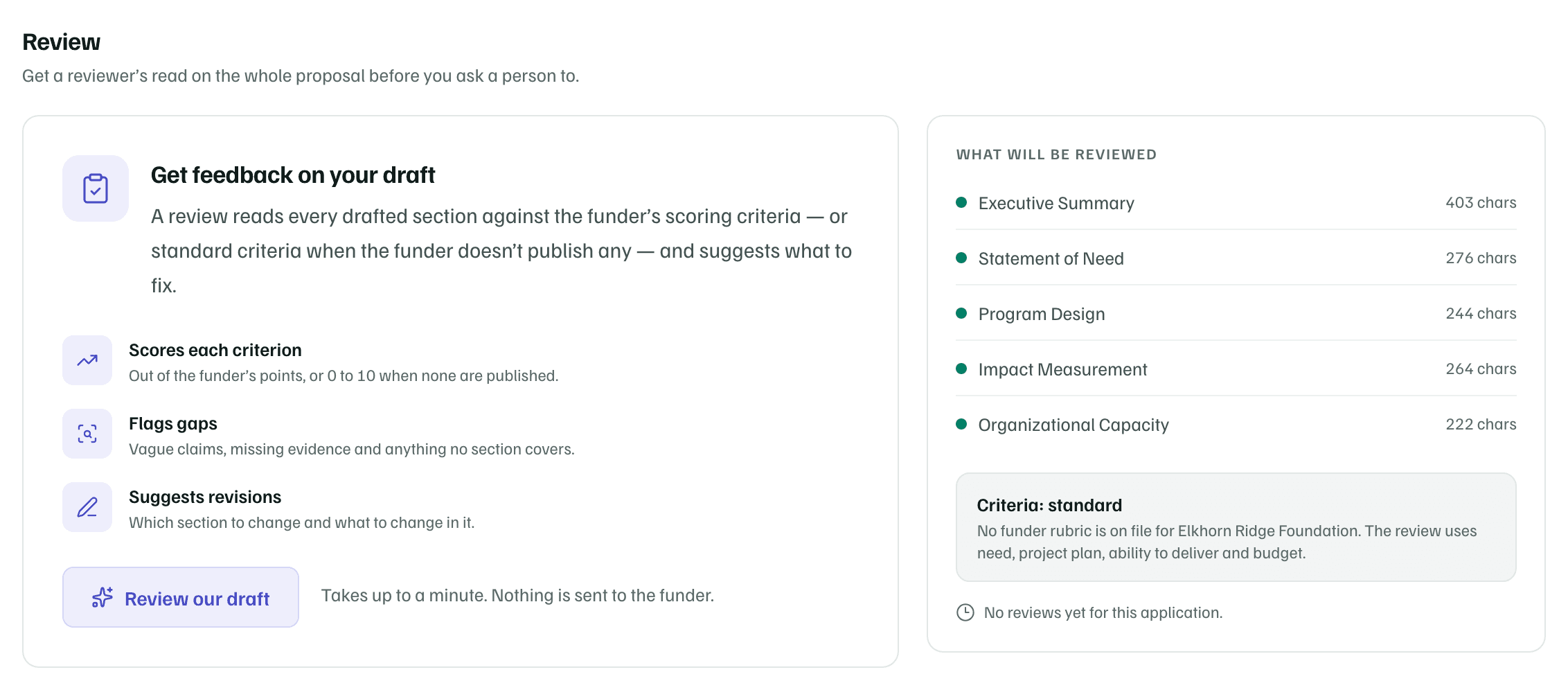
On the proposal's Materials tab, select Review. What will be reviewed lists each section with its length, and says whether the criteria come from the funder's guidelines or are standard.
Example workspace · fictional data Run the review
Select Review our draft. It takes up to a minute, uses one AI action and sends nothing to the funder.
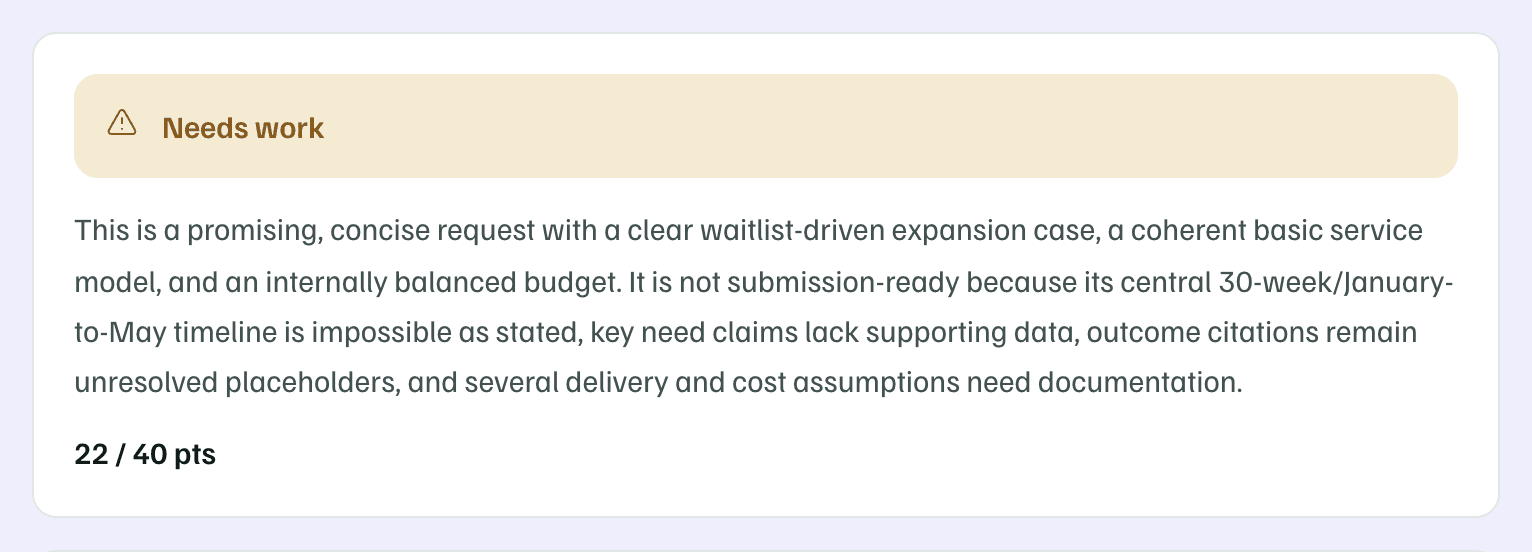
The scoresheet opens with a verdict, Looks submission-ready, Needs work or Not ready, and a short summary of why.
Example workspace · fictional data Find the biggest gap
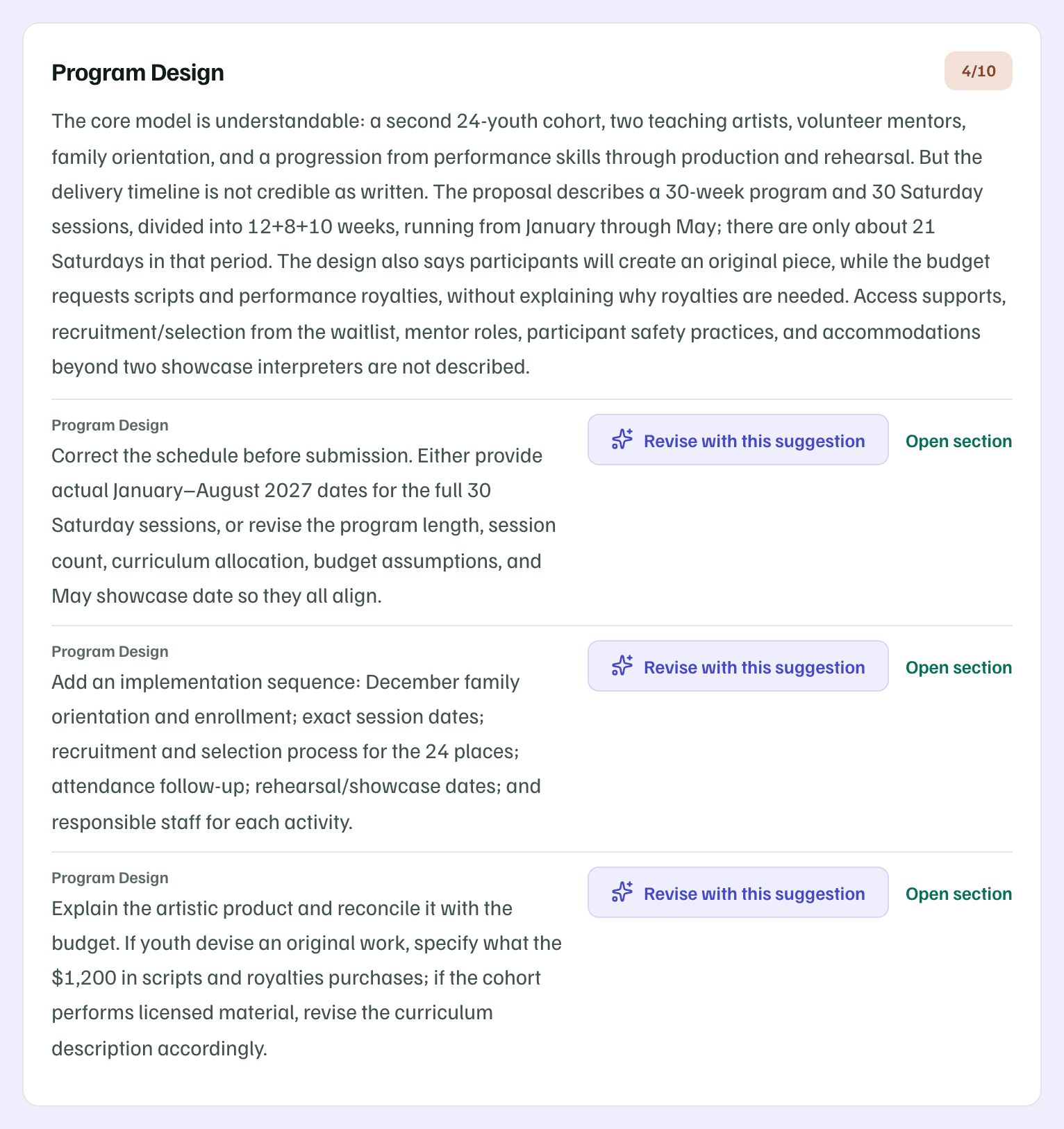
Below the verdict, each criterion has a score, a critique and fixes. Start with the lowest score. Each fix names the section to change.
Example workspace · fictional data Revise with one suggestion
Beside the fix, select Revise with this suggestion. AI rewrites that one section to apply just that fix, and it uses one AI action. The dialog marks each change and shows the new length against the limit.
Check every change and fill any [ADD: …] placeholders. Then select Use this revision, or Keep current text to leave the section as it was.
Check the change, then review again
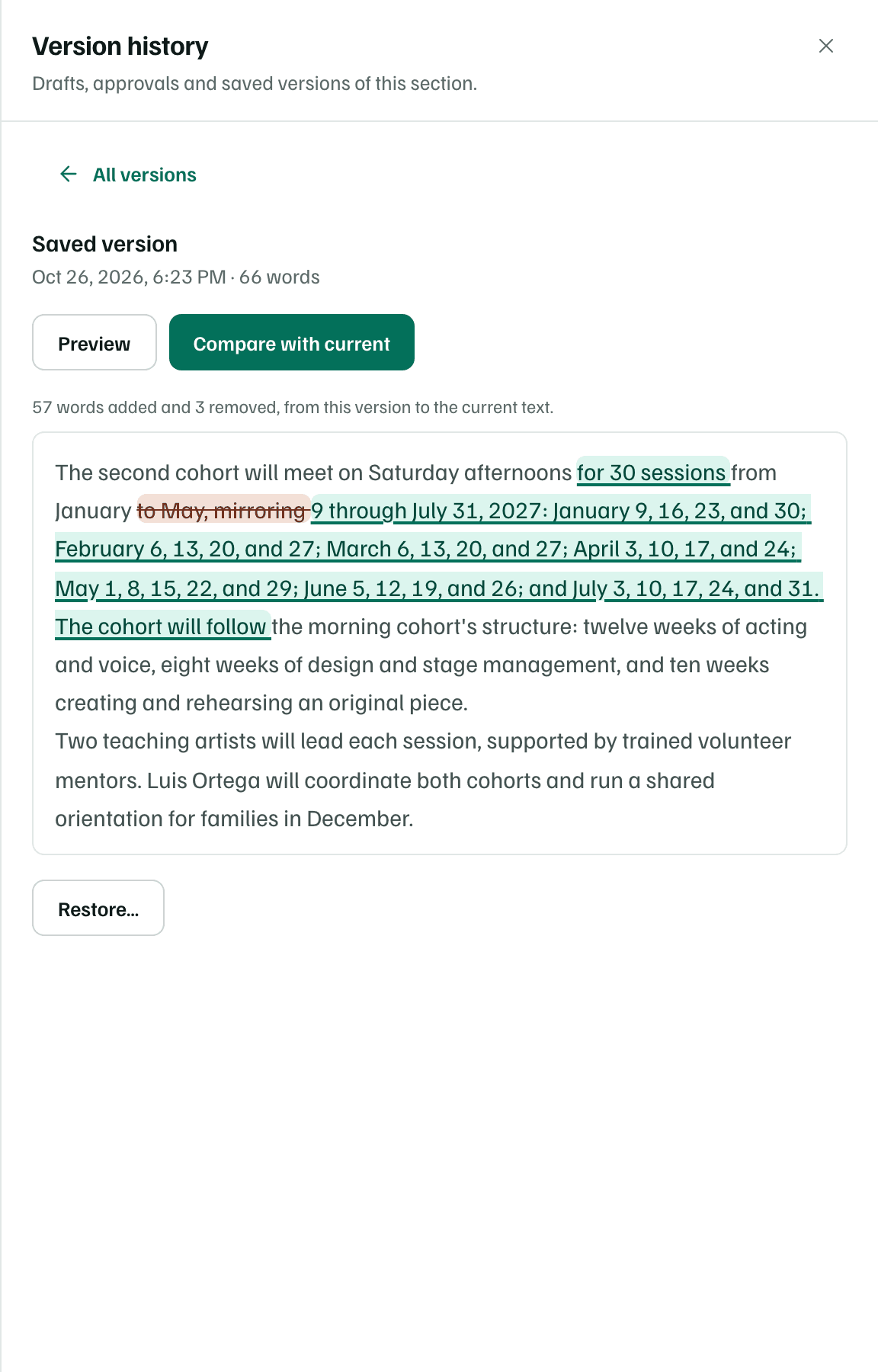
The text the revision replaced stays in the section's version history. Open the section and select History. Choose the earlier version, then select Compare with current to see what changed.
Back on the Review tab, select Review again to see whether the score moves. Review history lists every run.
Example workspace · fictional data
Check first
For the criteria and the scoresheet in full, see Get an AI review.
What you get
The gap the review found, fixed in the section it named, with the earlier text kept in version history and a second review to compare.